About HYPER for KLWP
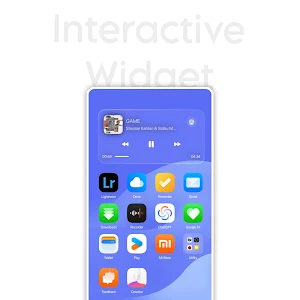
Transform your Android experience with this dynamic, multi-screen KLWP setup!
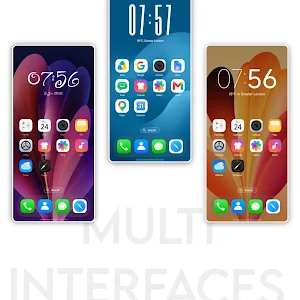
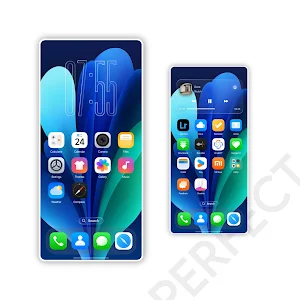
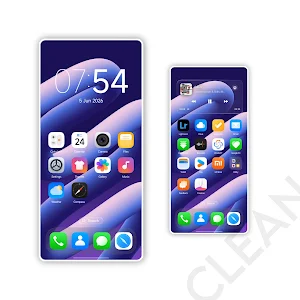
This preset is designed to give you ultimate customization, offering up to 6 entirely unique home screens in a single fluid layout. Built for those who love variety, every single page in this preset stands out with its own dedicated wallpaper and typography.
Features
Up to 6 Dynamic Screens: Smoothly scroll through multiple tailored home screen pages.
Unique Wallpapers: A distinctly different background image for every single screen.
Custom Typography: Carefully selected, unique fonts applied to each individual page.
Smooth Animations: Seamless and clean transitions as you swipe across your setup.
What You Need Before Applying
KLWP & KLWP Pro Key: You must have Kustom Live Wallpaper and its Pro version installed to import third-party presets.
Third-Party Launcher: A custom launcher like Nova Launcher is strictly required for multi-screen setups to function properly.
How to Apply the KLWP Preset
Set Up Your Launcher: Install a third-party launcher (Nova Launcher is highly recommended) and set it as your default.
Clear the Screen: Remove all app icons and widgets from your launcher's home screen. Hide the launcher's dock for the cleanest look.
Match Your Page Count: Create the exact number of blank home screen pages in your launcher to match your chosen KLWP preset. (For example: If you are using a 2-page layout, keep exactly 2 blank launcher pages. If using the full setup, create all 6 blank pages).
Enable Scrolling: Go into your launcher's settings and ensure that Wallpaper Scrolling is turned on.
Load the Theme: Open the KLWP app, go to the "Explore" or "Load Preset" tab, select this theme pack, and choose your preferred multi-screen preset.
Save & Apply: Tap the Save icon at the top right of the KLWP editor, and set KLWP as your device's Live Wallpaper.
Troubleshooting Note: If the wallpaper does not scroll when you swipe, double-check that your launcher's page count exactly matches the preset's page count and that your launcher's wallpaper scrolling setting is active!
Thank You.
HYPER for KLWP details
HYPER for KLWP is a paid Personalization app for Android with 1+ installs on Google Play. It was released on June 26, 2026 and last updated on June 26, 2026. It requires Android 8.0 or later.
- Category
- Personalization
- Installs
- 1+
- Price
- $0.99
- In-app purchases
- No
- Ads
- No ads
- Current version
- v2e3k36t260610
- Requires Android
- 8.0
- Content rating
- Everyone
- Released
- June 26, 2026
- Last updated
- June 26, 2026
What’s new in HYPER for KLWP
- Initial Release! - Added 6 custom home screen layouts. - Implemented unique wallpapers for each individual screen. - Styled each page with distinct typography and font choices. - Fully optimized for Nova Launcher and other third-party launchers. - Fixed initial rendering and alignment bugs.
Version v2e3k36t260610 · Updated June 26, 2026
Alternatives to HYPER for KLWP
Looking for apps like HYPER for KLWP? Here are 6 similar Android apps on Google Play.
Glossy Round - Icon Pack
Transform your home screen with 9000+ premium round glossy icons.

iFruity Dynamic
Dynamic iOS tinted icons that adapt to your wallpaper and system theme!
WallEasy Pro
Live 3D, fluid animations, dynamic gradients, and custom emoji/image wallpapers!
iFruity Dark - Icon Pack
Transform your home screen into a sleek, night-mode paradise with iFruity Dark.
iFruity Icon Pack
Transform your home screen with iFruity. Experience beautiful iOS style icons fo

GlassOS - KLWP
Elegant GlassMorphism UI for your Android. KLWP theme with Dark Mode support!
| App | Rating | Price | Installs | Last updated |
|---|---|---|---|---|
| HYPER for KLWP | – | $0.99 | 1+ | Jun 26, 2026 |
| Glossy Round - Icon Pack | – | 0.99 USD | 1+ | – |
| iFruity Dynamic | – | 1.19 USD | 5+ | Jul 20, 2026 |
| WallEasy Pro | – | 0.49 USD | 5+ | Jul 8, 2026 |
| iFruity Dark - Icon Pack | – | 0.99 USD | 10+ | Jul 8, 2026 |
| iFruity Icon Pack | – | 0.99 USD | 5+ | Jul 8, 2026 |
| GlassOS - KLWP | – | 0.99 USD | 10+ | May 24, 2026 |
