iFruity Icon Pack
Transform your home screen with iFruity. Experience beautiful iOS style icons fo
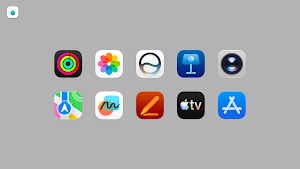
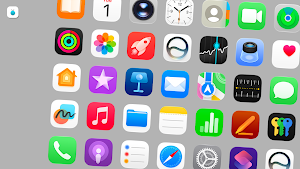
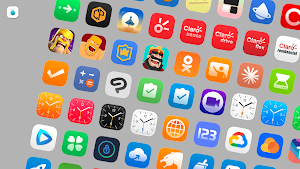
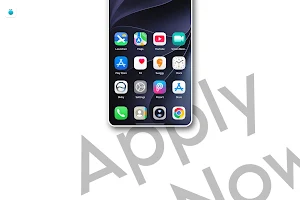
About iFruity Icon Pack
Give your device a clean, sleek, and futuristic makeover with the iFruity Icon Pack. Carefully crafted to bring the elegant and modern aesthetic of iOS 27 right to your Android device, this pack offers a premium experience for customization lovers. Whether you want a minimalist setup or a vibrant home screen, iFruity has you covered!
Key Features
- Massive Library: Over 4500+ meticulously designed, high-resolution icons.
- iOS 27 Style: Experience the crisp, smooth, and refined "normal iOS 27" aesthetic.
- Dynamic Calendar Support: Calendar icons that update with the current date (depends on launcher support).
- High-Quality Resolution: Crisp vector-based designs that look stunning on any screen size or display type.
- Regular Updates: We constantly add new icons to ensure your app drawer remains fully themed.
How to Apply iFruity Icon Pack
- To use this icon pack, you will need a custom Android launcher that supports third-party icon packs.
Step-by-Step Instructions:
- Download and install a supported custom launcher from the Play Store (e.g., Nova Launcher, Smart Launcher, Lawnchair, etc.).
- Open the iFruity Icon Pack app.
- Navigate to the Apply section within the app.
- Select your installed launcher from the list to automatically apply the icons.
Alternative method: You can also go directly to your custom Launcher's settings, find the "Theme" or "Appearance" menu, and select iFruity as your active icon pack.
Supported Launchers Include: Nova, Action, ADW, Apex, Evie, Lawnchair, OnePlus, Smart, Solo, and many more!
📬 Support & Queries
Missing an icon? Having trouble applying the pack? We are here to help!
For any icon requests, bug reports, or general queries, please feel free to reach out to us directly:
📧 Contact Email: [email protected]
iFruity Icon Pack details
iFruity Icon Pack is a paid Personalization app for Android with 5+ installs on Google Play. It was released on July 8, 2026 and last updated on July 8, 2026. It requires Android 6.0 or later.
- Category
- Personalization
- Installs
- 5+
- Price
- $0.99
- In-app purchases
- No
- Ads
- No ads
- Current version
- 1.1.1
- Requires Android
- 6.0
- Content rating
- Everyone
- Released
- July 8, 2026
- Last updated
- July 8, 2026
What’s new in iFruity Icon Pack
- Glossy iOS Style - Added 4500+ high-quality iOS 27 style icons. - Seamless integration with all major custom launchers. - Dynamic calendar icon support added.
Version 1.1.1 · Updated July 8, 2026
Alternatives to iFruity Icon Pack
Looking for apps like iFruity Icon Pack? Here are 6 similar Android apps on Google Play.

Glossy Round - Icon Pack
Transform your home screen with 9000+ premium round glossy icons.

iFruity Dynamic
Dynamic iOS tinted icons that adapt to your wallpaper and system theme!

WallEasy Pro
Live 3D, fluid animations, dynamic gradients, and custom emoji/image wallpapers!
iFruity Dark - Icon Pack
Transform your home screen into a sleek, night-mode paradise with iFruity Dark.

HYPER for KLWP
HyperOS Style screens for KLWP

GlassOS - KLWP
Elegant GlassMorphism UI for your Android. KLWP theme with Dark Mode support!
| App | Rating | Price | Installs | Last updated |
|---|---|---|---|---|
| iFruity Icon Pack | – | $0.99 | 5+ | Jul 8, 2026 |
| Glossy Round - Icon Pack | – | 0.99 USD | 1+ | – |
| iFruity Dynamic | – | 1.19 USD | 5+ | Jul 20, 2026 |
| WallEasy Pro | – | 0.49 USD | 5+ | Jul 8, 2026 |
| iFruity Dark - Icon Pack | – | 0.99 USD | 10+ | Jul 8, 2026 |
| HYPER for KLWP | – | 0.99 USD | 1+ | Jun 26, 2026 |
| GlassOS - KLWP | – | 0.99 USD | 10+ | May 24, 2026 |


