Projector Casting App
Connect compatible projectors with your phone and enjoy convenient display tools
About Projector Casting App
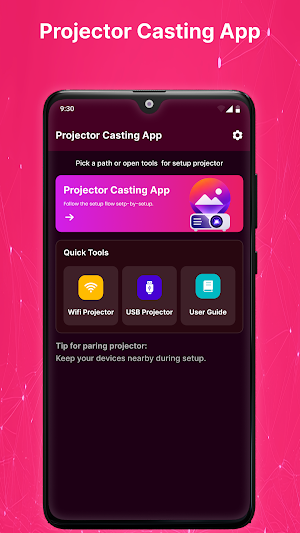
Projector Casting App is an Android utility designed to simplify connections between your smartphone and supported projector devices. It provides an easy-to-use interface for discovering compatible projectors, establishing supported connections, and accessing available casting options.
Whether you're preparing a presentation, enjoying a movie at home, sharing photos, or using a projector for classroom activities, the app helps make compatible device connections more convenient.
Easy Projector Connection
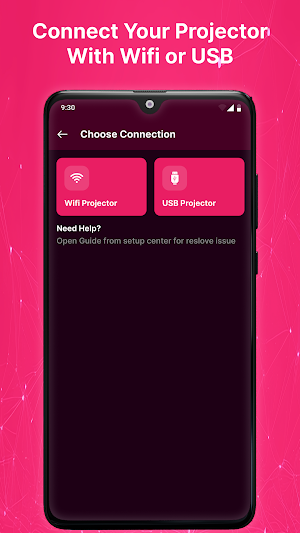
Connect your Android phone with supported projector hardware using the connection options available on your devices. The simple interface keeps essential controls easy to access.
Wireless Display Support
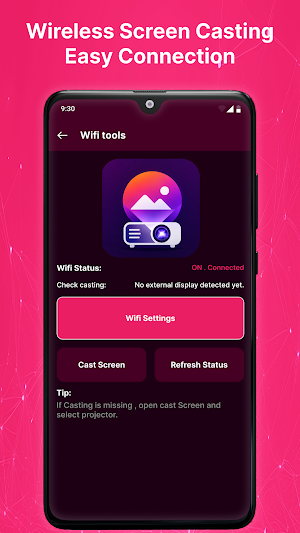
When supported by your projector and Android device, the app can help you access available wireless display or casting functionality for sharing compatible content on a larger screen.
Quick Device Discovery
Find compatible projector devices through the available device-discovery options. Recognition and connection capabilities depend on your projector, smartphone, and supported technologies.
Convenient Reconnection
Reconnect with compatible projector devices you have previously used when supported by your hardware. The app keeps the connection experience simple and organized.
Key Features
• Compatible projector connectivity
• Wireless display support
• Supported casting options
• Projector device discovery
• Connection status information
• Reconnection support
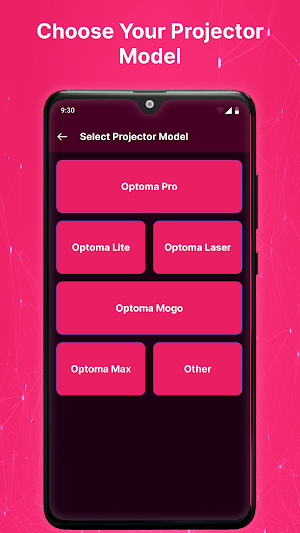
• Simple device selection
• Easy-to-use interface
• Lightweight Android design
• Smooth connection experience
Supports Various Projector Types
Depending on compatibility, the app can be used with supported:
• Mini projectors
• Portable projectors
• Smart projectors
• LED projectors
• LCD projectors
• DLP projectors
• Android projectors
• WiFi-enabled projectors
• HD projectors
• Full HD projectors
• Compatible 4K projectors
• Home theater projectors
Available functions vary by device.
Great For Everyday Projection
Use the app with compatible projector hardware for:
• Movie nights
• Home entertainment
• Business presentations
• Classroom activities
• Gaming
• Photo sharing
• Office meetings
• Document display
• Family gatherings
Why Choose Projector Casting App?
The app focuses on making projector connectivity easier without unnecessary complexity. Its organized design helps users find supported devices and available casting options quickly.
How To Use
Open Projector Casting App.
Prepare your compatible projector.
Enable the connection feature required by your devices.
Search for supported projector hardware.
Select the available device.
Follow the on-screen connection instructions.
Use the supported casting or display features.
Compatibility
Performance depends on the Android phone, projector model, firmware, operating system, and supported connection protocols.
Some projectors may require additional manufacturer software or hardware for advanced functions.
Important Information
This application requires compatible projector hardware for projection and casting features. It does not turn an Android phone into a physical projector or guarantee compatibility with every projector model.
Disclaimer
Projector Casting App is an independent third-party utility and is not affiliated with, endorsed by, sponsored by, or officially connected to any projector manufacturer or brand.
All trademarks, product names, and brand names belong to their respective owners and are referenced solely for identification and compatibility purposes.
Similar Apps
Huawei Watch Fit 5 Pro App
Connect and manage your Watch Fit 5 Pro with easy pairing.
Hitachi Projector App
Connect and manage compatible Hitachi projectors from with easy setup.
Series 11 Watch App
Connect your Series 11 smartwatch with easy and reliable device connectivity.
E88 Pro Drone App
Connect your E88 Pro drone for easy WiFi pairing and aerial photography.
Hy320 Smart Projector App
Connect and control your HY320 projector with an easy remote and WiFi pairing.
Hy320 Projector Remote
Control your HY320 projector with easy remote controls and quick pairing.
