Aaad Android
A convenient utility for connecting compatible phones with supported car systems
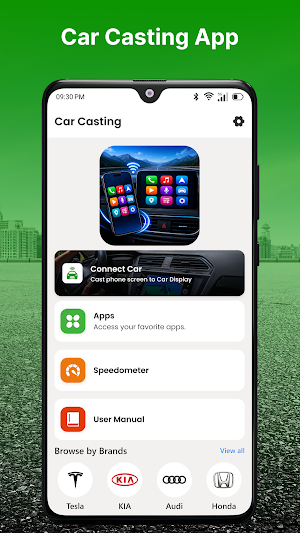

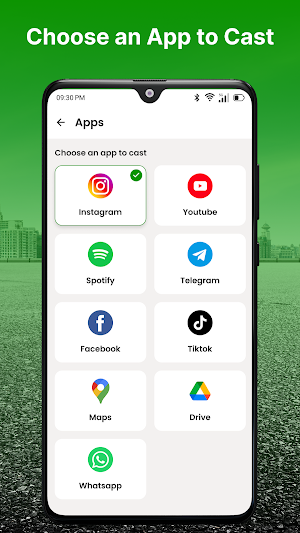
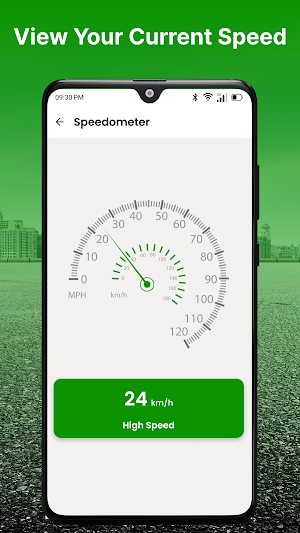
About Aaad Android
AAAD Android provides a straightforward way to manage connectivity between an Android smartphone and compatible vehicle display systems. The app is designed around simple device discovery, connection assistance, and supported in-car functionality.
Whether you're preparing your phone for a daily commute or setting up connectivity in a compatible vehicle for the first time, the clean interface helps keep essential options easy to access.
Connect Your Phone To Your Car
Use supported connection methods to establish communication between your Android smartphone and compatible car hardware. Connection capabilities depend on the vehicle and infotainment system.
Smart Device Detection
Find supported car systems and connected hardware through an organized interface. The app helps simplify the process of identifying available connection options.
Supported In-Car Features
Depending on your vehicle and connected hardware, compatible functions may include:
• Navigation
• Audio playback
• Hands-free calling
• Supported smartphone features
• Compatible display functions
Feature availability varies by vehicle and device.
Key Features
• Android phone connectivity
• Compatible car display support
• Supported wired connections
• Supported wireless connectivity
• Device recognition
• Connection status
• Easy pairing assistance
• Reconnection support
• Simple navigation
• Lightweight Android design
Built For Compatible Vehicles
AAAD Android can be used with supported vehicle infotainment systems and compatible aftermarket head units.
It may be useful for:
• Daily commuting
• Road trips
• Navigation
• Music listening
• Hands-free communication
• Compatible car entertainment systems
Simple Connection Experience
The app is designed to keep the connection process clear and accessible. Instead of unnecessary menus, essential device and connection options are presented in an easy-to-navigate layout.
How To Use
Launch AAAD Android on your phone.
Make sure your vehicle supports the required connectivity technology.
Enable the necessary settings on your Android device.
Connect your phone to the compatible car system.
Follow the displayed instructions.
Use the features supported by your vehicle.
Compatibility Information
Performance depends on your smartphone, Android version, vehicle model, infotainment hardware, head unit, and supported connection protocols.
Certain vehicles may require additional hardware, software, or manufacturer-supported services.
Important Note
AAAD Android is intended for compatible devices and systems. It cannot add unsupported connectivity capabilities to vehicles or phones.
For safety, only use supported in-car features in accordance with applicable driving regulations.
Disclaimer
AAAD Android is an independent third-party utility and is not affiliated with, endorsed by, sponsored by, or officially connected to any automobile manufacturer, infotainment provider, or technology company.
All trademarks, product names, and brand names are the property of their respective owners and are mentioned only for identification and compatibility purposes.
