Fermata Auto
Connect your device with compatible car systems and enjoy an in-car experience.
About Fermata Auto
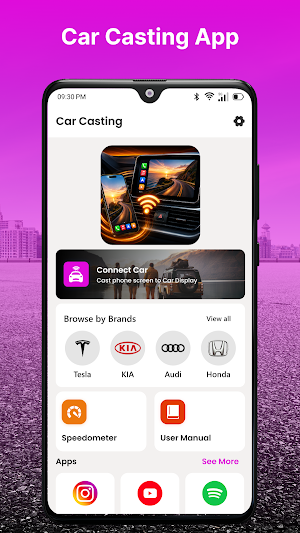
Fermata Auto is an Android-focused utility designed for users who want convenient access to supported automotive features. It provides a clean interface for working with compatible vehicle displays, infotainment systems, and supported connected-device functions.
The app is designed to keep the experience simple, organized, and easy to navigate while using compatible car hardware.
Car Connectivity
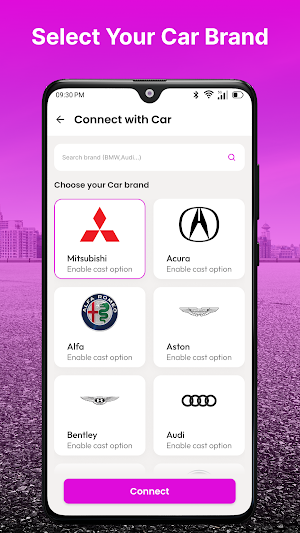
Use your Android smartphone with supported vehicle systems and compatible head units. Depending on your setup, available functions may include supported navigation, audio, communication, and other automotive features.
Organized Vehicle Interface
Access compatible functions through a straightforward interface designed for use with supported car displays. Essential options are kept organized for easier navigation.
Convenient Media Access
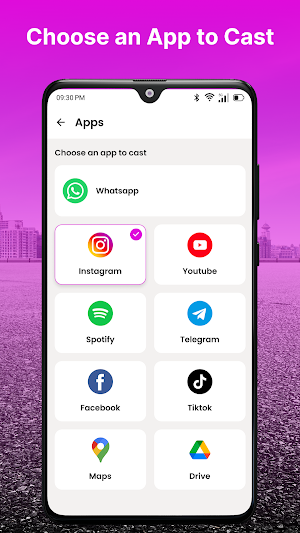
With compatible hardware and supported applications, access available audio and other supported media functions from your connected automotive setup.
Key Features
• Android car connectivity
• Compatible infotainment support
• Car display-friendly interface
• Organized automotive controls
• Supported media functions
• Navigation support
• Connection information
• Simple device access
• Lightweight application design
• Android compatibility
Useful For
Fermata Auto can be useful when using compatible car systems for:
• Everyday commuting
• Long-distance travel
• Navigation
• Audio playback
• Hands-free communication
• Supported infotainment features
Available functions depend on the connected setup.
Why Use Fermata Auto?
The app is designed to provide a straightforward experience for Android users working with compatible vehicle systems.
Getting Started
Open Fermata Auto on your Android device.
Make sure your vehicle system supports the required connection.
Enable the necessary phone and vehicle settings.
Connect your Android device to the compatible system.
Follow the available setup instructions.
Use the functions supported by your connected hardware.
Compatibility
Supported features vary based on Android version, phone model, vehicle infotainment system, head unit, connection technology, and installed applications.
Not every feature is available on every vehicle or device.
Important Information
The application cannot provide features that are not supported by the connected vehicle or Android hardware. Additional manufacturer-specific requirements may apply.
Always prioritize safe driving and comply with local regulations when using automotive connectivity features.
Disclaimer
Fermata Auto is an independent third-party application and is not affiliated with, endorsed by, sponsored by, or officially associated with Google, Apple, or any automobile manufacturer.
Android and Android Auto are trademarks of Google LLC. Apple CarPlay is a trademark of Apple Inc. All trademarks and product names belong to their respective owners and are used only for identification and compatibility reference.
