Zip - Unzip: File Manager
Unzip files, compress file, zip maker & secure file manager tool.
About Zip - Unzip: File Manager
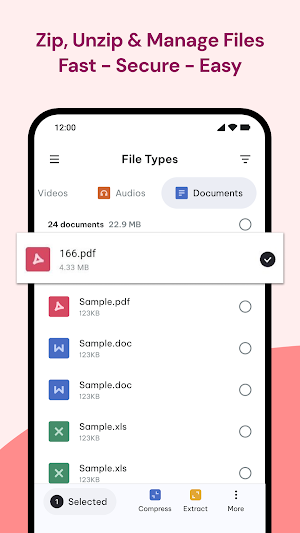
Zip - Unzip: File Manager is a reliable tool for compressing, extracting, and organizing files on your device. Designed for speed and simplicity, the app helps you reduce file size, open compressed files, and manage storage without needing multiple applications.
Whether you want to create zip files, compress a folder into a single archive, or quickly unzip shared documents, this app provides a smooth and secure experience. It works as a smart zip maker, efficient zip extractor, and built-in file manager — all in one lightweight solution.
With support for popular archive formats such as ZIP, RAR, 7z, and TAR, you can handle documents, photos, videos, APKs, and large media files with ease.
📂 Why choose Zip - Unzip: File Manager?
Large files can quickly take up valuable storage space. Compressing them into a single archive makes sharing easier and keeps your device organized. This app allows you to:
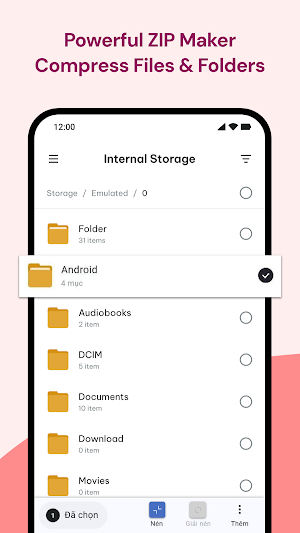
✓ Compress files and folders into ZIP archives
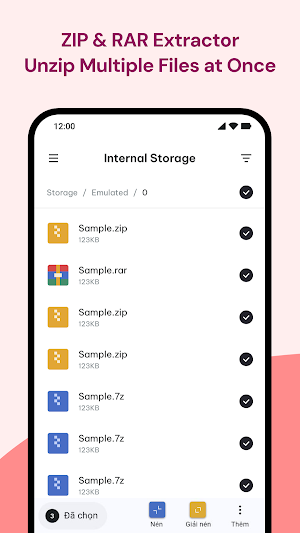
✓ Open and extract compressed files in seconds
✓ Use an integrated rar extractor and unrar tool
✓ Access archives directly with a built-in zip file opener
✓ Manage internal storage with a simple file explorer
Instead of switching between separate compression and file management apps, everything is available in one place.
🔹 KEY FEATURES
✓ Fast Unzip Tool: Quick extraction for all your compressed files.
✓ Smart Zip Maker: Easily create ZIP archives to save space.
✓ Multi-Format Support: Handles ZIP, RAR, 7z, TAR and more.
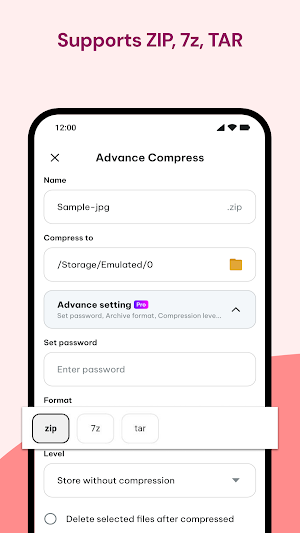
✓ Secure Compression: Optional password protection for sensitive data.
✓ Built-in File Zipper: Optimized engine for stable and fast performance.
✓ Integrated File Manager: Browse, sort, move, and organize files easily.
✓ Storage Explorer: Manage internal storage with a clean and simple interface.
🔐 Advanced Compression & Extraction
Customize your compression level based on your needs — from faster processing to maximum size reduction. You can also protect sensitive data by adding a password when creating archives.
The extraction process is designed to be safe and stable, with overwrite controls to prevent accidental data loss. Whether you are opening a ZIP file, extracting a RAR archive, or handling 7z files, performance remains smooth and reliable.
📁 Smart File Management
Beyond compression and extraction, the app functions as a practical file manager for everyday use. The clean interface makes it easy to browse internal storage, organize folders, and locate documents quickly.
✓ Sort files by name, size, type, or date.
✓ Move, rename, and delete files efficiently.
✓ Manage photos, videos, documents, and audio files.
✓ Keep your storage structured and clutter-free.
Zip - Unzip: File Manager combines compression tools, archive extraction, multi-format support, and file management into one secure and easy-to-use app.
We’re continuously improving performance and stability. For suggestions or assistance, please contact:
📧 Email: [email protected]
Similar Apps

Video Download Master
Fast video downloader to save videos, music & files for offline use.

Echo Lock - Voice Lock
Secure your phone quickly with a unique voice password and custom lock screen.

File Recovery: Recover Photos
File recovery app to restore deleted photos, videos, and documents easily.

Magnifying Glass & Camera Zoom
Turn your phone into a magnifying glass with HD zoom camera and flashlight.

Zip - Unzip: File Manager
Unzip files, compress file, zip maker & secure file manager tool.

TeleCloud: Cloud Storage App
Unlimited cloud storage app. Free up space & backup files securely
