Remove Pages From PDF
Remove unwanted PDF pages instantly. Delete, save, share, print & manage PDFs.
About Remove Pages From PDF
Remove Pages From PDF is a simple and powerful tool to delete unwanted pages from any PDF file on your Android device.
Whether you need to remove blank pages, duplicate pages, or just keep the important ones, this app makes PDF editing quick and easy — with no complicated steps.
Remove Pages From PDF Features
• Select Any PDF
Import PDF files from your device easily using the built-in file picker.
• Visual Page Preview
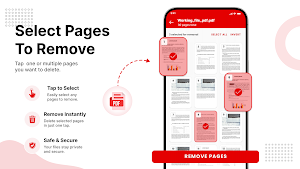
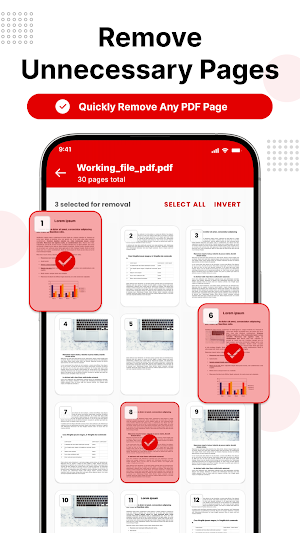
See every page as a thumbnail before deciding what to remove.
• Tap to Remove Pages
Simply tap the pages you want to delete. Use Select All, Clear, or Invert for faster selection.
• Fast PDF Export
Create a new PDF instantly with only the pages you want to keep. Rename your file before saving.
• Share, Print & Save
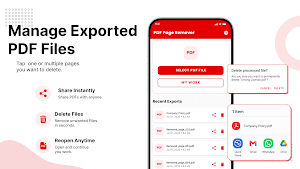
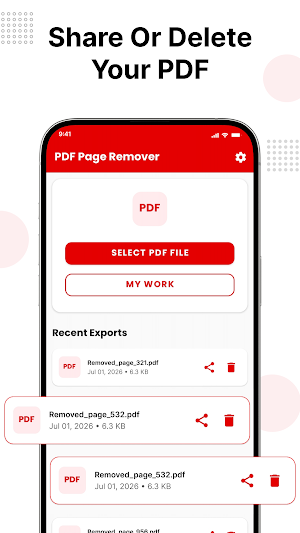
Share your edited PDF, print it, open it in another app, or save a copy to your device.
• My Work Library
Access all your processed PDFs in one place. Search, sort, and manage your files easily.
• Secure & Private
Your documents are processed on your device. Fast, secure, and easy to use.
How Remove Pages From PDF is useful?
• Students can remove extra pages from notes or assignments
• Professionals can clean up scanned documents
• Anyone who wants a lighter, cleaner PDF Remove tool can use app.
How Remove Pages From PDF works:
1. Select a PDF file
2. Tap the pages you want to remove
3. Export, share, print, or save your new PDF
Download Remove Pages From PDF and clean up your documents quickly.
Similar Apps
NFC Card Reader - Cards Wallet
Tap Cards to read and store to wallet using Phone NFC reader and validate cards.

Sitaram Ringtones: जय श्री राम
Feel devotion with Ram ringtones, Shri Ram tones & spiritual ringtones
App Lock - Fingerprint, PIN
App Lock with fingerprint, PIN, Pattern & privacy protection

Calculator Lock App-Hide Photo
Hide photos & videos in a private calculator lock. Secure your personal files.
Battery Charge Alarm Notifier
Stop overcharging & protect battery health. Custom sound alerts & charge monitor
Draw on PDF - Write on PDF
Draw and write on PDFs, add text, notes, highlights, and annotations.
