USB Drive Lock & OTG Manager
Lock USB drives, manage OTG files, back up data and check USB drive health.
About USB Drive Lock & OTG Manager
Manage USB Drives, Pen Drives & OTG Storage
USB Drive Lock & OTG Manager includes features to lock USB drives, manage OTG storage, organize files, create backups, restore data, format USB drives, and check USB drive health.
Whether you use a USB drive, USB flash drive, or pen drive for documents, photos, videos, music, and other files, the app brings USB drive and OTG management features together in one place.
🔒 Lock USB Drive
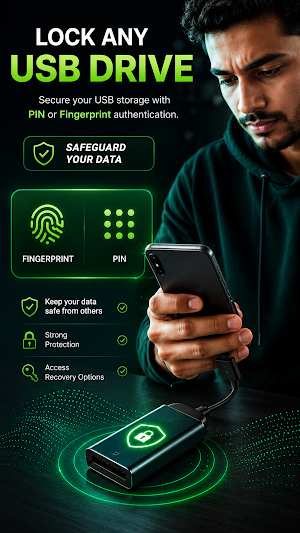
Lock supported USB drives using fingerprint or PIN authentication.
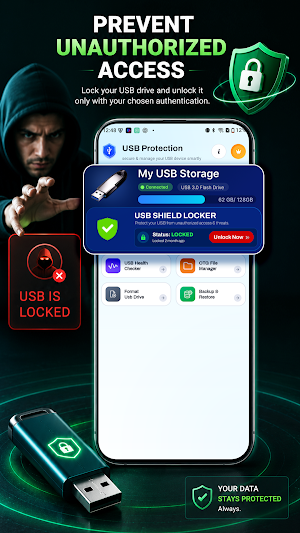
• Lock a connected USB drive
• Choose Fingerprint or PIN
• Unlock using Fingerprint, PIN, or Recovery Key
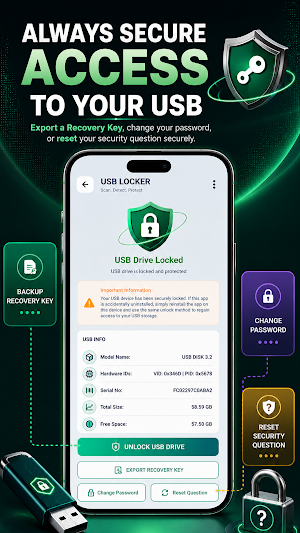
• Export a Recovery Key for future access
🔑 Change Password
Available when a locked USB drive is connected.
• Verify your security question
• Set a new password
• Save your updated password
❓ Reset Security Question
Update your security question and answer.
• Verify your current security answer
• Select a new security question
• Save your new security answer
❤️ USB Health Checker
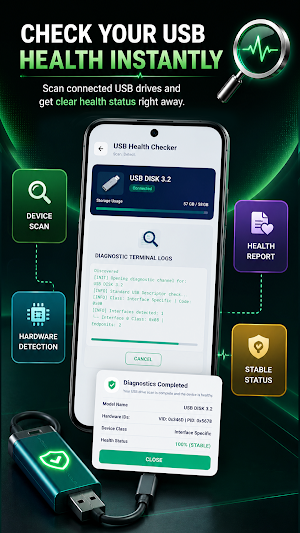
Check the status of your connected USB drive.
• Run a USB health scan
• View the USB drive status
• Review the health report
📂 OTG File Manager
Browse and manage files stored on Internal Storage, OTG Storage, and connected USB drives or pen drives.
• Browse Internal Storage
• Browse OTG Storage
• Copy files
• Move files
• Rename files
• Delete files
💾 Format USB Drive
Format supported USB drives.
• Format connected USB drives
• Confirm before formatting
Warning: Formatting permanently removes all data stored on the selected USB drive. Back up important files before formatting.
🔄 Backup & Restore
Create backups and restore supported files.
Backup
• Back up files from your USB drive or pen drive
• Save backup copies
Restore
• Restore files from existing backups
• Select a backup to restore
Why You'll Like It
• USB drive locking
• Fingerprint authentication
• PIN authentication
• Recovery Key support
• OTG file management
• USB health checking
• Backup and restore
• USB formatting
• Internal and OTG storage browsing
Permissions
File Access
Required to manage files, create backups, restore backups, and access supported storage.
USB Host
Required for USB and OTG features on supported devices.
Biometric Authentication
Required for fingerprint authentication when locking or unlocking supported USB drives.
Some features depend on Android version, USB device compatibility, and available hardware.
Use the app to lock USB drives, browse OTG storage, manage files, create backups, restore data, format supported USB drives, and check USB drive health.
Similar Apps

ScreenStream
Secure one‑tap screen & audio share via WebRTC/MJPEG/RTSP to browsers/players

Quikshort: Shortcut Creator
Create custom home screen shortcuts and quick setting tiles for anything.

Autosync - File Sync & Backup
Universal file sync and backup tool for cloud storages and NAS devices
App Lock: Fingerprint, Pattern
Protect & lock my apps. Applock with Fingerprint, PIN, Pattern.
Voice Recorder Audio Sound MP3
Professional voice recorder, voice memo, audio transcription! Good sound quality

AppDash: App Manager & Backup
Advanced app manager with backups, insights, permissions and more

