About Everecent
Everecent puts the files you’ve been using recently right where you need them.
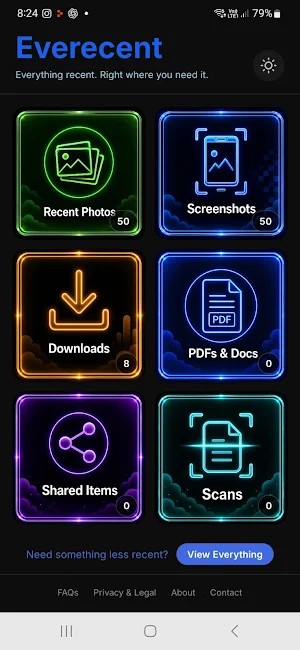
Instead of searching through folders and large galleries, Everecent gives you quick access to six useful categories: Recent Photos, Screenshots, Downloads, PDFs & Docs, Shared Items and Scans.
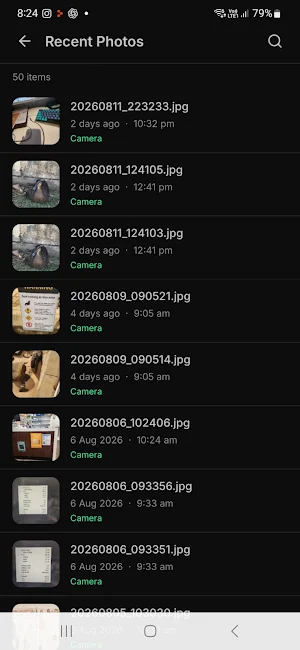
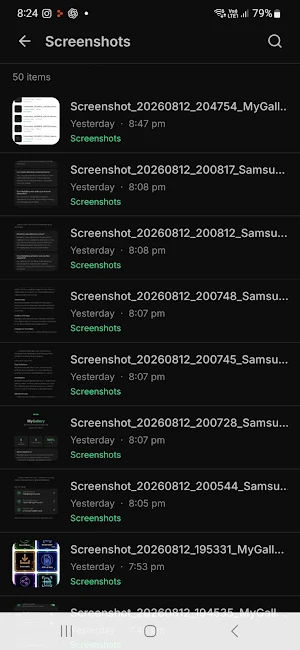
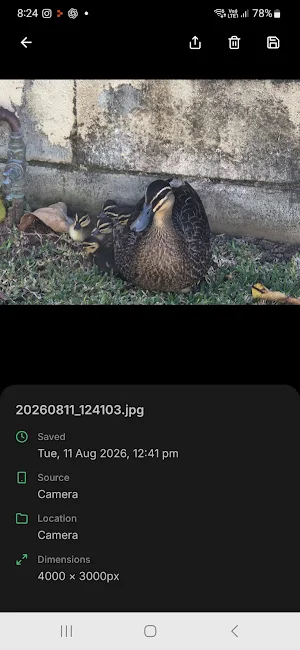
Each category shows up to your 50 most recent items, with the newest first. Search, preview and view useful file details directly from the app, then share or manage the file when needed.
Need something less recent?
Tap View Everything to open MyGallery, Everecent’s built-in full-library view. MyGallery gives you access to the full available collection across the same six categories, so older files remain easy to find.
Everecent and MyGallery work together:
• Everecent — your recent files, fast
• MyGallery — your full available library when you need to look further back
Blue identifies the Everecent recent view, while green identifies the MyGallery full-library view.
MyGallery is built directly into Everecent — it is not a separate app.
Whether you’re looking for a photo you took yesterday, a screenshot from this morning, a downloaded file, a document or a scan, Everecent is designed to get you there quickly.
Everything recent. Right where you need it.
Similar Apps

TicNote: AI Recorder & Agent
Recording & Summary & Shadow

Encompass One
Onsite, and on the go

Fergus Go
Job management software for Tradies

Jetpack – Website Builder
Build your WordPress website & blog; create posts, add photos & track analytics!

Frec: Tax-aware investing
Direct indexing & long short

Liner - AI Search and Finance
1 AI chat app for cited AI search, stock insights, document summaries and more.
