

Ghost Face Lock Screen
OneX Techi Personalization Contains ads
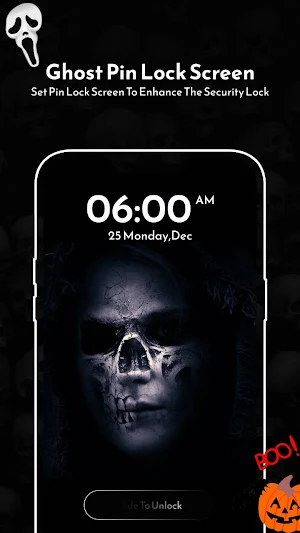
Face Lock Screen is a beautiful, secure and customizable Lock Screen for mobile.
- Downloads
- 500+
- on Google Play
- Price
- Free
- No in-app purchases
- Updated
- Dec 13
- 2022 · v1.0
Screenshots



About Ghost Face Lock Screen
Need a protection for your personal data? Secure your device with Ghost Face Lock Screen wallpapers and advanced security features.
Bored with default lock screens? Change your lock screen wallpaper as often as you like or choose one of your own photos as a lock screen background.
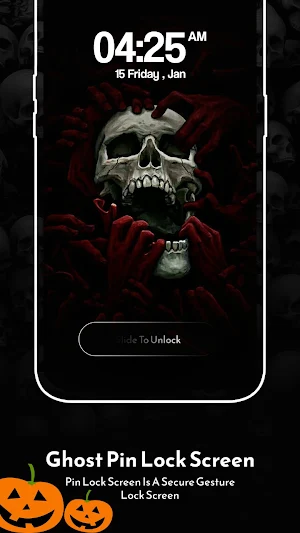
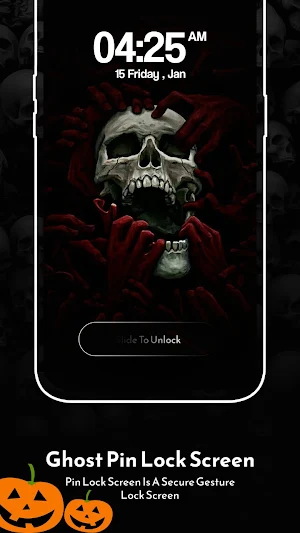
Don’t need additional security? Just set cool “Slide to unlock” animation and enjoy beautiful lock screen wallpaper.
Want something new? Check our other lock screen wallpapers, stay fresh every new day.
Main Features:
- Easy to use.
- Small application size
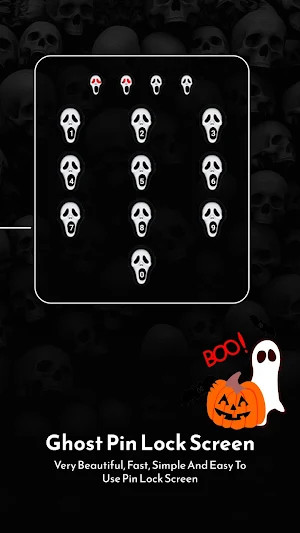
- Set passcode to protect your privacy.
- It is quick and smart
- Free application.
- Fully customizable
- Less memory and battery usage
F.A.Q.
Q: How to use lock screen wallpaper app
A: Just open app and tap “Enable Lock”
Q: How to set password protection?
A: Open app and tap “Passcode”
Q. How to set my own image as a lock screen wallpaper?
A: Just tap “Change Background” => “Pick Image”.
Q: What should I do if I encounter double lock screen?
A: Tap “Disable lockscreen system” => “None” in settings menu.
Permissions Notice
Photos/Media/Files: Needed to allow you to use custom photos as lock screen wallpaper.
Storage: Needed to allow you to use custom images as lock screen wallpaper.
Phone status: Needed to unlock the screen when getting a phone call.
Bored with default lock screens? Change your lock screen wallpaper as often as you like or choose one of your own photos as a lock screen background.
Don’t need additional security? Just set cool “Slide to unlock” animation and enjoy beautiful lock screen wallpaper.
Want something new? Check our other lock screen wallpapers, stay fresh every new day.
Main Features:
- Easy to use.
- Small application size
- Set passcode to protect your privacy.
- It is quick and smart
- Free application.
- Fully customizable
- Less memory and battery usage
F.A.Q.
Q: How to use lock screen wallpaper app
A: Just open app and tap “Enable Lock”
Q: How to set password protection?
A: Open app and tap “Passcode”
Q. How to set my own image as a lock screen wallpaper?
A: Just tap “Change Background” => “Pick Image”.
Q: What should I do if I encounter double lock screen?
A: Tap “Disable lockscreen system” => “None” in settings menu.
Permissions Notice
Photos/Media/Files: Needed to allow you to use custom photos as lock screen wallpaper.
Storage: Needed to allow you to use custom images as lock screen wallpaper.
Phone status: Needed to unlock the screen when getting a phone call.
Alternatives to Ghost Face Lock Screen
Looking for apps like Ghost Face Lock Screen? Here are 5 similar Android apps on Google Play. All of them are free to download.
-
Live Talk - Random Video Chat
-
Yoga for Weight Loss, Yoga App
-
Gesture Lock Screen
-
Lips lock screen
-
Skull lock screen
| App | Rating | Price | Installs | Last updated |
|---|---|---|---|---|
| Ghost Face Lock Screen | – | Free | 500+ | Dec 13, 2022 |
| Live Talk - Random Video Chat | – | Free | 100+ | – |
| Yoga for Weight Loss, Yoga App | – | Free | 100+ | – |
| Gesture Lock Screen | – | Free | 100+ | – |
| Lips lock screen | – | Free | 100+ | – |
| Skull lock screen | – | Free | 1,000+ | Jan 6, 2025 |