
About AInfo Frame Mobile
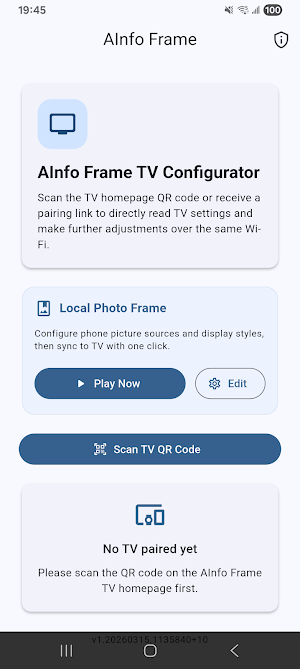
**AInfo Frame Mobile** is a professional Digital Photo Frame application that brings your memories to life on both your Mobile device and your TV screen. It combines a high-quality standalone photo frame player with advanced remote configuration tools for the AInfo Frame TV ecosystem.
Whether you're using your Mobile devicef as a desktop digital frame or transforming your living room TV into a professional display, AInfo Frame Mobile provides a unified, elegant, and privacy-first experience for your home decor and digital signage needs.
### Key Features:
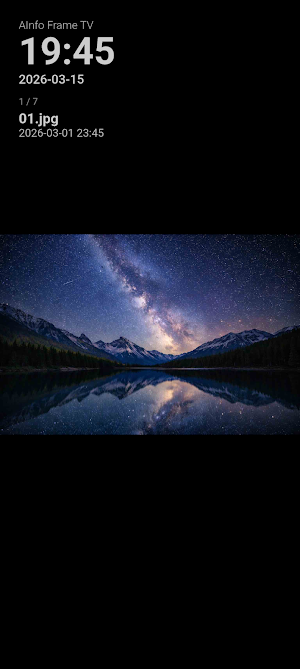
- **Standalone Digital Frame Mode**: Use your mobile device as a high-performance digital photo frame. Enjoy smooth slideshows, customizable transitions, and elegant OSD (On-Screen Display) overlays.
- **Unified TV Remote Management**: Effortlessly control and configure your AInfo Frame TV. No accounts or logins required—simply scan a QR code to sync your settings, sources, and display strategies.
- **Real-time OSD Customization**: Customize your display with weather overlays, digital clocks, and status indicators. Experience immediate visual feedback on both your phone and paired TV.
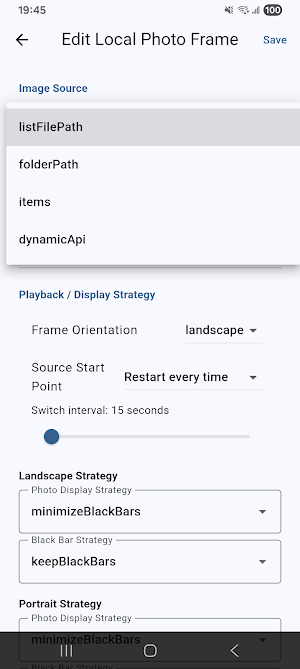
- **Dynamic Source Management**: Manage diverse image sources (URL lists, folders, or dynamic APIs). Adjust slideshow frequencies and display modes (aspect ratio, rotation, and fill strategies) to perfectly fit any screen.
- **Professional Display Logic**: Automatically adapts to your photo's orientation (Landscape vs. Portrait) with smart letterboxing and scaling, ensuring your memories always look their best.
- **Privacy-First Design**: Your data stays local. AInfo Frame Mobile operates primarily within your local network, collecting no personal data without your explicit consent.
### How to Use:
**For Mobile Playback:**
1. Open the app and go to "Local Frame Mode."
2. Configure your photo sources and OSD preferences.
3. Tap "Play" to transform your Mobile device into a beautiful digital frame.
**For TV Management:**
1. Launch the **AInfo Frame TV** app on your Smart TV.
2. Tap "Scan TV QR Code" in AInfo Frame Mobile.
3. Instantly customize your TV's weather, clock, and slideshow settings from your phone.
*Note: The TV management feature requires the AInfo Frame TV app available on compatible Smart TV platforms.*
Similar Apps

Sentry Saver
See what round-the-clock Sentry Mode costs in range, and schedule it back.

Bento Days: Photo Food Diary
Turn photos you already took into a hand-made month. One box a day.

Routine Pochi: Habit Board
Flip daily tasks on or off with a satisfying tap. Habits auto-reset at night.

iPTT 時光機
Reviewing PTT's trending topics from seven days ago provides a clearer view of the news with less noise; you can also easily compare it to today's trending topics. No login required, view without interruption, perfect for catching up on studies during your commute.

PTT 鄉民樂- 閃開!讓專業的來
Follow today's trending articles for easy review of current events.
AI PDF Sign: Fill & Signature
Sign and fill PDFs completely offline. Add handwritten signatures securely!
