About NoteView
🚀 REVOLUTIONARY UPDATE: Run Jupyter Notebooks Locally!
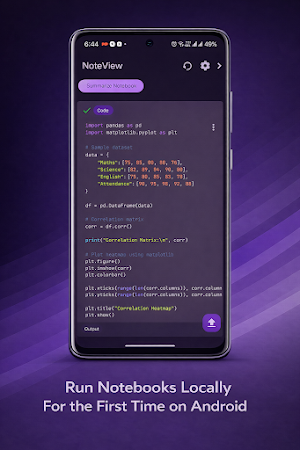
NoteView has evolved. We are no longer just a viewer. For the first time on Android, you can execute code cells directly in your .ipynb files. Whether you are a student, a data scientist, or an AI researcher, bring your entire data science workflow to your pocket.
✨ KEY FEATURES ✨
🔥 RUN & EXECUTE CODE CELLS [NEW]
✔ Local Kernel Execution: Run Python code cells inside your Jupyter Notebooks just like you do on a PC.
✔ Full Kernel Control: Use the new Menu Bar to Start, Stop, and Reset the kernel instantly. Fix infinite loops or clear memory with one tap.
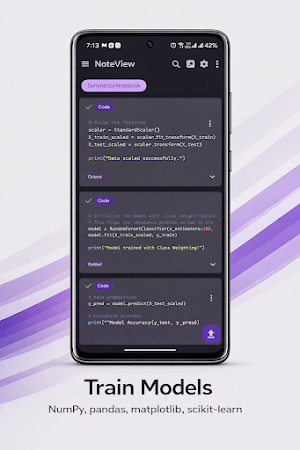
✔ Data Science Ready: The built-in kernel supports NumPy, Pandas, Matplotlib and Scikit-learn. You can now perform real ML operations on your phone.
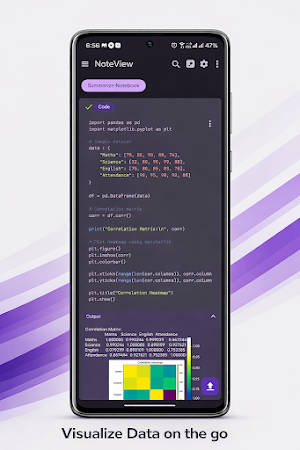
✔ Dataset Management: Upload CSV files and datasets directly to the app to analyze data on the go.
🐍 PYTHON COMPILER & AUTOCOMPLETE [NEW]
✔ Run Python Scripts: A fast, efficient offline Python compiler to execute .py files instantly.
✔ Jedi Autocomplete: Code faster with professional-grade smart suggestions as you type.
🛠️ CREATE, EDIT & MANAGE
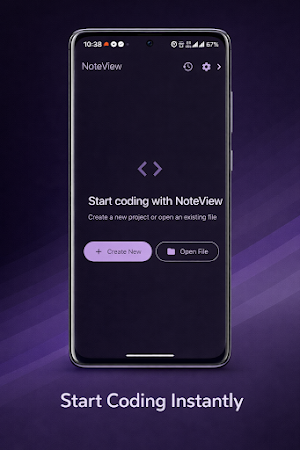
✔ Create from Scratch: Start new .ipynb and .py files directly in the app.
✔ Full Editing: Add, delete, and modify cells. Edit code effortlessly.
✔ Snippet Manager: Save, delete, and reuse your favorite code snippets to speed up your workflow.
🤖 AI-POWERED ASSISTANCE
✔ Two Powerful Models: Switch between Llama 3.3 (70B) for in-depth explanations and Llama 3.1 (8B) for speed.
✔ Code Insights: Ask the AI to debug errors, explain complex logic, or summarize entire notebooks.
📝 ADVANCED VIEWER & UI
✔ Visuals & Graphs: improved layout to view complex graphs and collapsible outputs.
✔ New Look: A refreshed UI with a new coding font and beautiful syntax highlighting.
✔ Themes: Switch between Light, Dark, and System Default modes.
📂 SMART MANAGEMENT & EXPORT
✔ Universal Access: Open files from Gmail, WhatsApp, or File Manager.
✔ Search Smarter: Find specific text or code within large notebooks instantly.
✔ PDF Export: Share professional PDF versions of your notebooks and scripts with classmates or colleagues.
🌟 WHY CHOOSE NOTEVIEW ?
Most apps only let you read notebooks. NoteView lets you RUN them.
✅ Train simple ML models with Scikit-learn.
✅ Analyze CSV data with Pandas.
✅ Edit and fix code bugs immediately.
✅ Learn faster with AI explanations.
Note: AI features use free APIs with rate limits. Built-in ML capabilities are intended for basic to medium-level machine learning tasks and are not suitable for large datasets or heavy training. Local code execution runs fully offline on your device! 🚀
Similar Apps

Desmos Graphing Calculator
Explore math with Desmos! Plot functions, create tables, add sliders, and more.

Kajabi
Access your Kajabi library on the go, synced and organized for easy viewing

Symbolab: AI Math Solver
Confidently tackle your math problems with tailored step-by-step solutions!
Skillsoft Percipio
Where Skills Fuel Growth - Stay ahead with the latest skills, anytime, anywhere.

DestCert Exam Prep
CISSP, CCSP, CISM, Security+

Learn Java
Java Programming lessons, tutorials, programs - Learn Java coding