Scanr Lens — Document Scanner
Simple, fast, private document scanner. Scan to PDF, JPG or PNG. No spams ever.
About Scanr Lens — Document Scanner
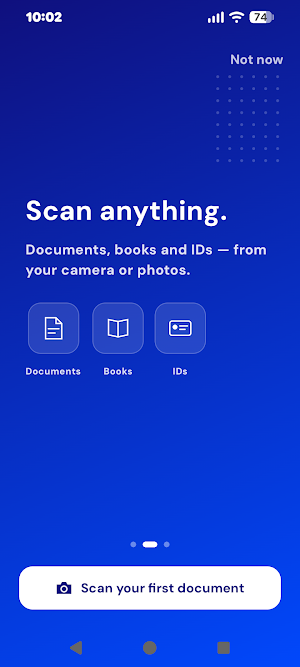
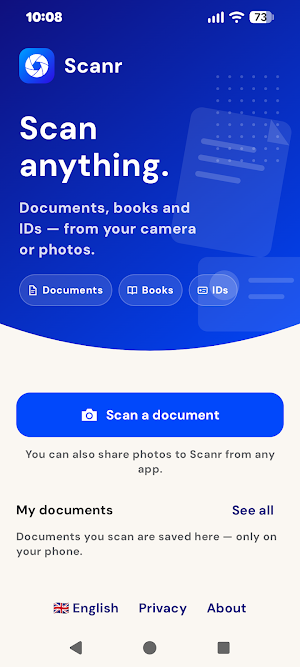
Scanr Lens is a fast, private document scanner that does everything on your device.
No account. No sign-up. No ads. No tracking.
Point your camera at a document and Scanr captures it with automatic edge
detection and perspective correction. Scan a single page or a whole stack, tidy
it up, sign it, and export — all in a few taps.
SCAN
• Automatic edge detection and perspective correction
• Multi-page scanning — build a document one page at a time
• Add more pages to an existing document any time
• Split ID mode: capture the front and back of an ID card onto one page
IMPORT
• Bring in photos and PDFs you already have
• Share images or PDFs into Scanr from any other app
• Imported pages get the same cropping and filters as a fresh scan
MY DOCUMENTS
• Every scan is saved from its first page — nothing to remember to keep
• Organize into folders, rename, and search your documents by name
• Back up everything as PDF files to a folder you choose
• Delete any document immediately — no hidden copies left behind
ORGANIZE
• Reorder, delete, split, and move pages between documents
• Combine pages into one
• Rotate pages
ENHANCE
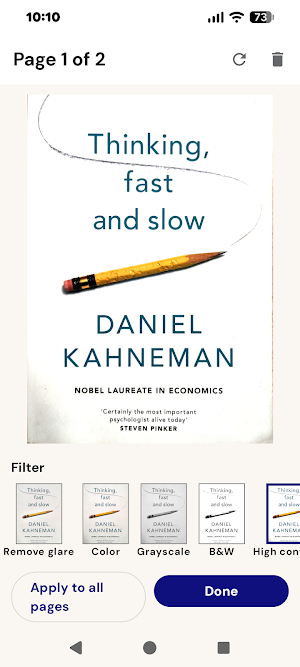
• One-tap filters: Original, Auto, Color, Grayscale, Black & White,
High Contrast, and Soft
• Remove glare from photos of glossy or laminated pages
• Apply a filter to one page or to every page at once
SIGN
• Draw a signature, or scan one from paper
• Set its thickness and colour, then place and resize it on any page
• Save signatures to reuse later
EXPORT & SHARE
• Export as PDF (one multi-page file), or as JPG / PNG (one image per page)
• Hold exports under a file-size limit when you need to email or upload them
• Share or save through your device's own share sheet
PRIVATE BY DESIGN
• Everything happens on your device — scanning, filtering, signing, export
• No accounts, no cloud, no analytics, no ads
• The app makes no network requests of its own
• Documents live in private app storage that other apps cannot read
SMALL AND SIMPLE
• Point, scan, export, done
• Tiny install size
• Clean, uncluttered interface
• Available in 12 languages
Made by Beskar — fast, private tools. https://beskar.tech
Scanr Lens — Document Scanner details
Scanr Lens — Document Scanner is a free Business app for Android with 100+ installs on Google Play and a 5.0/5 average rating from 1 rating. It was released on August 9, 2026 and last updated on August 19, 2026. It requires Android 8.0 or later.
- Category
- Business
- Rating
- 5.0 / 5 (1 rating)
- Installs
- 100+
- Price
- Free
- In-app purchases
- No
- Ads
- No ads
- Current version
- 1.40
- Requires Android
- 8.0
- Content rating
- Everyone
- Released
- August 9, 2026
- Last updated
- August 19, 2026
What’s new in Scanr Lens — Document Scanner
The app is now called Scanr Lens, matching its listing. • Deleting a page asks for confirmation first • Swipe-to-delete in My documents is much easier to trigger — a short swipe used to open the document instead • You can rate the app from Manage, and it asks once after your first export • The home screen hint now mentions documents as well as photos Still no cloud, no account, no ads. Everything stays on your phone.
Version 1.40 · Updated August 19, 2026
Similar Apps
PDF Merge: Scan, Sign & Edit
Merge, Scan, and Sign PDFs 100% Offline. Your data never leaves your phone.

Quotation Maker
Quotation Maker is solution for managing Quotation & Invoice Billing operations.
SignNow: Sign & Fill PDF Docs
Easy to scan, edit, fill, create e-sign and send PDF forms & documents online
PDF Reader(KDAN PDF): Edit PDF
The all-in-one document expert for reading, editing & signing PDFs on any device
PDF Reader & Editor: Xodo
PDF converter & document scanner. Fill forms, sign and manage documents easily.
Fill and Sign Easy PDF Editor
e Signature Maker, Electronic eSign. Edit Documents, Expert Docusign Form Filler
