PDF Master Toolkit: PDF Editor
Merge, split, compress PDFs & convert images to PDF. All-in-one PDF editor!
About PDF Master Toolkit: PDF Editor
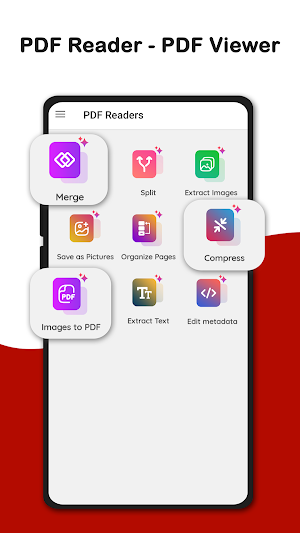
Take control of your PDFs like never before with PDF Master Toolkit: Merge/Edit – the ultimate all-in-one solution for editing, managing, and converting PDF files. Whether you’re a student, professional, designer, or casual user, our app makes PDF management effortless, fast, and reliable. Say goodbye to juggling multiple apps – now you can merge, split, compress, convert, extract, and edit PDFs in one place!
Powerful Features:
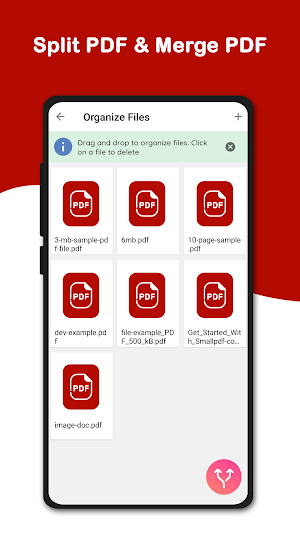
1. Merge PDFs: Easily combine multiple PDF files into one seamless document. Perfect for creating professional reports, consolidating scanned documents, or organizing multiple files into a single PDF. Save time and effort with just a few taps.
2. Split PDFs: Extract specific pages or break large PDFs into smaller files. Whether you need individual pages for sharing, archiving, or editing, PDF Master Toolkit makes splitting simple and precise.
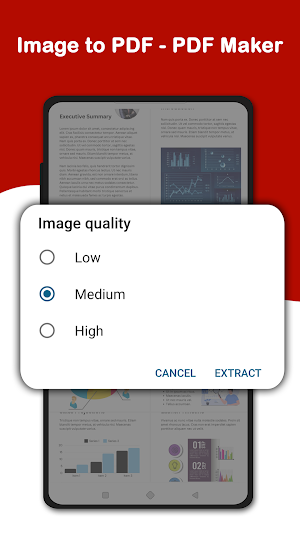
3. Image to PDF Conversion: Convert images (JPG, PNG, and other formats) into high-quality PDFs instantly. Ideal for turning photos, receipts, scanned documents, or screenshots into professional PDF files.
4. Extract Images from PDF: Quickly extract images embedded within any PDF. Perfect for designers, students, or professionals who need images for presentations, reports, or creative projects.
5. Save as Picture: Export PDF pages as images effortlessly. Share or print pages without any hassle and maintain full quality.
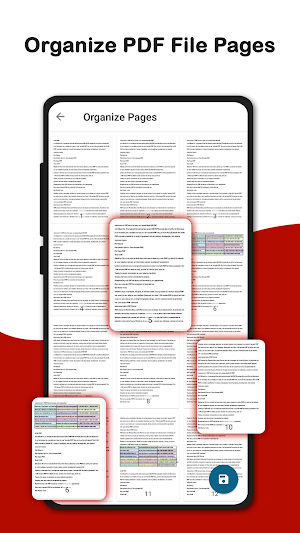
6. Organize Pages: Rearrange, rotate, or delete pages within your PDFs. Customize your documents to match your workflow or presentation style.
7. Edit Metadata: Modify PDF metadata including title, author, subject, and keywords. Keep your files properly labeled, organized, and professional.
8. Compress PDFs: Reduce PDF file size without compromising quality. Save storage space, send large documents via email, or share PDFs faster and more efficiently.
9. Extract Text: Effortlessly extract text from PDFs for quoting, editing, or copying. Ideal for research, studying, and office work.
Why Choose PDF Master Toolkit:
All-in-one PDF solution: merge, split, compress, convert, and edit with one app.
Fast, lightweight, and user-friendly interface suitable for beginners and professionals.
High-quality conversions and edits with no loss of document integrity.
Offline functionality ensures privacy and security – your files never leave your device.
No watermarks added – your documents remain clean and professional.
Regular updates add new features and improvements to keep your PDF workflow smooth.
Who Can Benefit:
Students: Manage assignments, notes, and research materials easily.
Professionals: Edit reports, invoices, contracts, and other business documents.
Designers & Creatives: Extract images, convert files, and organize content for projects.
Everyone: Compress PDFs, convert images to PDFs, extract text, and edit metadata efficiently.
How it Works:
Open a PDF or image in the app.
Select your task: merge, split, compress, convert, extract, or edit.
Preview changes in real-time.
Save or share instantly.
Additional Benefits:
User-friendly interface designed for speed and simplicity.
All essential PDF tools are included in one app – no need for multiple downloads.
Works offline for secure and private document handling.
Supports large PDF files and multiple file formats.
Boost Your Productivity:
With PDF Master Toolkit: Merge/Edit, your PDF workflow becomes faster and more organized. Merge multiple PDFs, split large files, compress for easy sharing, convert images into PDFs, extract text or images, and edit metadata – all in one app. Perfect for students, teachers, business professionals, and anyone handling digital documents daily.
Download PDF Master Toolkit: Merge/Edit today and experience the ultimate PDF editor that makes document management, conversion, and editing simple, fast, and efficient. Take full control of your PDFs now!
PDF Master Toolkit: PDF Editor details
PDF Master Toolkit: PDF Editor is a free Tools app for Android with 50+ installs on Google Play and a 5.0/5 average rating from 9 ratings. It was released on October 5, 2025 and last updated on October 12, 2025. It's developed by kaviya Infotech. It requires Android 6.0 or later. The app contains ads and offers in-app purchases.
- Category
- Tools
- Rating
- 5.0 / 5 (9 ratings)
- Installs
- 50+
- Price
- Free
- In-app purchases
- Yes
- Ads
- Contains ads
- Current version
- 1.2
- Requires Android
- 6.0
- Content rating
- Everyone
- Released
- October 5, 2025
- Last updated
- October 12, 2025
- Developer
- kaviya Infotech
What’s new in PDF Master Toolkit: PDF Editor
Fixed PDF merge module issue and bug fixes First PDF upload
Version 1.2 · Updated October 12, 2025
Similar Apps
My Notes – Notepad & ToDo List
Write notes, draw sketches, create checklists & voice notes.
Habit Tracker: Daily Planner
Track habits, build routines, and achieve daily goals easily

Story Highlight Cover Maker
Create stylish highlight covers & story icons easily.
BioCraft – Cool Bios & Fonts
Find cool bio ideas with stylish fonts for boys, girls & unique profiles
Todo -Tasks, Notes & Routine
Todo list app to manage tasks, take notes, and plan daily routines easily.

Stylish Text – Fonts & Symbols
Make your text stand out with stylish fonts & symbols.


