Images to PDF converter & edit
Convert images to PDF instantly! Create, edit, and manage PDFs in one app.
About Images to PDF converter & edit
Turn your images into professional PDF documents in seconds!
Image to PDF Converter & Editor is your all-in-one solution for converting photos, documents, receipts, notes, and more into high-quality PDF files. Whether you need to create a digital portfolio, send scanned documents, or combine multiple images into one PDF, this app makes it simple, fast, and reliable — all from your Android device.
No more complicated tools or slow converters — with Image to PDF Converter & Editor, you can convert, edit, organize, and share PDFs in just a few taps. Designed for both professionals and everyday users, this app delivers all the features you need in one beautifully simple interface.
📸 Key Features
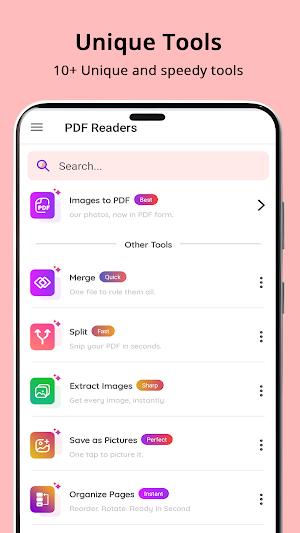
⭐ Image to PDF Converter – Select one or multiple images (JPG, PNG, JPEG, etc.) and instantly convert them into a single PDF file.
⭐ Photo to PDF Maker – Capture photos directly from your camera and turn them into a professional PDF within seconds.
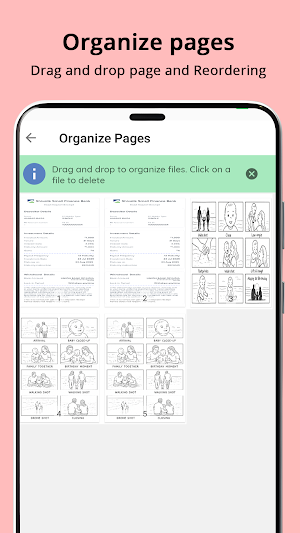
⭐ PDF Editor – Edit, reorder, rotate, or delete pages in your PDF easily.
⭐ PDF Merger & Splitter – Combine multiple PDF files into one or split large PDFs into smaller ones.
⭐ PDF Compressor – Reduce the file size of your PDF while keeping the quality intact.
⭐ PDF Scanner – Scan documents, bills, ID cards, or handwritten notes and save them as PDFs.
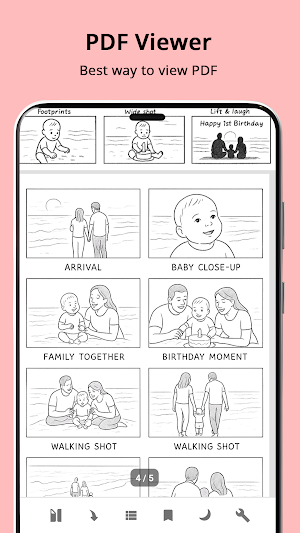
⭐ PDF Viewer & Reader – Open, view, and manage all your PDF files in one place.
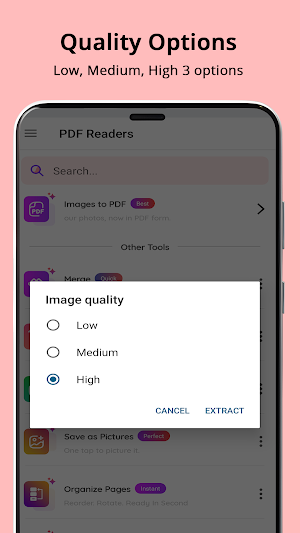
⭐ PDF to Image Converter – Convert PDF pages back into high-quality images when needed.
⭐ Password Protection – Secure your sensitive documents with strong passwords.
⭐ Dark Mode Support – Enjoy a sleek, modern look that’s easy on your eyes.
🧰 How It Works
Choose images from your gallery or capture photos using the camera.
Arrange them in your preferred order.
Tap Convert to PDF.
Edit, rename, or share your PDF instantly!
It’s that easy.
🔒 Why Choose Image to PDF Converter & Editor?
100% secure — your files stay on your device.
Fast performance even with large files.
Clean, user-friendly interface that anyone can use.
Perfect for students, professionals, and daily users who need quick document management.
🧾 Use Cases
📚 Students: Convert notes, assignments, and hand-written pages into digital PDFs.
💼 Professionals: Create and send invoices, reports, and contracts in PDF format.
📷 Photographers: Turn image collections into organized PDF portfolios.
🧍♂️ Individuals: Scan IDs, bills, or important papers for easy storage.
Whatever your needs — from photo to PDF conversion, document editing, or quick scanning — this app is designed to handle it all effortlessly.
🪄 Additional Features
Customize PDF orientation (portrait or landscape).
Add margins, background colors, and page numbers.
Built-in file manager to rename, delete, or share PDFs.
Instant sharing via email or social media.
🌍 Supported Formats
Image formats: JPG, PNG, JPEG
Whether you’re at home, in the office, or on the go — create professional-quality PDFs with ease.
🚀 Highlights
✔️ Convert unlimited images to PDF
✔️ Edit PDFs without losing quality
✔️ Organize, merge, split, and compress files
✔️ Offline and secure — your privacy is protected
✔️ Intuitive design, fast conversion speed
🏁 Conclusion
Make document creation effortless with Image to PDF Converter & Editor.
From converting photos to PDFs to editing and managing your documents — it’s the only tool you’ll ever need. Quick, simple, and feature-packed
Images to PDF converter & edit details
Images to PDF converter & edit is a free Tools app for Android with 100+ installs on Google Play and a 5.0/5 average rating from 1 rating. It was released on October 26, 2025 and last updated on October 26, 2025. It's developed by kaviya Infotech. It requires Android 6.0 or later. The app contains ads.
- Category
- Tools
- Rating
- 5.0 / 5 (1 rating)
- Installs
- 100+
- Price
- Free
- In-app purchases
- No
- Ads
- Contains ads
- Current version
- 1.5
- Requires Android
- 6.0
- Content rating
- Everyone
- Released
- October 26, 2025
- Last updated
- October 26, 2025
- Developer
- kaviya Infotech
What’s new in Images to PDF converter & edit
Image to pdf first release
Version 1.5 · Updated October 26, 2025
Similar Apps
My Notes – Notepad & ToDo List
Write notes, draw sketches, create checklists & voice notes.
Habit Tracker: Daily Planner
Track habits, build routines, and achieve daily goals easily

Story Highlight Cover Maker
Create stylish highlight covers & story icons easily.
BioCraft – Cool Bios & Fonts
Find cool bio ideas with stylish fonts for boys, girls & unique profiles
Todo -Tasks, Notes & Routine
Todo list app to manage tasks, take notes, and plan daily routines easily.

Stylish Text – Fonts & Symbols
Make your text stand out with stylish fonts & symbols.