Brighten A Dark Photo
The app automatically adjusts dark photos to be brighter with just a single tap.

About Brighten A Dark Photo
A fantastic photo correction app has been released that brightens up dark photos! This app automatically adjusts dark photos to be brighter with just a single tap. It also intelligently corrects overly bright photos to be darker.
Even in dimly lit rooms or nighttime scenes, you can transform your photos into captivating brightness levels with just one tap. It enhances photos taken in backlit conditions or those that are too dark to see clearly, making them brighter and more visible.
If you have photos with such concerns, we highly recommend giving this app a try. It's free, so feel free to use it without hesitation.
[How to Use]
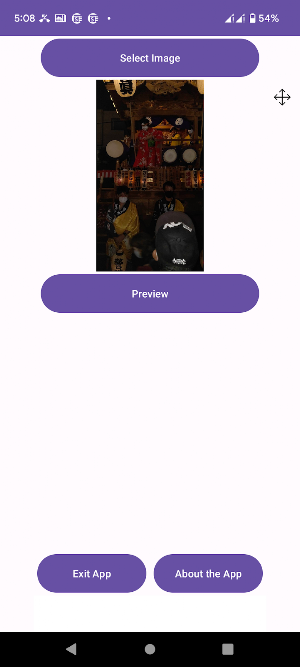
1.Tap "Select Image" to choose a photo.
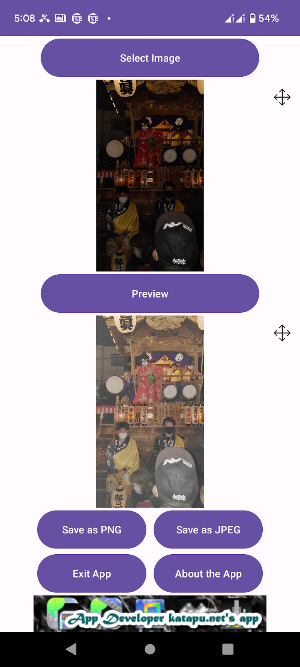
2.Tap "Preview" to apply the brightness adjustment.
3.Tap "Save as PNG" or "Save as JPEG" to save the photo in the respective format. The saved photo will have "_br" appended to the original file name, allowing you to keep the original image.
- You can freely set the file name when saving.
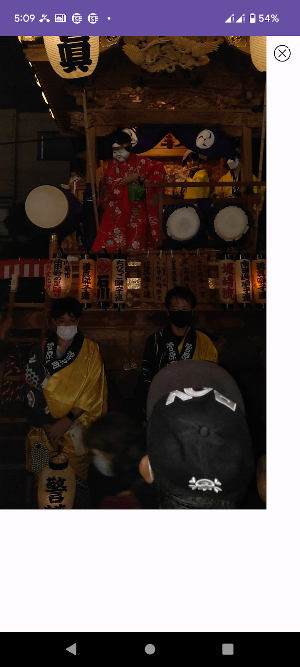
- To view the original and preview images, tap the "Enlarge" button in the top right corner. To return to the main screen, tap the "X" button in the top right corner of the viewer.
Similar Apps

Cat Car Race
Welcome to Cat Car Race!This is an exciting and thrilling racing game...

Brighten A Dark Photo
A fantastic photo correction app has been released that brightens up dark...
Shoot DX - The Space Battle -
Shoot DX - The Space Battle - is a classic and simple...
The THUNDERMAN - Thunder game
In THE THUNDERMAN, a thrilling lightning battle unfolds as you summon lightning...

Useful Zoom V-Player
A convenient video player that can easily zoom in and out has...

RhythBeatix Music Player PRO
◇◇◇ This PRO version is the ad‑free paid version of the RhythBeatix...

