Portal - Smart key for PC
Unlock your PC using your phone or smartwatch via Bluetooth, Wi-Fi & biometrics
About Portal - Smart key for PC
❗ Important: To use this application, you must install the companion PC client on your computer. ❗
Portal — Your Smart Wireless Key for PC Unlocking
Stop typing passwords manually. Portal transforms your Android smartphone and Wear OS smartwatch into a secure tool for instant computer access.
How It Works
The application supports three convenient modes:
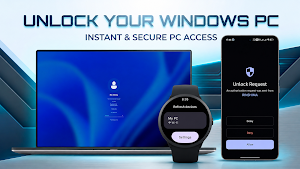
1. Unlock from Smartphone: Manually initiate an unlock directly from the app or via a handy home screen shortcut.
2. Unlock from Wear OS Smartwatch: Trigger unlocks and wake up your PC directly from your wrist — no need to take your phone out of your pocket.
3. Request from PC: Your computer sends an authorization request to your phone and smartwatch (e.g., when the PC wakes up), and you simply confirm it with a single tap.
Key Features:
* ⌚ Wear OS Companion: Access your saved devices, trigger unlocks, and respond to incoming requests directly from your smartwatch with interactive notifications.
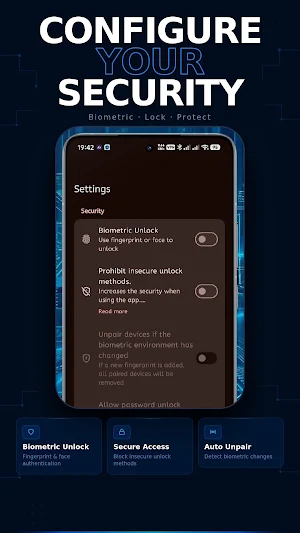
* 👆 Biometric Protection: Use your fingerprint or facial recognition on your phone to securely confirm unlock actions.
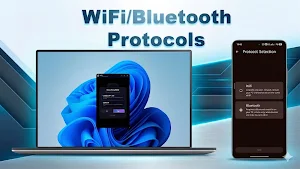
* 📡 Flexible Connectivity: Connect via Bluetooth (RFCOMM) for stability or Wi-Fi (WebSockets) for high-speed communication within your local network.
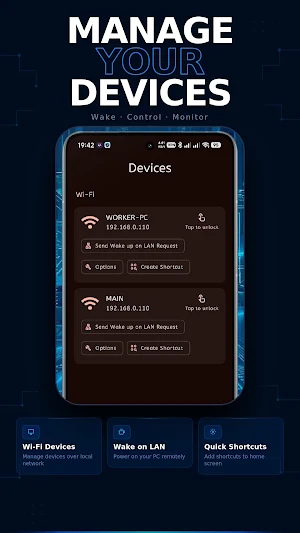
* ⚡ Wake-on-LAN (WOL): Remotely "wake up" your PC over the network before sending the unlock command.
* 🚀 Quick Shortcuts: Add unlock buttons for specific devices directly to your home screen for even faster access.
* 🛡️ Privacy & Security First: No cloud servers and no data collection. Sensitive credentials remain securely on your phone, and all communication stays exclusively within your local environment.
Security & Transparency:
* Open Source: Completely open-source code for total transparency and trust.
* No Ads: No spam, no tracking, and no hidden costs.
* Data Integrity: Features data encryption and automatic device unpairing if system biometric data changes.
Note: To use this app, you must install the client software on your computer (Windows).
Portal — Simplicity, speed, and security for your workspace.
Similar Apps
Portal - Smart key for PC
Unlock your PC using your phone or smartwatch via Bluetooth, Wi-Fi & biometrics
My dictionary
Create your dream dictionary
Background video audio record
Background video and audio recording
ScreenRetainer - Screen lock
Screen Capture App
WTMP - Who took my phone
Find out who tried to unlock the phone and send a notification to Telegram

Private Note - Notes and Tasks
Encrypted notes with to-do list
