
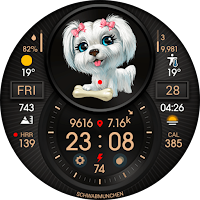
PETS DOGS
Personalization
Digital informative watch face with cute puppies.
- Downloads
- 10+
- on Google Play
- Price
- $0.99
- No in-app purchases
- Updated
- Aug 4
- 2023
Screenshots


About PETS DOGS
NOTE 1. If you see message "Your devices are not compatible"(this refers to the phone, not the watch, the phone does not support the watch face), use Play Store on WEB browser from PC/Laptop or mobile phone. The web version Play Store has a choice of devices - to download the watch face - you need to select a watch.
NOTE 2. For the correct display of the information - the watch face must be given permission to use the watch sensors. The watch face displays information from the sensors of the watch, the watch face itself does not generate any information. The watch face does not make any changes to system files, does not change any system settings and user settings, only displays information. Does not collect, transmit or receive any outside data.
NOTE 3. All settings for the watch face are recommended to be performed in the watch !!! The Samsung Wearable app or other watch brand apps in phone sometimes does not work correctly with the watch face settings !!!
Digital informative watch face with cute puppies.
In the watch face available sports data, complications(data), visible shortcuts for quick access to apps.
24H time mode format in phone - support distance in kilometers in watch face, 12H time mode format in phone - support distance in miles in watch face(watch face calculates distance based on steps taken, calculation of the burned kilocalories is similar). 12H digital time mode format without leading zero.
Bronze arrows - the indicators first half of the day(arrow up) and the second half of the day(arrow down).
In the watch face settings you can change complications place, colors, show/hide informations and some graphic elements.
Some information and graphics elements are disabled or enabled by default(you can turn it on or off in the watch face settings).
Some complication and day of the week support over 100 language packs, other inscriptions & data - the English lang.(software font limitation).
Tap zones - "SETTINGS & RUN APPS" use Samsung watch identifiers - "APP ID", in other watch models may be not work.
The "HEART RATE" measurement data comes from the sensor directly watch - not from "Samsung Health" or other health apps - data will be different.
To measure the "HEART RATE" - single tap on the letters "HRR"(indicated in the description picture), after pressing - wait from 10 to 20 seconds, if the data acquisition is unsuccessful, repeat again. Watch face also measures heart rate data once every 30 minutes in automatic mode. The red dot - appears when the heart rate exceeds 100 beats per minute.
NOTE 4. If you want to see the battery status of your phone in complications - you need to download the application - "Phone Battery Complication" in the Play Store.
https://play.google.com/store/apps/details?id=com.weartools.phonebattcomp
If you want to see the moon phase, seconds, utc time and world time in complications - you need to download the application - "complications Suite - Wear OS" in the Play Store.
https://play.google.com/store/apps/details?id=com.weartools.weekdayutccomp&hl
If you want to see the distance traveled, floors, calories burned - you need to download the application - "Heart Rate Complication" in the Play Store.
https://play.google.com/store/apps/details?id=com.weartools.hscomplications
AOD mode support main mode watch face(but the image of puppies is replaced by the image of the moon - software restriction). In AOD mode dot seconds and active tap zones not active(software restriction). AOD mode data update once per minute.
The information data on the images is not true, it was created in the emulator.
Thank you and have a nice day !!!
My telegram channel t.me/freewatchface - here you will find many interesting watch face from developers all the world. The channel is updated every day.
My other works watch faces - open link in web version Google Play.
https://play.google.com/store/apps/dev?id=6225394716469094592
Privacy policy.
https://sites.google.com/view/crditmr
NOTE 2. For the correct display of the information - the watch face must be given permission to use the watch sensors. The watch face displays information from the sensors of the watch, the watch face itself does not generate any information. The watch face does not make any changes to system files, does not change any system settings and user settings, only displays information. Does not collect, transmit or receive any outside data.
NOTE 3. All settings for the watch face are recommended to be performed in the watch !!! The Samsung Wearable app or other watch brand apps in phone sometimes does not work correctly with the watch face settings !!!
Digital informative watch face with cute puppies.
In the watch face available sports data, complications(data), visible shortcuts for quick access to apps.
24H time mode format in phone - support distance in kilometers in watch face, 12H time mode format in phone - support distance in miles in watch face(watch face calculates distance based on steps taken, calculation of the burned kilocalories is similar). 12H digital time mode format without leading zero.
Bronze arrows - the indicators first half of the day(arrow up) and the second half of the day(arrow down).
In the watch face settings you can change complications place, colors, show/hide informations and some graphic elements.
Some information and graphics elements are disabled or enabled by default(you can turn it on or off in the watch face settings).
Some complication and day of the week support over 100 language packs, other inscriptions & data - the English lang.(software font limitation).
Tap zones - "SETTINGS & RUN APPS" use Samsung watch identifiers - "APP ID", in other watch models may be not work.
The "HEART RATE" measurement data comes from the sensor directly watch - not from "Samsung Health" or other health apps - data will be different.
To measure the "HEART RATE" - single tap on the letters "HRR"(indicated in the description picture), after pressing - wait from 10 to 20 seconds, if the data acquisition is unsuccessful, repeat again. Watch face also measures heart rate data once every 30 minutes in automatic mode. The red dot - appears when the heart rate exceeds 100 beats per minute.
NOTE 4. If you want to see the battery status of your phone in complications - you need to download the application - "Phone Battery Complication" in the Play Store.
https://play.google.com/store/apps/details?id=com.weartools.phonebattcomp
If you want to see the moon phase, seconds, utc time and world time in complications - you need to download the application - "complications Suite - Wear OS" in the Play Store.
https://play.google.com/store/apps/details?id=com.weartools.weekdayutccomp&hl
If you want to see the distance traveled, floors, calories burned - you need to download the application - "Heart Rate Complication" in the Play Store.
https://play.google.com/store/apps/details?id=com.weartools.hscomplications
AOD mode support main mode watch face(but the image of puppies is replaced by the image of the moon - software restriction). In AOD mode dot seconds and active tap zones not active(software restriction). AOD mode data update once per minute.
The information data on the images is not true, it was created in the emulator.
Thank you and have a nice day !!!
My telegram channel t.me/freewatchface - here you will find many interesting watch face from developers all the world. The channel is updated every day.
My other works watch faces - open link in web version Google Play.
https://play.google.com/store/apps/dev?id=6225394716469094592
Privacy policy.
https://sites.google.com/view/crditmr
Alternatives to PETS DOGS
Looking for apps like PETS DOGS? Here are 6 similar Android apps on Google Play. The highest rated is ENDURANCE Watch Face (4.1/5), and 2 of the 6 are free to download.
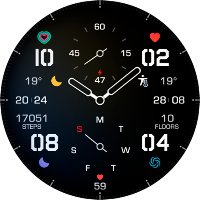
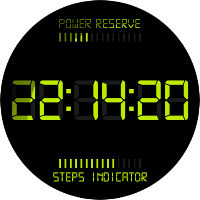
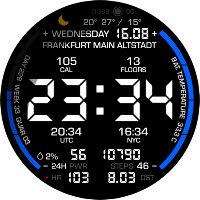
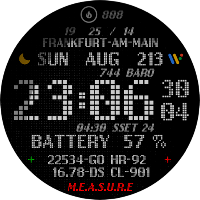
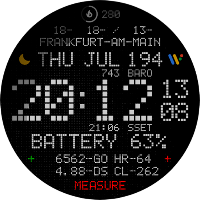
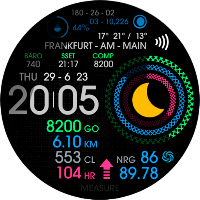
| App | Rating | Price | Installs | Last updated | Compare |
|---|---|---|---|---|---|
| PETS DOGS | – | $0.99 | 10+ | Aug 4, 2023 | |
| ENDURANCE Watch Face | 4.1 / 5 | Free | 100+ | Oct 19, 2022 | Compare |
| RETRO DIGITAL B LITE | – | Free | 100+ | Jul 21, 2023 | Compare |
| BIGWATCH MAX | – | 0.99 USD | 50+ | Aug 19, 2023 | Compare |
| PIXEL DOTS 2 | – | 0.99 USD | 10+ | Aug 2, 2023 | Compare |
| PIXEL DOTS | – | 0.99 USD | 10+ | Jul 22, 2023 | Compare |
| SPORTIC 2 | – | 0.99 USD | 50+ | Jul 1, 2023 | Compare |
Compare PETS DOGS with the top alternatives: ratings, updates, ASO score and keyword gaps →
Similar apps on Google Play
- ENDURANCE Watch Face
- RETRO DIGITAL B LITE
- BIGWATCH MAX
- PETS DOGS
- PIXEL DOTS 2
- PIXEL DOTS
- SPORTIC 2
- RETRO DIGITAL B
- SPORTIC
- CLASSIC I24
- PEACH CHIHUAHUA
- PEACH CHIHUAHUA ANIMATED
- MINI DIGITAL
- DTMR Watch Face
- ENDURANCE DS
- INFO MOD MINI F
- OLD CLASSIC ELITE Watch Face
- TERMINAL STYLE
- INFO MOD MINI Watch Face
- TIME EXPLORER TWO
- TIME EXPLORER ONE
- NEONIC Watch Face
- WATCH BATTERY TEMPERATURE
- ENDURANCE GR Watch Face
- DTMR TIZEN MOD MARINE
- DTMR TIZEN MOD ORO Watch Face
- INFO MOD TWO Watch Face
- MARINE COMBINED Watch Face
- INFO MOD ONE Watch Face
- RETRO DIGITAL A Watch Face
- ENDURANCE 2 Watch Face
- PARD LITE Watch Face
- BIGWATCH 2 Watch Face
- OLD CLASSIC TWO Watch Face
- AIR ONE GRAPH Watch Face
- PLASTETIC'S
- LGU MINIMAL Watch Face
- LED CLASSIC Watch Face
- AIR ONE Watch Face
- MOONTRACKER Watch Face
- ENDURANCE M24 Watch Face
- WEATHER Watch Face
- DARKSOUL Watch Face
- BIGWATCH CLASSIC Watch Face
- LC6600 Watch Face