My Card Wallet - Safe and Easy
Store your credit and debit cards securely, accessible anytime, anywhere easily.
About My Card Wallet - Safe and Easy
Store and manage all your credit and debit cards effortlessly, whether you're online or offline, with advanced encryption and user-friendly features in My Card Wallet.
📴 Zero Connectivity Mode
Access your card details anytime, even without an internet connection. Your encrypted data is securely stored on your device, ensuring you have access to your cards wherever you are. In this mode, the app has no connection with the internet and keeps all of the data offline, i.e., in the device storage. But what if others get access to your phone? Do not worry at all. All of the data is stored with the highest possible encryption and is triple protected: encrypted, uses phone lock for opening, and finally a passcode is required to log in. How cool is that!
🔒 Secure Online Mode
In this mode, the card data stored within the app is fully encrypted and securely stored on Google servers. We will allow access to the app only after a 2-step verification process: 1. Google Sign-in and 2. Biometric authentication, to ensure that only you have access to your stored cards. Linking the card data with your Google account also ensures that it is backed up regularly and accessible from any device where you have logged in using the same Google account.
🎨 Customized Cards
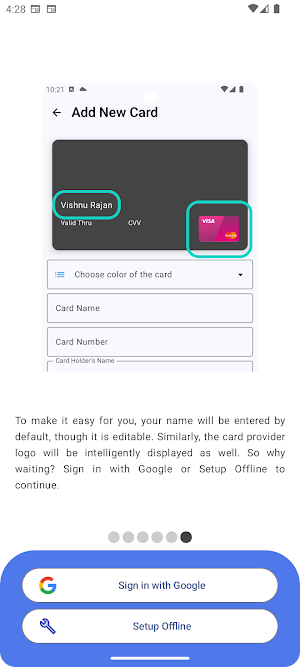
Tailor your cards to your liking! Choose colors, names and provider logo for each card. Card provider logos like Visa or MasterCard will be intelligently displayed by the app, but you may change it manually too. If you can't find your preferred color or card provider, simply contact our support team and request its inclusion. We will be happy when you help us in making our app even better. You can even choose to display a bit of the card number to identify the card easily if you want. This option is disabled by default, but if you want, you can adjust the slider in preferences.
📋 Easy, but Secured Copy-Paste
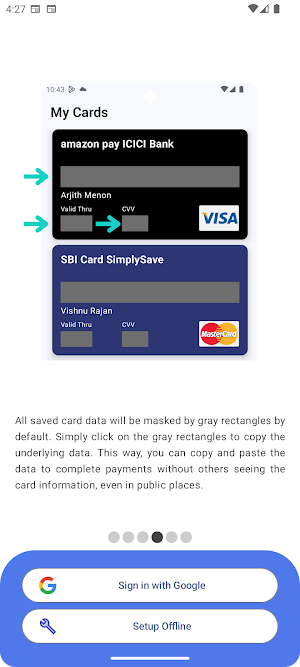
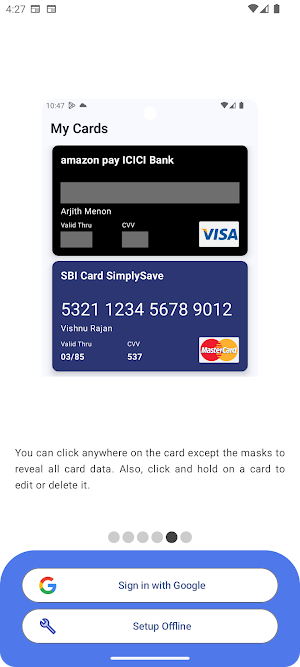
Copying card details is as simple as tapping. When you need to make a payment, open the app and copy-paste the details into your payment app effortlessly. But wait, won’t others see your card data when you open the app? Not at all. All sensitive data like card numbers, CVV, and validity will be masked by default. You can still copy-paste data by just tapping on the mask.
📱 Clean User Interface
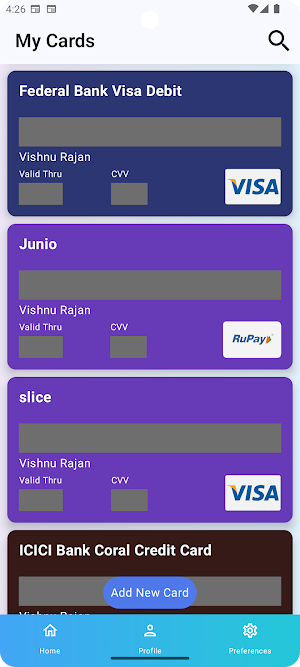
The app will display the cards like a carousel. You can scroll up and down to see all of your saved cards. We believe in simplicity, and even though all the options are available, it is a very minimalistic UI. You won’t get distracted. We promise.
🔍 Search Your Cards [NEW 🚀]
Quickly find the card you need with our robust search feature. Simply type in the name or details of the card, and it will appear instantly.
📁 Data Export/Import [NEW 🚀]
Now you can also export the data stored in the app as a backup file and use the file to import data in the app on another phone. But what about the file? Is it encrypted? Yes, it is. In My Card Wallet, safety is the highest priority. Everything comes next.
So yes, manage all your debit and credit cards effortlessly and securely with My Card Wallet. Download now and experience effortless access and ultimate security!
My Card Wallet - Safe and Easy details
My Card Wallet - Safe and Easy is a free Finance app for Android with 500+ installs on Google Play and a 5.0/5 average rating from 1 rating. It was released on July 7, 2024 and last updated on August 9, 2024. It requires Android 11 or later. The app contains ads and offers in-app purchases.
- Category
- Finance
- Rating
- 5.0 / 5 (1 rating)
- Installs
- 500+
- Price
- Free
- In-app purchases
- Yes
- Ads
- Contains ads
- Current version
- 3.6
- Requires Android
- 11
- Content rating
- Everyone
- Released
- July 7, 2024
- Last updated
- August 9, 2024
What’s new in My Card Wallet - Safe and Easy
[NEW] Zero connect Mode - Block Internet to the app for more safety. Be free from hackers [NEW] Import and Export card data in an encrypted & pass code protected from [NEW] Card data is auto cleared from clipboard in 60 seconds for more safety.
Version 3.6 · Updated August 9, 2024
Similar Apps
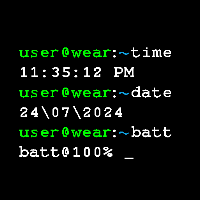
terminal command watch face
A free terminal command prompt themed watch face for wear os powered...

My Card Wallet - Safe and Easy
Store and manage all your credit and debit cards effortlessly, whether you're...

GPS Map Camera - CampusTag+
📌 Why Choose CampusTag+ - The GPS Map Camera?✅ Accurate Geo-Tagging –...

CampusTag — Sahrdaya
Effortlessly manage and access all geotagged photos of Sahrdaya College of Engineering...
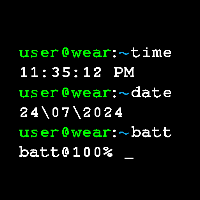
Terminal Command Watchface Pro
Bring the retro charm of a classic terminal to your smartwatch with...

Kerala AI camera tracker radar
Created for empowering Citizens of Kerala regarding the placement of 726 AI...