Split it Cortar videos status
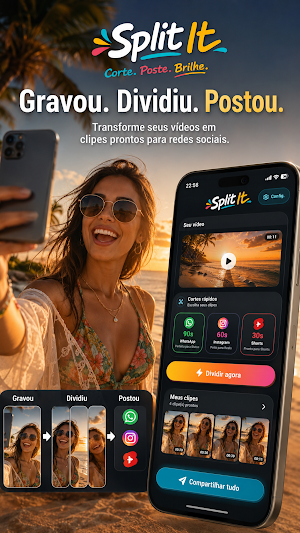
Divide your videos into status updates, stories, and reels, and post them on social media.
About Split it Cortar videos status
Split and cut your videos quickly, easily, and practically.
With Split it, you can transform long videos into smaller parts, ready to post or share on major social networks and messaging apps.
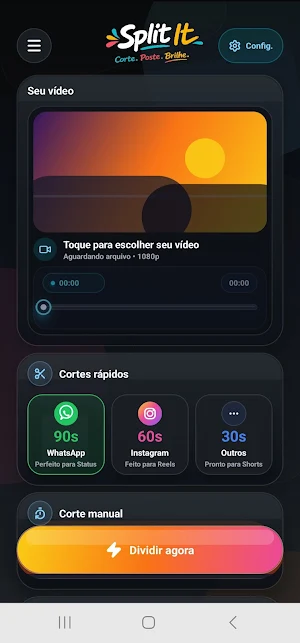
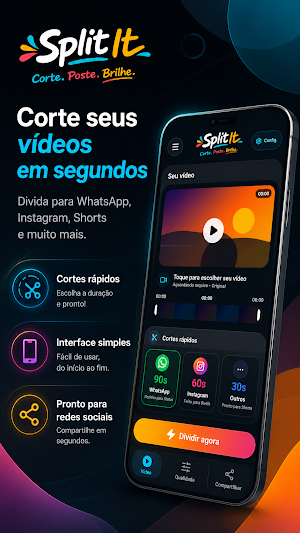
Cut your videos to automatic lengths like 90 seconds, 60 seconds, and 30 seconds, or choose a custom length according to your needs.
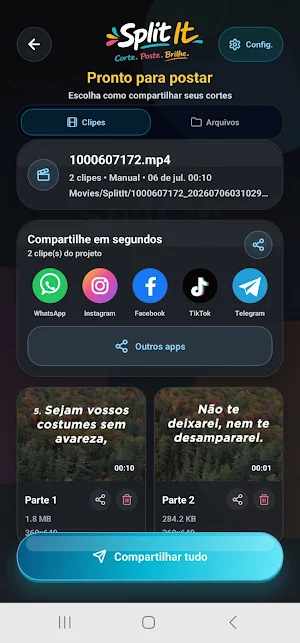
Ideal for those who need to post videos to WhatsApp, Instagram, Facebook, TikTok, Telegram, and other platforms without complication.
The app was created to simplify the process: select the video, choose the cutting time, process and save the split files to your device. Then, just post or share wherever you want.
Main features:
• Automatic cutting into 90s, 60s, or 30s segments
• Custom time cutting option
• Quick splitting of long videos
• Ready-to-save and share files
• Simple and easy-to-use interface
• Ideal for social media and status updates
• Direct processing on the device
Split it is a practical tool for content creators, students, professionals, salespeople, influencers, or anyone who needs to quickly split videos.
Cut, split, save, and share your videos much more easily. Cut, post, shine!
Similar Apps

Walley-Wallpaper, Backgrounds
Amoled, Artistic, HD, Backgrounds, Minimal, Nature, Painting Wallpaper

GoPro Quik: Video Editor
Auto video maker with music & exclusive filters. Video editing made simple.

Video Player All Format
The ultimate HD video player with all the advanced features you need.

Image Toolbox - Edit & Convert
Edit, create & convert images with powerful AI — your all-in-one studio

PicWish: AI Photo Editor
unblur photo,background remover,ai background,enhance photo,background eraser

Good Lock : Custom Lock Screen
Original Good Lock: Aesthetic lock screen widgets, wallpapers, clock, calendar.
