About PDF Pocket Tools
PDF Pocket Tools helps you manage PDF files quickly and easily from your phone.
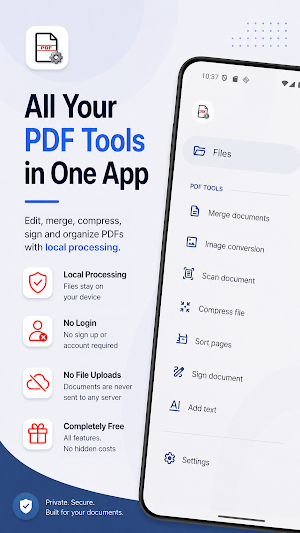
Edit your documents, organize pages, create new PDFs, and make changes without sending your files to any external server. All PDF processing happens locally on your device.
Features:
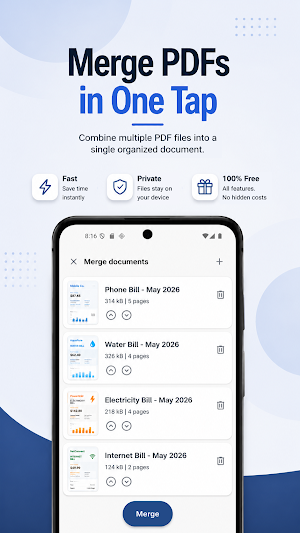
📄 Merge PDFs
Combine multiple documents into one PDF file.
🖼️ Images to PDF
Choose pictures from your gallery or take a photo and turn it into a PDF.
📷 Scan Documents
Scan from camera or gallery with automatic crop and contrast enhancement.
📉 Compress PDFs
Reduce PDF file size when you need a smaller document.
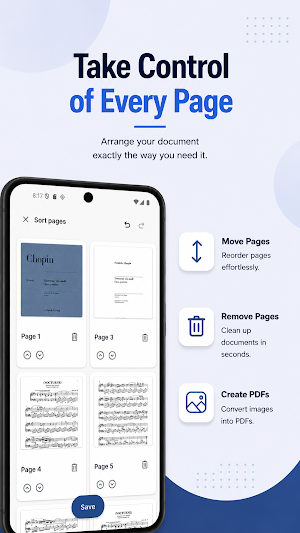
🔀 Manage pages
Reorder pages or remove the ones you don’t need.
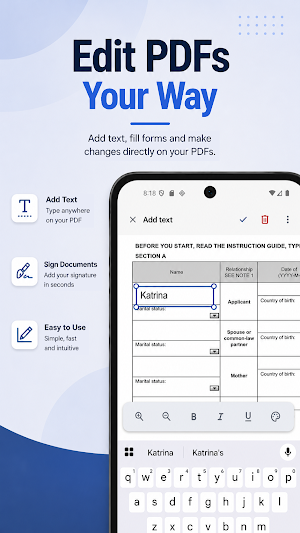
✍️ Sign documents
Add a hand-drawn signature directly to your PDF.
📝 Add text
Place text anywhere on your document.
🔓 Unlock & password removal
Open protected documents and optionally save an unlocked copy.
Privacy matters:
PDF Pocket Tools does not upload your documents. There is no backend processing your files and your PDFs remain on your device.
A lightweight set of PDF tools for everyday tasks, built with privacy in mind.
PDF Pocket Tools details
PDF Pocket Tools is a free Productivity app for Android with 50+ installs on Google Play and a 5.0/5 average rating from 1 rating. It was released on July 8, 2026 and last updated on August 2, 2026. It's developed by Utilix Labs. It requires Android 8.0 or later. The app contains ads.
- Category
- Productivity
- Rating
- 5.0 / 5 (1 rating)
- Installs
- 50+
- Price
- Free
- In-app purchases
- No
- Ads
- Contains ads
- Current version
- 1.2.1
- Requires Android
- 8.0
- Content rating
- Everyone
- Released
- July 8, 2026
- Last updated
- August 2, 2026
- Developer
- Utilix Labs
What’s new in PDF Pocket Tools
Introduced a new Document Scanner for quickly capturing documents. Added Auto Crop to automatically detect and crop document edges. Added Auto Contrast to improve scan clarity and readability. Improved overall app stability and performance.
Version 1.2.1 · Updated August 2, 2026
Similar Apps

Smallpdf: Scanner & PDF Editor
The all-in-one PDF app trusted by 2.4B+ people for PDF scanning, editing & more.

ConstructionOnline
The complete power of ConstructionOnline, with you wherever you go.
PDF Editor – Edit Everything!
Unlock your PDF and edit everything, images, text and signatures. Fast & Easy!
PDF Reader Zone
Your Document Companion

PDFelement-PDF Editor & Reader
PDF Editor & AI Scanner: OCR, Convert, Sign, Compress, Merge & Chat PDFs

AI Email, Reply Writer: Xemail
One-Click AI Letter and Email Assistant - Compose Your Email 10x Faster