
About EZ Sign(TM) NFC
Instantly Update the Santek EZ Sign with a Simple NFC Scan
Easily update your EZ Sign NFC Model by choosing an image and holding your smartphone over the device for an instant update.
No charging or battery replacement required.
Supports 4-color / 2-color optimization, template creation, and preview functions
Perfect for menus, name tags, and meeting room signs.
About the App
EZ Sign NFC is the official app for updating the display of the electronic paper device “EZ Sign NFC Model” using your smartphone.
Create your own images or text and upload them simply by holding your phone close to the device.
Once displayed, your content stays visible without any power source.
How to Use (Step by Step)
Step 1: Open the App
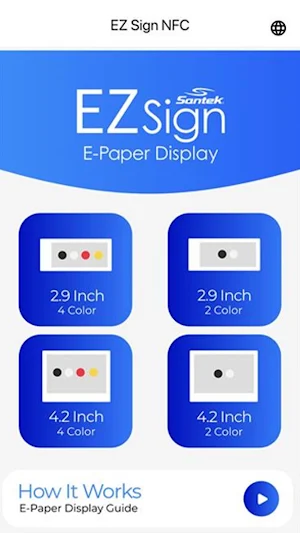
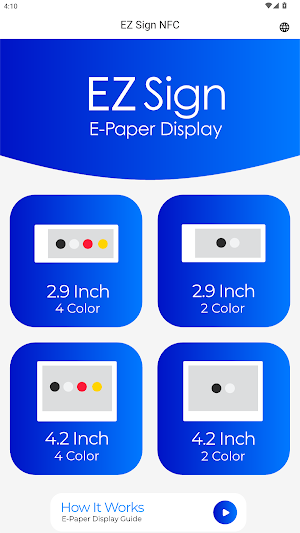
Select your EZ Sign model.
You can change the interface language from the “Global” icon.
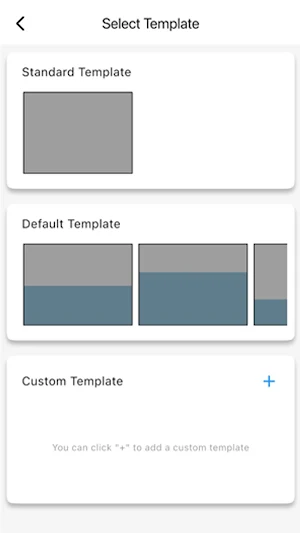
Step 2: Choose a Template
Select from Standard, Default, or Custom templates.
Custom templates let you freely adjust the layout and save designs for future use.
Step 3: Create Your Design
Text: Add text or emojis, choose colors, layout, and backgrounds (supports 2-color / 4-color depending on the model).
Image: Import from your photo library, crop, apply filters, or take a photo with the in-app camera.
Freehand: Draw freely with your finger and adjust line thickness.
Step 4: Preview
Tap the “Eye” icon to preview your design in Pure Color or Dithering mode.
Save completed designs from the “Library “ icon.
Step 5: Upload
Hold your smartphone close to the EZ Sign device until the upload completes.
The displayed content will remain visible without power.
Estimated Update Time
2-Color Model: approx. 3 seconds
4-Color Model: approx. 30 seconds
Key Features
One-tap NFC update (with history and resend options)
Integrated editing tools for text, images, and freehand drawings
Optimized for both 2-color and 4-color models
Brightness & contrast adjustment
Template saving, reuse, and preview functions
Permissions & Privacy
NFC: Used to write data to the EZ Sign device.
Photo Library: Used to import and save images.
This app does not collect any personal information.
All image processing is done locally on your device.
Similar Apps
EliteVPN: Private & Secure VPN
Fast, private VPN for online protection
MoveDrift
See your step drift—how close are you to your goal (% over/under)!

Ijeff
Mass Schedule Management Application

ISO ĐIỆN TỬ - SỞ TNMT TP. HCM
Ứng dụng Quản lý ISO Điện tử
Jinli Scanner
File scanning, PDF editing
SooN
Office intercom app
