About Kea: Essential Remapper
Your button. Your shortcuts. Your way.
Kea gives your essential button 25 different ways to be useful.
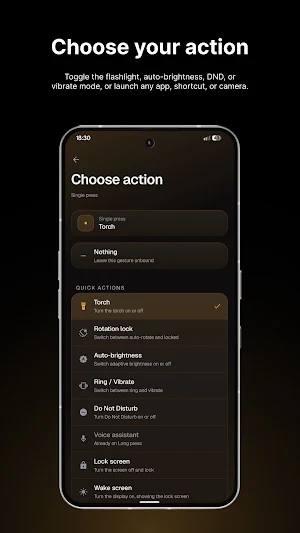
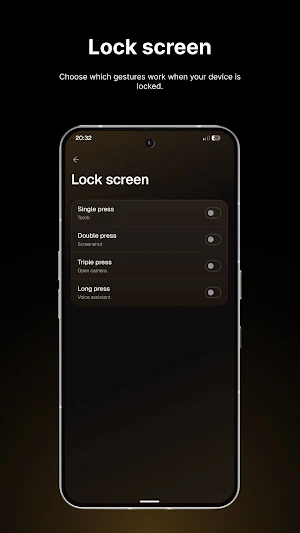
One press, two presses, three presses, press and hold. Bind each to whatever you want.
WHAT YOU CAN BIND
Torch, Do Not Disturb, rotation lock, auto-brightness, ring and vibrate, volume panel, wake screen, lock screen, power menu.
Screenshot, screen recording, camera, camera shutter.
Play and pause, next and previous track.
Home, back, recent apps, notifications, quick settings.
Any app, any app shortcut, any link.
IT LEARNS YOUR BUTTON
There is no list of supported phones to fall off the end of. Kea learns your key by its hardware fingerprint during a short setup, so it works on devices that did not exist when the app was written.
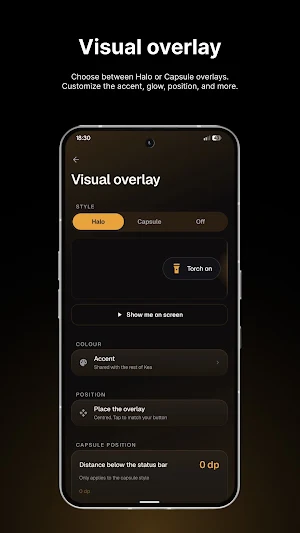
Where Kea already knows your phone, the on-screen confirmation appears level with your physical key from the first press. Anywhere else, drag it once.
PRIVACY YOU CAN CHECK
Kea has no internet permission. Not a promise not to send anything, but structurally unable to open a connection. No accounts, no analytics, no crash reporting, no ads, no tracking, no third party SDKs.
The accessibility service receives hardware key events and nothing else. Kea never asks to read window content, so it cannot see the text or images on any screen.
Everything stays in private app storage. The only way anything leaves your phone is if you export a backup yourself.
BEFORE YOU INSTALL
Some banking and payment apps refuse to run while any accessibility service is switched on, and Kea uses one. That is their policy, applied to every app in that category, and no remapper can work around it. If your bank blocks you, switch Kea off in Accessibility, use the bank, switch it back on. Your bindings are kept.
Free. No ads, no subscription, no in-app purchases, no account.
Similar Apps

Kea: Essential Remapper
Your button. Your shortcuts. Your way.

TechiBoy Walls
Premium wallpapers designed to give your phone a fresh, stylish look.