

Tayasui Sketches
Tayasui Art & Design In-app purchases
Beautiful drawing tools
- Rating
- 3.7
- 78.8K ratings
- Downloads
- 10.6M+
- on Google Play
- Price
- Free
- In-app purchases
- Updated
- Sep 22
- 2026 · v1.5.43
Screenshots


About Tayasui Sketches
Because beautiful tools make beautiful drawings, Sketches has the most beautiful brushes ever seen in an Android App.
Sketches is the drawing application with the most realistic tools, enhanced with a large number of advanced functions and a minimalist and intuitive interface.
Available with Pro options: many tool variants, layers and dozens of additional features.
• Features
- Over 20 ultra realistic tools
- Layers
- Import photos
- Incredibly realistic watercolor wet brush
- Brushes Editor
- Color Eyedropper
- Advanced sharing and export functions
• Layers
- Use layers to simplify your task
• Stylus support
Discover even more realistic brushes with the use of a Wacom Stylus.
The brushes have been designed so that each stroke behaves vividly and truly like a brush on paper, adapting the pressure, angle, and width to your movements.
• List of tools
- Pencil
- Rotring
- Watercolor Dry and Wet brushes
- Acrylic brush
- Pen
- Felt Pen
- Pen Brush
- Oil Pastel
- Airbrush
- Area and Filling tool
- Patterns
- Text
- Eraser
- Cutter to copy/paste
- Smudge tool
Sketches is the drawing application with the most realistic tools, enhanced with a large number of advanced functions and a minimalist and intuitive interface.
Available with Pro options: many tool variants, layers and dozens of additional features.
• Features
- Over 20 ultra realistic tools
- Layers
- Import photos
- Incredibly realistic watercolor wet brush
- Brushes Editor
- Color Eyedropper
- Advanced sharing and export functions
• Layers
- Use layers to simplify your task
• Stylus support
Discover even more realistic brushes with the use of a Wacom Stylus.
The brushes have been designed so that each stroke behaves vividly and truly like a brush on paper, adapting the pressure, angle, and width to your movements.
• List of tools
- Pencil
- Rotring
- Watercolor Dry and Wet brushes
- Acrylic brush
- Pen
- Felt Pen
- Pen Brush
- Oil Pastel
- Airbrush
- Area and Filling tool
- Patterns
- Text
- Eraser
- Cutter to copy/paste
- Smudge tool
What’s new
Version 1.5.43 · Updated September 22, 2026
Bug fix and improvements 🎉
User reviews
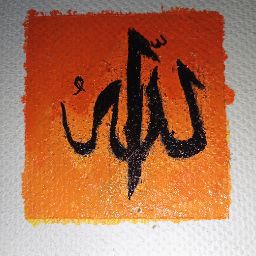
I love this app very much i have finished two paintings 😘. This contains many tools and different page layer as watercolor grain... Really amazing

cool toy 🙂

بییییی۳ت
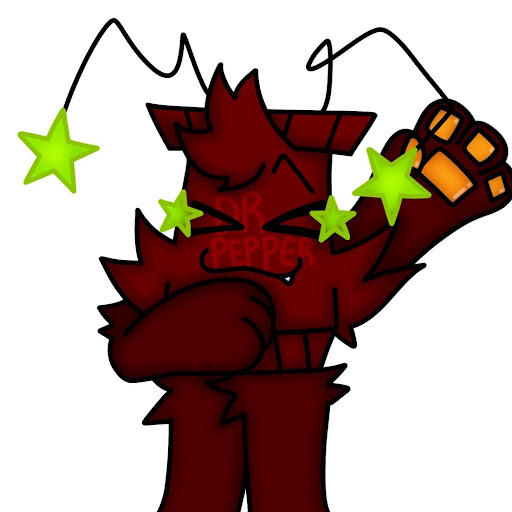
great for colur

this app is amazing !!!!
This app is good 🙂🙂🙂🙂🙂🙂
Frequently asked questions
What is Tayasui Sketches?
Tayasui Sketches is a drawing application on Android that features realistic tools and advanced functions.
What are the features of Tayasui Sketches?
Tayasui Sketches offers over 20 ultra realistic tools, layers, the ability to import photos, a watercolor wet brush, a brushes editor, a color eyedropper, and advanced sharing and export functions.
Can I use layers in Tayasui Sketches?
Yes, you can use layers in Tayasui Sketches to simplify your tasks.
Does Tayasui Sketches support stylus?
Yes, Tayasui Sketches supports stylus. You can discover even more realistic brushes with the use of a Wacom Stylus.
What are some of the tools available in Tayasui Sketches?
Some of the tools available in Tayasui Sketches include pencil, rotring, watercolor brushes (dry and wet), acrylic brush, pen, felt pen, pen brush, oil pastel, airbrush, area and filling tool, patterns, text, eraser, cutter tool for copy/paste, and smudge tool.
Alternatives to Tayasui Sketches
Looking for apps like Tayasui Sketches? Here are 6 similar Android apps on Google Play. The highest rated is ibis Paint (4.6/5), and 5 of the 6 are free to download.
-
Infinite Painter 3.8
-
ArtFlow: Paint Draw Sketchbook 3.5
-
ibis Paint 4.6
-
Artecture Draw, Sketch, Paint 3.6
-
Picsart Color - Painting, Draw 3.9
-
Sketchar: Learn to Draw 4.4
| App | Rating | Price | Installs | Last updated | Compare |
|---|---|---|---|---|---|
| Tayasui Sketches | 3.7 / 5 | Free | 10,000,000+ | Sep 22, 2026 | |
| Infinite Painter | 3.8 / 5 | Free | 10,000,000+ | Oct 15, 2026 | Compare |
| ArtFlow: Paint Draw Sketchbook | 3.5 / 5 | Free | 5,000,000+ | Jul 24, 2025 | Compare |
| ibis Paint | 4.6 / 5 | 9.99 USD | 100,000+ | Sep 25, 2026 | Compare |
| Artecture Draw, Sketch, Paint | 3.6 / 5 | Free | 1,000,000+ | Feb 8, 2019 | Compare |
| Picsart Color - Painting, Draw | 3.9 / 5 | Free | 50,000,000+ | Oct 28, 2026 | Compare |
| Sketchar: Learn to Draw | 4.4 / 5 | Free | 5,000,000+ | Oct 19, 2026 | Compare |
Compare Tayasui Sketches with the top alternatives: ratings, updates, ASO score and keyword gaps →
Similar apps on Google Play
- Infinite Painter
- ArtFlow: Paint Draw Sketchbook
- ibis Paint
- Artecture Draw, Sketch, Paint
- Picsart Color - Painting, Draw
- Sketchar: Learn to Draw
- PENUP - Share your drawings
- Sketchbook
- Clip Studio Paint
- Bamboo Paper
- PaperColor
- Magic Poser
- Kilonotes
- Artfol
- Pixel Studio: pixel art editor
- My Sketchbook - Learn to draw
- INKredible-Handwriting Note
- Drawing Desk: Draw, Paint Art
- Repaper Studio
- touchnotes
- Pixel Brush: Pixel Art Drawing
- FlipaClip: Create 2D Animation
- Pocket Paint: draw and edit!
- Head Model Studio
- Drawing Apps: Draw, Sketch Pad
- Adobe Express: Graphic Design
- Color Gear: color wheel
- PhotoSuite
- Coloring Mandalas
- Desygner: Graphic Design Maker
- Learn To Draw Anime App
- Colorfit: Drawing & Coloring
- GoDaddy Studio: Story Maker
- 3D Modeling App: Sculpt & Draw
- J notes:Good Notes& PDF Edit
- Handy Art Reference Tool
- Easy Notes - Notebook, Notepad
- Qt Notes
- Nomad Sculpt
- Crystal: Sketch Mirror for And
- Dream by WOMBO - AI Art Tool
- Learn to Draw Flower
- Creality Cloud - 3D Printing
- Pixelcut - AI Graphic Designer
- Dollify
- Easy Pose - 3D pose making app
- Noteshelf - Notes, Annotations