About Sixth Pin - Remote Control
This app is in testing. Do not use it unless a developer or administrator recommends it to you.
Tutorial videos will be released for all roles soon.
Are you a General User?
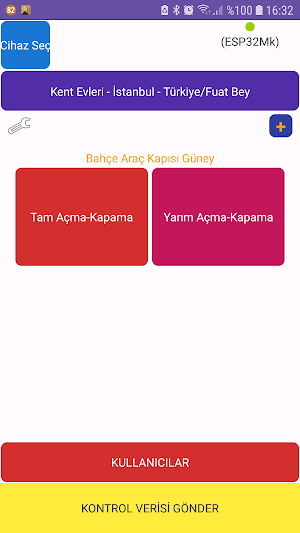
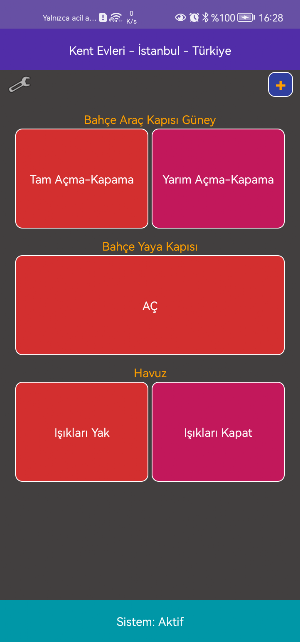
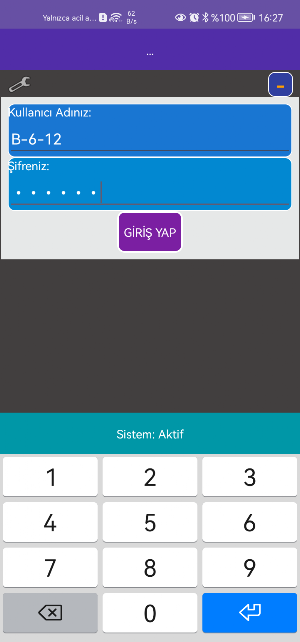
If an administrator recommends you to use this app to remotely manage the system they installed, download the app and log in with the username and password provided to you. The devices and features that you can remotely manage will appear on your screen. All you have to do is tap the button that executes the command you want. Like opening your home's garden and car entrance.
Are you an Authorized Officer or Administrator of an Installed System?
If you are authorized for a remote management system installed in your workplace or living space, you can configure the devices by logging in with the username and password provided to you and add General Users that you will allow to manage them remotely. For example, who can manage your home's garden and car entrance with a mobile phone. Create usernames and passwords for the people you want.
Are you a Developer?
If you are doing testing, education, hobby or professional work on remote connection with Arduino boards and NodeMCU, download our app, create a developer account for yourself and start working.
Prerequisite: Code your board to establish a Wifi connection with external programs (for example Arduino IDE). Set which operations will be performed when data arrives. You can perform your tests via our servers by connecting your card to the internet via Wifi. Our application cannot access and manage the coding on your development (Arduino) card. If you do not yet know how to connect to the internet with your card (for example via Wifi) and how to process the incoming data, you should learn these first.
Working Logic for Developers: Your card will read data directly via the internet with Wi-Fi. General Users can send data to our server and perform operations using their own mobile devices. Our application transfers the requests from General Users to your card via the server (internet) and the operation is performed.
Process Steps for Developers:
- First, you need to create a developer account. Creating a developer account is free and only requires you to enter a few details.
- Developers define a Center / Administrator who will use their products. Example Summer House.
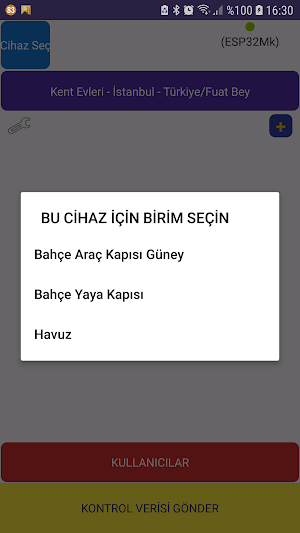
- By selecting the Center, the unit (Arduino etc. development cards) to be used in this center is added. Example: Only Garden.
- Add Commands that specify which data you want to send to the card you will use in this unit. (Our application allows the commands you define to be sent to your card. You also need to prepare which operations the card will perform.)
-Define a tag for Data Receiving to determine which data (e.g. sensor data) you want your development card to send to our server. You can send data from your development card to our server using this data tag and read them from another development card or any other device (e.g. PC) and perform the operations you want. In this way, development cards can perform automatic operations according to the data received from each other.
Log in with your Central/Administrator account, connect the card directly to the internet via wifi. If you are developing a commercial product, provide the username and information to the Central/Administrator. It will also define who can manage the devices through the application.
This version does not include our entire project. Testing is always the first step for both developers and us.
User actions will be reportable.
Similar Apps

Video Booth 360 Automatically
Speed up part of your video, slow down part of it. Add...

6. Pro Ezan Cihazı Bağlantısı
Bu uygulama "6. Pro Ezan Cihazı" içeren ürünler için gereken ayarların yapılması...
Sixth Pin - Remote Control
This app is in testing. Do not use it unless a developer...

Coğrafya Haritalarla Öğren
KPSS, YKS, TYT, AYT ve LGS sınavlarına hazırlık sürecindekiler için coğrafya konularının...

Word Search Game, Find Words
Find the words on the given board with the word search game....
OptiX-6 Pro Optical Reader
For exams, tests, surveys, research, and more, scan your own optical form....
