About Pixel Art
Unleash your creativity with PixelArt, your digital whiteboard, designed to be simple, intuitive, and powerful. Whether you're sketching your next big idea, taking notes in class, planning a project, or simply doodling, our app offers a versatile canvas for your imagination.
Inspired by the freedom of tools like Freeform, PixelArt focuses on the essentials, giving you the power to create without distractions.
🎨 What can you do with PixelArt?
Widescreen with Zoom: Never run out of space again! Use the pinch-to-zoom gesture and two-finger drag to navigate your whiteboard. Your workspace is as big as your ideas.
Precise Drawing with Zoom: Draw with the confidence that your strokes will appear exactly where you make them, no matter the zoom level. Our coordinate transformation technology ensures perfect precision.
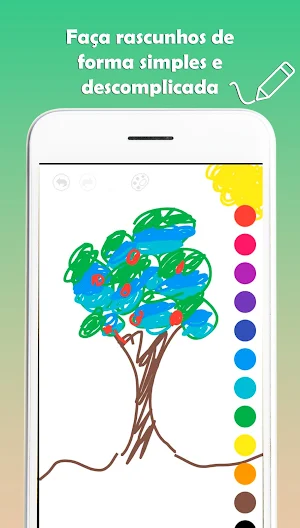
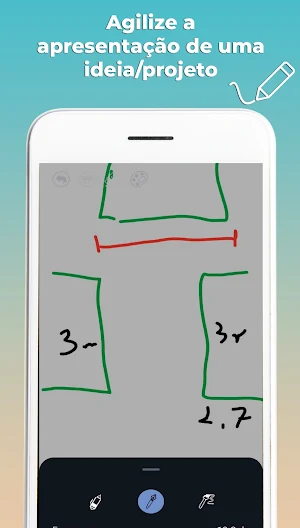
Essential Drawing Tools: Choose from different line styles, like Pen, Pencil, and Brush. Adjust the thickness with an intuitive slider for complete control over your lines.
Simple Color Palette: Access a vibrant color palette with a single tap. Changing colors is quick and won't interrupt your workflow.
Smart Eraser: Made a mistake? Our eraser won't smudge your textured background. It intelligently erases the entire stroke you touch, keeping your work clean and professional.
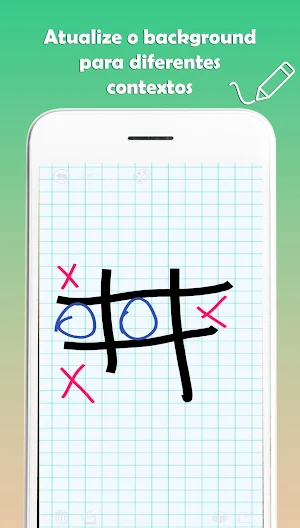
Vectorized Backgrounds: Choose the background that best suits your task. Start with a clean white canvas, or switch to a lined or grid background. Our grids are vector-drawn, meaning they stay perfectly sharp and the correct thickness, no matter how much you zoom in.
Total Control: With unlimited Undo and Redo functions, you have the freedom to experiment without fear of making mistakes.
Export and Share: Finished your creation? Export your drawing directly to your phone's gallery with a single click and share it with the world.
💡 Perfect for:
Students: Take visual notes, solve problems, and create mind maps.
Designers and Artists: Quickly sketch ideas, create wireframes and illustrations.
Professionals: Brainstorm as a team, organize workflows, and present concepts.
Anyone: Use it as a digital notepad for to-do lists, planning, or simply relaxing while drawing.
Download PixelArt now and turn your device into a versatile canvas for creativity!
Pixel Art details
Pixel Art is a free Art & Design app for Android with 100+ installs on Google Play and a 5.0/5 average rating from 1 rating. It was released on July 28, 2025 and last updated on July 28, 2025. It requires Android 8.0 or later.
- Category
- Art & Design
- Rating
- 5.0 / 5 (1 rating)
- Installs
- 100+
- Price
- Free
- In-app purchases
- No
- Ads
- No ads
- Current version
- 1.0
- Requires Android
- 8.0
- Content rating
- Everyone
- Released
- July 28, 2025
- Last updated
- July 28, 2025
What’s new in Pixel Art
Ferramentas de desenho essenciais: Caneta, Lápis e Pincel. Paleta de cores e ajuste de espessura do traço. Refazer, Borracha e Limpar Tela. Fundos personalizáveis (branco, pautado e quadriculado). Funções de Desfazer, Refazer, Borracha e Limpar Tela. Exporte as suas criações diretamente para a galeria!
Version 1.0 · Updated July 28, 2025
Similar Apps

Pixel Art
Liberte a sua criatividade com o PixelArt, o seu quadro branco digital,...

NaLinha - Lista de Tarefas
Sente que seu dia tem mais tarefas do que horas? Listas de...

Compact Note
Compact Note é o aplicativo ideal para quem deseja manter a vida...
ArtDraw
ArtDraw é um aplicativo simples e eficiente para desenhar em cores RGB....
