Office PRO: Docx & PDF Editor
Word & PDF editor, reader, scanner, merge, split, compress, sign Offline Process
About Office PRO: Docx & PDF Editor
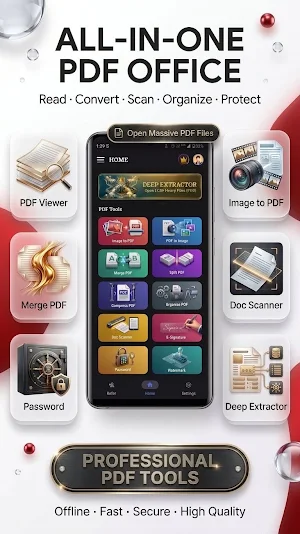
Welcome to PDF Office – the ultimate Offline PDF Reader, PDF Viewer, PDF Editor, Word Document Editor "DOCX", and All-in-One PDF Tools app designed for speed, privacy, and powerful document management.
Open and edit Word documents, edit text inside PDF files, merge, split, compress, and organize pages. Protect files with passwords, add watermarks, sign electronically, scan documents, and convert Image to PDF completely offline.
Powered by a native C++ engine, PDF Office processes everything directly on your device. No cloud uploads! Enjoy smooth scrolling, instant search, and zero lag—even with heavy PDF files.
🚀 PROFESSIONAL PDF & DOCUMENT TOOLS
📝 Document Studio – Word Editor (NEW)
A full offline word processor. Open .docx and .podoc files and edit text, tables, images, headers, footers, footnotes, page numbers and margins. Save your work as PDF, Word (.docx) or Podoc – no formatting lost.
📂 Document Manager (NEW)
Every Word and Podoc document on your phone in one screen. Or start from 13 ready-made templates – resume, invoice, letter, report and more.
✏️ PDF Editor – Edit Text in PDF (NEW)
Tap any word and change it right inside the PDF. Move or delete text, insert new text, draw, highlight, and add or remove hyperlinks. Tap a link in the viewer and it opens in your browser.
🔍 OCR – Scanned PDF to Text (NEW)
Turn a scanned page into real text you can search, copy and edit.
📖 PDF Reader & PDF Viewer
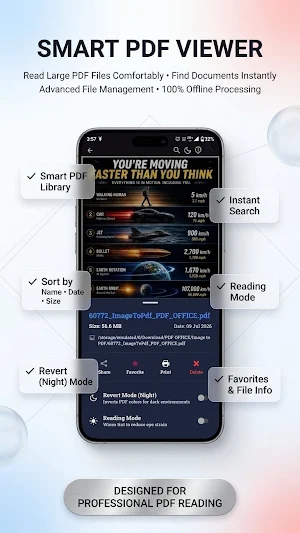
Open documents instantly with smooth scrolling, reading/night mode, fast page search, thumbnails, and support for huge files.
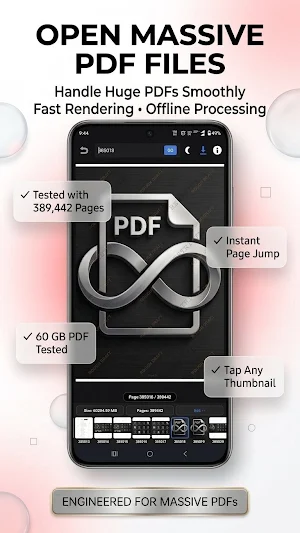
🚀 Deep Extractor (Large PDF Support)
Open massive files easily! Extract PDF pages from heavy documents with one tap (tested up to 60GB). Perfect for engineering maps and manuals.
Tested Device : Motorola Edge 50 Pro 12GB Ram
🔗 Merge PDF & Combine PDF
Combine multiple files into one document offline. Merge heavy PDF files quickly without lag.
✂️ Split & Organize PDF
Split a PDF into multiple files, extract selected pages, reorder, delete sections, and manage documents intuitively.
🗜 Compress PDF & Reduce Size
Reduce PDF file size via image and vector compression. Maintain high quality for easy email sharing and storage.
🖼 Image to PDF (JPG to PDF)
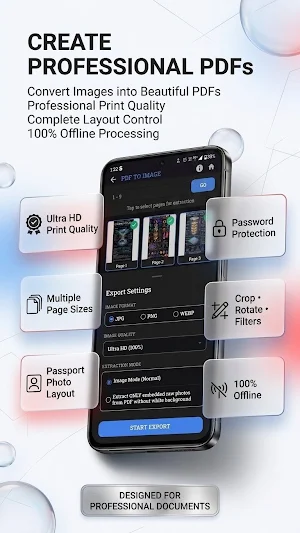
Create professional PDFs from JPG, PNG, and WEBP. Crop, auto-align, or make passport-size photo layouts with ease.
🔄 PDF to Image Converter
Convert PDF pages into high-quality JPG, PNG, or WEBP images completely offline with zero limits.
✍ Sign PDF – Electronic Signature
Draw or import your digital signature, remove backgrounds, and apply it to multiple pages instantly. Perfect for contracts.
🔒 Protect PDF (Lock/Unlock PDF)
Secure sensitive files. Add Password to PDF, Remove PDF Password, or update privacy settings completely offline.
© Watermark PDF
Add custom text watermarks. Adjust font, color, rotation, and transparency with a live preview.
📄 Document Scanner & PDF Scanner
Scan receipts, ID cards, and notes into PDF/JPG. Auto-saved drafts prevent data loss.
🎨 Custom Themes & Dark Mode
Personalize the app with Light/Dark themes and premium backgrounds.
⚡ WHY CHOOSE PDF OFFICE?
✔ 100% Offline Processing – No cloud uploads needed for PDF and Word tools; your privacy is guaranteed. (Internet used only for login/ads).
✔ Word + PDF in One App – Write a document and export it as a PDF, all in one place.
✔ Large File Support – Optimized native C++ engine for heavy documents.
✔ Fast & Battery Optimized – Smooth zoom, fast rendering, and low battery drain.
✔ No Watermarks – Export clean, professional files for free.
📚 PERFECT FOR
- Students writing assignments, reading eBooks, notes, and research papers.
- Professionals handling invoices, contracts, letters, and reports.
- Anyone who needs a Word editor and a fast, secure Offline PDF Reader, Viewer, and Editor in one app.
🚀 Download PDF Office today to experience the ultimate All-in-One PDF and Word Document app built for professional document management!
Office PRO: Docx & PDF Editor details
Office PRO: Docx & PDF Editor is a free Productivity app for Android with 500+ installs on Google Play and a 5.0/5 average rating from 1 rating. It was released on April 10, 2026 and last updated on September 10, 2026. It requires Android 7.0 or later. The app contains ads and offers in-app purchases.
- Category
- Productivity
- Rating
- 5.0 / 5 (1 rating)
- Installs
- 500+
- Price
- Free
- In-app purchases
- Yes
- Ads
- Contains ads
- Current version
- 2.0.222
- Requires Android
- 7.0
- Content rating
- Everyone
- Released
- April 10, 2026
- Last updated
- September 10, 2026
What’s new in Office PRO: Docx & PDF Editor
• Enhanced Premium & Subscription experience with smoother Google Play checkout. • Improved Referral & Bonus Points rewards system. • Performance optimizations for PDF tools and Document Studio. • Bug fixes and overall stability improvements.
Version 2.0.222 · Updated September 10, 2026
Similar Apps
SG Font Generator: Game Style
Stylish Fonts, Neon Text & Gaming Nickname Generator with Symbols. Pro Styles
Office PRO: Docx & PDF Editor
Word & PDF editor, reader, scanner, merge, split, compress, sign Offline Process

WebTools : Smart Utility Tools
All in one Smart Web Tools : Free Multiple Utility Smart Tools By SanjeevG.in