Spines: 2 Cam Cloud Recorder
Record short videos and send them to Telegram, Yandex Disk, NextCloud
About Spines: 2 Cam Cloud Recorder
With this application, you can record short videos from the front or rear camera with automatic sending to Telegram, Yandex.Disk, and Nextcloud.
It can be useful for recording unlawful actions against you or your phone.
How it works:
When you start the application, you will need to grant permissions to use the camera, record audio, and display a persistent notification.
Access to the camera and microphone is required to create video files, and the persistent notification is needed for long-term background operation.
It is also recommended to disable battery optimization, also for long-term background operation of the application.
After granting permissions, you can start recording.
If you have not specified data for sending files to Telegram, Yandex.Disk, or Nextcloud, the files will remain in the folder
/Android/data/com.safelogj.dfly/files/video/
until you delete them manually. If specified, the files will be deleted automatically after two days.
If you have specified data for sending files to Yandex.Disk, the files will be sent automatically when any internet connection is available (one attempt).
After a successful upload, the file usually appears in Yandex.Disk within 12 minutes.
If you have specified data for sending files to a Telegram chat or Nextcloud, the files will be sent automatically when any internet connection is available (until they are sent, but no more than 2 days).
You can access the application interface from the home screen icon only on the first launch, when the application does not yet have permissions.
If the application has permissions, clicking the icon will immediately start recording (if it is not already running) from the front camera.
In this case, you can access the interface only by clicking the persistent notification in the status bar.
This is done so that you can quickly launch the application immediately after unlocking the phone, if you were forced to unlock it.
While recording is active, the application automatically switches the camera:
If the application is on the screen, recording is done with the rear camera.
If the application is minimized, recording is done with the front camera.
Recording is active whenever a persistent notification is displayed in the status bar.
The duration of recordings increases with the duration of the application’s operation: from 10 seconds for the first recording, then increasing in steps of +10 seconds, up to a maximum of 30 seconds.
Data for sending video files:
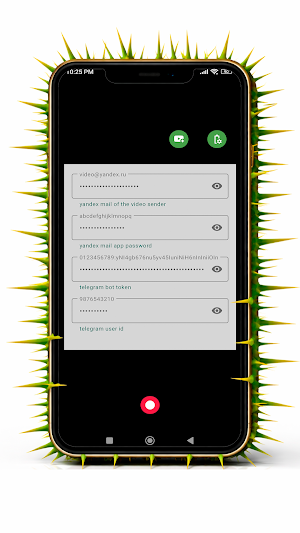
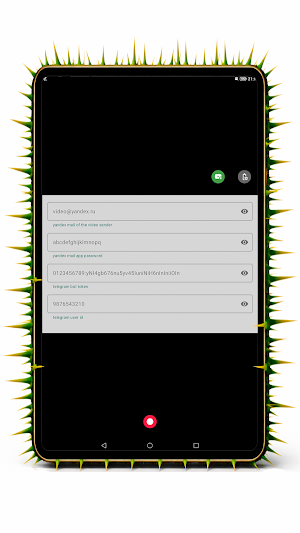
To send to a Telegram chat, you need to specify in the application the Telegram user ID that will receive videos from the bot.
You need to create a bot in Telegram, specify its token in the application, and send any message to this bot (for example, /start) from the account that will receive the videos (whose ID you specified).
To send to Yandex.Disk, you need to create an account (do not use an existing one) in Yandex, create an application password with WebDAV type in the mail settings of this account,
enable access to the mailbox via email clients,
and specify in the application the email address of the created account and the generated application password.
To send to Nextcloud, you need to specify the login or a direct link to the upload folder in Nextcloud.
Create an application password in Nextcloud and specify it in the application.
For more details, see the video instructions.
Similar Apps

Lim: Messenger for Mikrotik
Local messenger for Mikrotik RouterOS Containers.

Mikread: UCS2 SMS for MikroTik
Reads SMS (UCS2) from MikroTik LTE routers via API, REST-API or Email.

Micolored: Voice to Text
Simple app for converting speech to text: dictation, notes.
Simlog: Cell Signal History
SIM Card Diary

Ch4IR : Multi Stream Player
Online video stream player
