Steamboat Mouse Watch Face
A retro cartoon style watch face and a punch right in the face of the copyright


About Steamboat Mouse Watch Face
Bring the iconic steamboat willie on your smartwatch with this retro cartoon inspired watch face, full of information and highly customizable!
Introduction
This is a native, standalone Wear OS watch face. This means that it can be installed on many smartwatches running this OS (like Samsung, Mobvoi Ticwatch, Fossil, Oppo, the latest Xiaomi and more).
It is completely handcrafted, to be unique.
Features
The watch face includes:
◉ 30 color schemes
◉ High readability mode
◉ 12/24 hours format support
◉ Customizable Overlay and background
◉ Minimal and vintage style
◉ Reacts to low battery and more
◉ Battery temperature and status at a glance!
◉ 3 customizable complications!
◉ Easy to use (and uninstallable) companion app
Installation
The installation is straightforward, don't worry!
Here's the procedure and a quick Q&A:
◉ Install this app in your smartphone
◉ Open it, and connect your Wear OS smartwatch to your device
◉ If the watch is connected, you will be able to tap the "view and install on smartwatch" button. (if not, refer to the Q&A below)
◉ Check your watch, you should see my watch face and the install button (if you see the price instead, refer to the Q&A below)
◉ Install it in your smartwatch
◉ Long press on your current watch face
◉ Swipe left until you see a "+" button, tap on it
◉ Look for the new watch face, tap on it
◉ Done. If you want, you can uninstall the companion app now!
Q&A
Q - I'm being charged twice! / The watch is asking me to pay again / you're a [derogatory adjective]
A - Keep calm. This happens when the account you’re using on the smartphone is different from the account used on the smartwatch. You have to use the same account (else, Google has no way to know that you already bought the watch face).
Q - I can't press the button in the companion app but my smartwatch is connected, why?
A - Most probably, you're using an incompatible device, like an old Samsung smartwatch or any other non-Wear OS smartwatch/smartband. You can easily check on Google if your device runs Wear OS before installling any watch face. If you're sure you have a Wear OS device and still you can't press the button, open the Play Store on your watch and search for my watch face manually!
Q - I have a Wear OS device, but it's not working! I'm gonna leave a one star review 😏
A - Stop right there! Most definitely there's an issue on your side while following the procedure, so please just send me an email (i usually reply during the weekends) and don't damage me with a bad and misleading review!
Q - The [name of a feature] is not working!
A - Try setting another watch face and then set mine again, or try allowing the permissions manually (on the watch obviously). If it still doesn't work, there's an handy "email button" in the companion app!
Support
If you need help or you have a suggestion, feel free to send me an email, I'll do my best to help.
I usually reply during the weekend because I'm just one person (not a company) and I have a job, so be patient!
This app is supported and updated to fix bugs and add new features. The overall design won't change, but it will surely be improved over time!
I know that the price isn't the lowest, but I worked a lot of hours on each watch face and the price also includes the support and the updates, if you think about it. And i assure you, I'll invest any earning on useful things and to help my family. Oh, and thanks for reading the full description! Nobody does it!
Steamboat Mouse Watch Face details
Steamboat Mouse Watch Face is a paid Personalization app for Android with 10+ installs on Google Play. It was released on January 6, 2024 and last updated on January 8, 2024.
- Category
- Personalization
- Installs
- 10+
- Price
- $1.99
- In-app purchases
- No
- Ads
- No ads
- Current version
- 1.1.0
- Requires Android
- Varies with device
- Content rating
- Everyone
- Released
- January 6, 2024
- Last updated
- January 8, 2024
What’s new in Steamboat Mouse Watch Face
- AOD mode improved - New foreground effect
Version 1.1.0 · Updated January 8, 2024
Alternatives to Steamboat Mouse Watch Face
Looking for apps like Steamboat Mouse Watch Face? Here are 6 similar Android apps on Google Play. 2 of the 6 are free to download.

Infinity Parallax Watch Face
A gaming themed watch face, featuring the iconic infinity effect! Includes the...

Programmer Watch Face
A watch face representing a Visual Studio Code window, for programmers and...

Dragon Radar Watch Face
A radar inspired watch face, full of information and highly customizable! You...

Big Ben Analog Watch Face
A watch face built to look exactly like a digital version of...

Animated Curves Watch Face
A watch face built using a beatiful topographic map animation, full of...
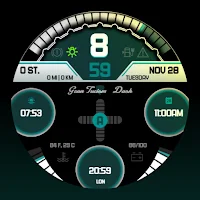
GT Dash Digital Watch Face
A racing themed watch face, full of information and highly customizable! Includes...
| App | Rating | Price | Installs | Last updated |
|---|---|---|---|---|
| Steamboat Mouse Watch Face | – | $1.99 | 10+ | Jan 8, 2024 |
| Infinity Parallax Watch Face | – | Free | 50+ | – |
| Programmer Watch Face | – | Free | 0+ | – |
| Dragon Radar Watch Face | – | 0.99 USD | 5+ | – |
| Big Ben Analog Watch Face | – | 0.99 USD | 5+ | – |
| Animated Curves Watch Face | – | 0.49 USD | 5,000+ | Jul 31, 2026 |
| GT Dash Digital Watch Face | – | 0.99 USD | 5+ | – |

