PhotoGuard Photo Vault: Hide Photos Keep Safe Lock
Best Photo Vault to Hide your Private Photos & Videos. Keep your Photos Safe.
About PhotoGuard Photo Vault: Hide Photos Keep Safe Lock
Keep your personal photos and videos safe in our private photo vault.
We put security and privacy at the highest standards, along with a great UI/UX design.
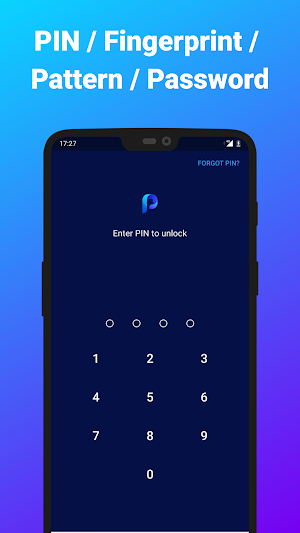
PhotoGuard Photo Locker secures your secret photos and videos by locking them with a Password, Pattern, PIN or fingerprint, using Military Grade Encryption AES-256 bit.
PhotoGuard's architecture was developed with the help of data security consultants experts to make sure that nobody, including our team, will be able to access your private photo locker without knowing your pass phrase, even if your device is stolen!
Your hidden photos and videos are locked and encrypted solely in your device and will not be uploaded to any server.
★ What's inside: ★
🔐 Everything behind a lock - Your personal photos and videos are hidden using a PIN, Pattern, Password or your Fingerprint so they will keep safe.
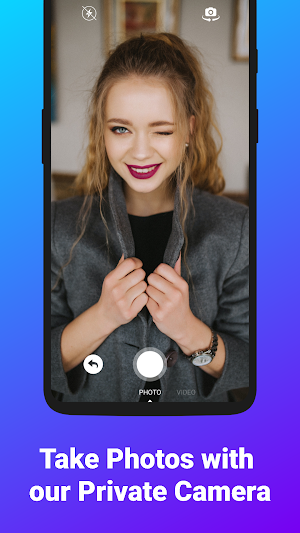
📷 On the fly encryption camera - PhotoGuard has a secret camera that hides the secret photos you take directly to your hidden photo vault.
🗂 Album Lock - Set passwords to each of your private albums for extra protection to your personal photo safe!
👀 Quick Exit - PhotoGuard exits the PhotoVault automatically whenever pressing home button, making sure that no one will be able to watch the secret photo vault contents.
💾 Automatic backup & restore to your vault - If you uninstall the app by mistake, your photo safe will be restored.
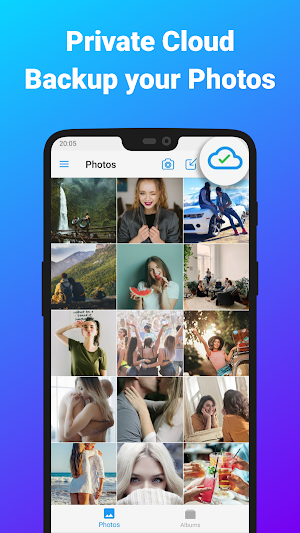
☁ Private Cloud - Auto Backup & Sync your personal photos and videos to our Private Cloud service with unlimited space. Access from any device with PhotoGuard on it.
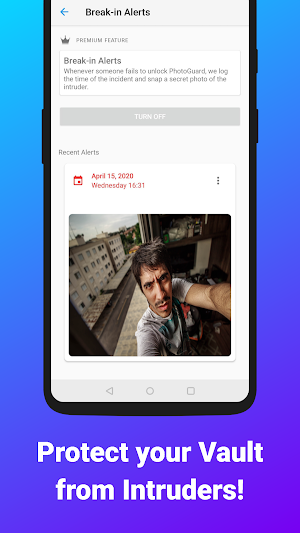
🕵️ Break-In Alerts - Keep safe your private photo vault from intruders with Break-In Alerts. Whenever someone fails to unlock PhotoGuard, we log the time of the incident and snap a secret photo of the intruder.
🚪Fake Vault - A decoy PhotoGuard vault that opens with a separate PIN.
PhotoGuard Photo Vault: Hide Photos Keep Safe Lock details
PhotoGuard Photo Vault: Hide Photos Keep Safe Lock is a free Photography app for Android with 100,000+ installs on Google Play and a 4.3/5 average rating from 2,225 ratings. It was released on August 5, 2018 and last updated on November 8, 2020. It requires Android 5.0 or later. The app contains ads and offers in-app purchases.
- Category
- Photography
- Rating
- 4.3 / 5 (2,225 ratings)
- Installs
- 100,000+
- Price
- Free
- In-app purchases
- Yes
- Ads
- Contains ads
- Current version
- 2.7.3
- Size
- 7.7M
- Requires Android
- 5.0 and up
- Content rating
- PEGI 3
- Released
- August 5, 2018
- Last updated
- November 8, 2020
What’s new in PhotoGuard Photo Vault: Hide Photos Keep Safe Lock
2.7.3: - Bug fixes and performance improvements. 2.6.7: - New photo editing in within the app! - Saving app state when coming back from background. 2.5.0: - Fake Vault: Create a separate PIN that opens a decoy PhotoGuard vault. 2.4.0: - Album password reset option. 2.3.7: - New Vault Recovery feature. 2.3.6: - Break-In Alerts: Protect your vault from intruders, see who tried to unlock your vault. Please contact us via [email protected] for any issue, feedback or a request!
Version 2.7.3 · Updated November 8, 2020
Similar Apps

Hide Photo Vault &Videos
Want to protect private photos/videos on your phone? Worried that after the...

iVault - Hide Pics and Videos
The iVault application stores the data that you do not want to...

Calculator Photo Vault: Hide P
Don’t risk your private photo albums, secret videos or secure files being...

PhotoVault Secret Photo Album
PhotoVault is an awesome privacy protection app which hide private photos and...

Private Photo Vault - Keepsafe
Download Keepsafe to join over 50 million people who have entrusted more...

Photo Vault
Photo Vault is a useful and compact tool for hiding, encrypting and...
Frequently Asked Questions (FAQ)
What is PhotoGuard Photo Vault?
How does PhotoGuard ensure the security and privacy of my photos?
Can anyone access my private photo locker without my pass phrase?
Will my photos and videos be uploaded to any server?
Does PhotoGuard have a backup feature?
Can I access my photos and videos from any device?
How does the Break-In Alerts feature work?
What is the purpose of the Fake Vault in PhotoGuard?