Moto Camera Desktop Settings
Customize settings to enhance video calls when you're connected to a monitor
About Moto Camera Desktop Settings
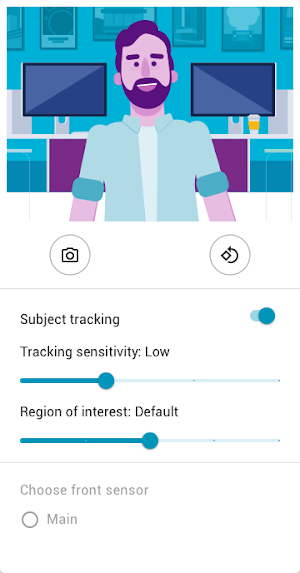
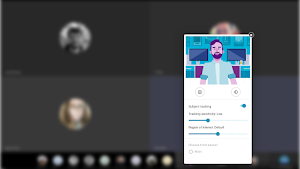
Customize camera settings to enhance video calls while you’re connected to an external screen (Ready For platform).
• Subject tracking keeps subjects centered in the frame. Subject tracking uses smart software to recognize up to 3 faces in the same frame
• Adjust tracking sensitivity to control how quickly the camera zooms when a subject moves
• Increase the region of interest to fill more of the field of view with subjects, or decrease it to include more surroundings
• When the front or rear camera has multiple sensors, choose which sensor you want to use
• Rotate the camera vertically or horizontally
Note: Disabling or uninstalling the app will deprive you of Motorola camera settings for video calls
Similar Apps

Mototalk
Welcome to Mototalk for mobile, a part of our platform to help...

Moto OEMConfig
Moto OEMConfig application allows enterprises using Enterprise Mobility Management (EMM) tools to...

Moto Voice for Alexa
Moto Voice for Alexa lets you use Amazon Alexa hands-free on your...

Moto
The Moto app is an engaging platform where you can find all...

Moto Camera Tuner 4
Moto Camera Tuner 4 provides camera tuning updates to improve color, contrast,...

Moto Interactive Wallpaper
Moto Interactive Wallpaper responds to your actions to bring your screen to...