Digit 3D: CAD Viewer & Editor
Open STEP, IGES, STL, DXF. Model, dimension and export — offline, no account.
About Digit 3D: CAD Viewer & Editor
Open STEP, IGES, STL, OBJ and DXF files on your phone — then actually change them.
Digit 3D is a complete parametric CAD workspace with a real solid modelling kernel, running entirely on your device. No account, no cloud, no ads.
VIEW AND INSPECT
• Open STEP / STP, IGES / IGS, STL, OBJ and DXF
• Rotate, zoom, isolate and hide parts; set per-face colours
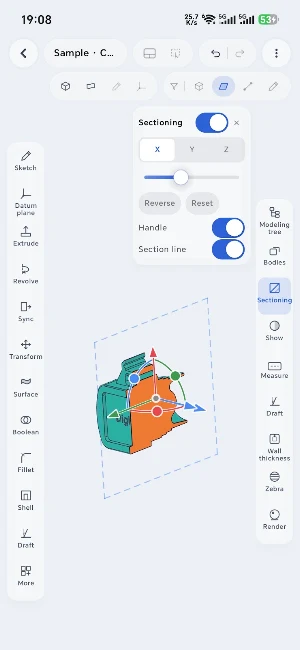
• Cut along any plane with a draggable section gizmo
• Measure distance, angle, radius, area and local curvature
• Body properties: volume, bounding size, surface area, plus weight and cost from 20 built-in materials
• Draft angle and wall thickness analysis with colour banding
3D MODELING
• Parametric sketches with geometric and dimensional constraints
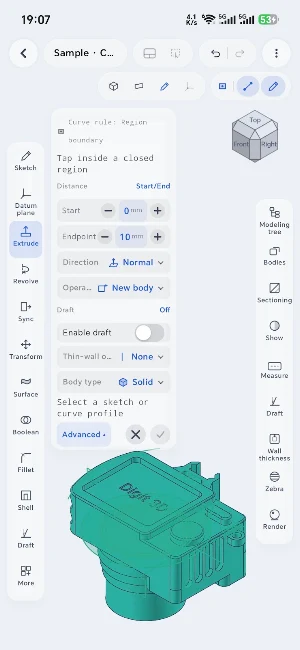
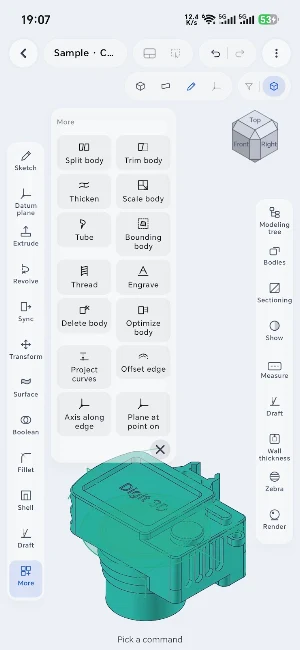
• Extrude, revolve, sweep, loft through curves and surface fill
• Boolean union, subtract and intersect across multiple bodies
• Fillet, chamfer, shell, draft and curvature-continuous blends
• Linear, circular and mirror patterns; move, copy and rotate bodies
• Synchronous editing — push, pull and offset faces on imported geometry
• Datum planes, sketch on any face, and raster image underlays for tracing
• Full feature tree with rollback, edit and multi-step undo
2D DRAWINGS FROM YOUR MODEL
• Three-view and isometric layouts generated from the 3D model
• Section views, detail views and centrelines
• Automatic dimensioning, manual dimensions and tolerances
• Text notes and leaders
• Standard title block and multi-page sheets
• Export to DXF or PDF
2D DRAFTING
• Lines, polylines, rectangles, circles, arcs and precise geometry
• Aligned, linear, radius, diameter and angle dimensions
• Object snaps, layers, layer visibility and measuring tools
• Export as DXF or PNG
BUILT FOR REAL INPUT
• Full mouse support with the button mapping professional CAD users expect
• Configurable keyboard shortcuts across model and sketch modes
• Radial command menu for fast tool access
• Phone and tablet, portrait or landscape
• Guided interface tour, step-by-step tutorials, and long-press help on any tool
FILE EXCHANGE
• Import STEP, IGES, STL, OBJ and DXF
• Append imported geometry into an existing model
• Export STEP for CAD exchange and STL for 3D printing
• Export drawings as DXF and PDF
• Editable projects are saved locally in the MCAD format with full history
Similar Apps

Loufybooks
Manage sales, stock, customers and reports with ease.

Measure DAV app for Android
Measuring distance, area, and volume (DAV) without AR Core

Vapor Liquid Equilibrium (VLE)
Supports flash, bubble, and dew calculations by PR, SRK, and Raoult law models

I Ching Modern Translation
I Ching: Ancient wisdom meets modern tech, offering personalized guidance
LifeOS
Daily planner, routine manager, focus timer & smart reminders

DXN Business Intelligence
Track global sales, analyze trends, forecast future needs.
