Trace & Draw: AR Art Projector
Trace and draw anything you want using this tracing paper app.
About Trace & Draw: AR Art Projector
The process of tracing is used to convert an image into line work from a photo or artwork. You put your tracing paper over it and draw the lines that you see. So create it by tracing and sketching. Use this application to learn how to draw and trace.
How it works:-
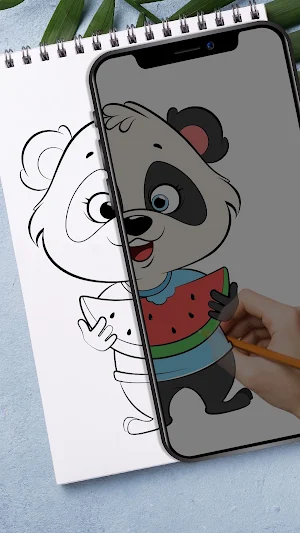
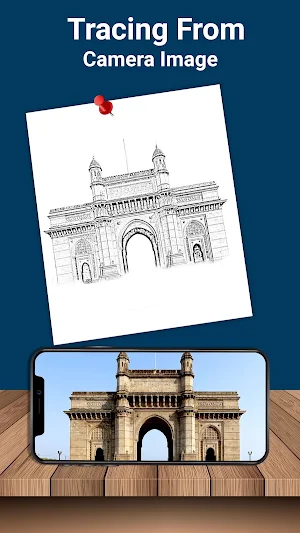
- Simply select an image from the gallery or you can capture the image from the camera. Here you can increase the level of brightness or change the background. You can rotate your selected image. After that, you will see a transparent version of that image on the mobile screen, and you must place drawing paper or anything else on which you wish to trace and sketch.
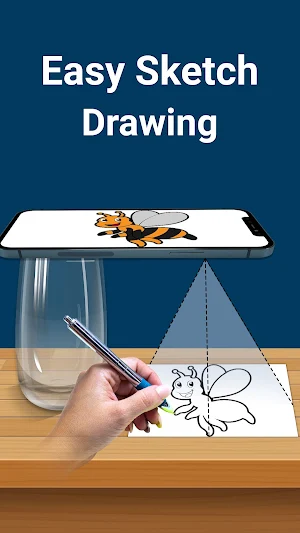
- Your image will be captured as a transparent image via the camera rather than on paper, allowing you to trace it on paper. Draw your image on the phone screen with a transparent image. So you can select any image and convert into a tracing image.
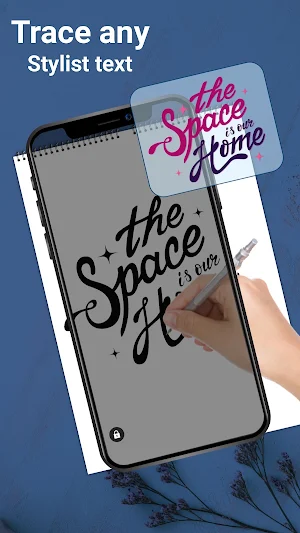
- Using predefined elegant fonts, this tracing app allows you to create text arts, including logos, signatures, and creative text artworks.
- Paper tracer is suitable application for children, artist, student and it also works as a sketch pad for easy drawing. Using this simple drawing app you can create any type of sketches.
Feature:-
- Pick any image from the gallery and convert into tracing image and sketch on blank paper
- You can also capture the image from the camera
- Place the paper over the screen and start drawing
- Set brightness to maximum
- Lock your images while drawing any type of easy sketches
- Rotate your image as your wish
- Create text arts like logos, signatures and text artworks
- You can easily zoom in and zoom out the images
- You can use pencil or pen to trace it and draw it
Tracing paper is a ar drawing app for anyone who looking to improve their skills. It’s great for stenciling and practicing drawing. Draw lines freely on tracing paper by clear viewing of the phone screen, the sketch to draw. Draw easy anything on your own book by tracing lines from fixed image.
You can adjust the opacity of the photo to trace draw sketch design. You can also draw a complicated sketch or drawing can be created using this lightbox trace drawing app.
You can lock your images for quick draw. Tracing drawing app helps to draw and trace any type of sketch drawing and there is no need of trace element.
So, download the trace draw application and built your skill in drawing and sketching.
Similar Apps
Video Ringtone - Phone Dialer
Bored with your default dialer? Love Video Ringtone With Dialer has arrived...
Edge Lighting : Border Light
Edge Lighting: Always On Display is a personalized tool which allows you...
Video Ringtone
Bored with your normal MP3 Ringtones ?? Want to try some video...
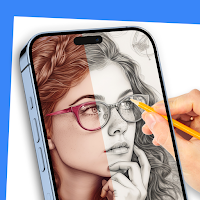
AR Drawing: Trace & Sketch
DrawingAR app uses augmented reality (AR) technology to project an image onto...

Phone Dialer: Contacts & Calls
Bored with your default dialer? Phone Dialer has arrived to replace your...

DJ Name Mixer
Want to create your own DJ songs..?? Then here is the best...
