WiFi QR Password Scanner
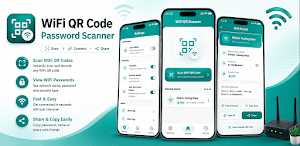
Scan WiFi QR codes, view WiFi name & password, save history, scan from images.
About WiFi QR Password Scanner
WiFi QR Password Scanner – Fast WiFi QR Code Reader & Password Viewer
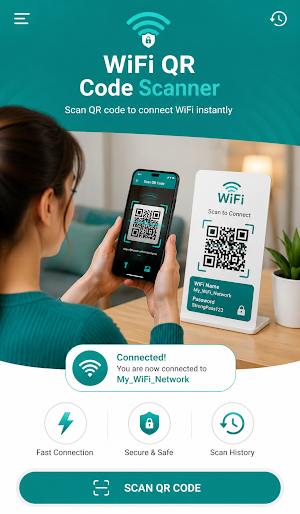
Connect to WiFi faster with WiFi QR Password Scanner, the smart QR code scanner designed specifically for WiFi QR codes. Instantly scan WiFi QR codes to view the WiFi name (SSID), security type, and password encoded in the QR code.
Whether you're at home, in a café, hotel, office, restaurant, school, or with friends, simply scan the displayed WiFi QR code and instantly view the network details.
No complicated setup. Just point your camera or import an image containing a WiFi QR code.
⭐ Key Features
📶 Scan WiFi QR Codes
Fast WiFi QR code scanner
Read WiFi QR codes instantly
Detect WiFi network information
View WiFi Name (SSID)
View WiFi Password
View WiFi Security Type (WPA, WPA2, WPA3, WEP, Open)
🖼 Scan QR Code from Gallery
Already have a screenshot or photo?
Simply upload an image and the app will automatically detect and scan the WiFi QR code.
Perfect for:
Screenshots
Shared images
Printed QR codes
Saved photos
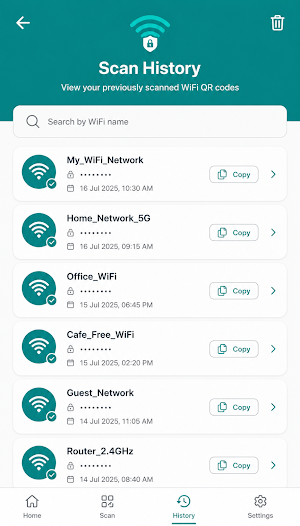
📜 Scan History
Never lose scanned WiFi information.
The app automatically saves your scanned WiFi QR codes so you can:
View previous scans
Reuse saved WiFi details
Access WiFi information anytime
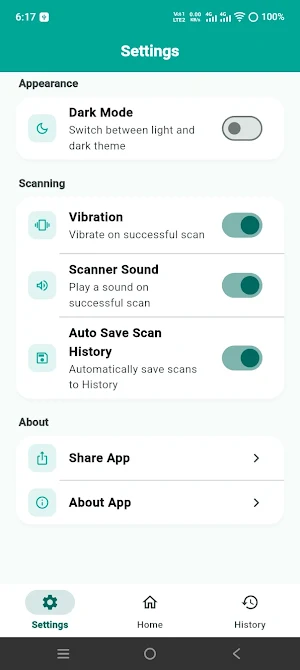
🌙 Light & Dark Mode
Choose your favorite appearance.
Beautiful Light Theme
Comfortable Dark Theme
Easy reading day and night
⚡ Fast QR Code Recognition
Our optimized QR engine provides:
Instant detection
High accuracy
Flash support for low light
Auto focus
Easy scanning experience
Why Choose WiFi QR Password Scanner?
✔ Fast WiFi QR scanning
✔ View WiFi password stored in the QR code
✔ View WiFi network name (SSID)
✔ Detect WiFi security type
✔ Scan QR codes from images
✔ Automatic scan history
✔ Light & Dark Mode
✔ Easy and clean interface
✔ Secure and privacy-friendly
✔ No unnecessary permissions
Perfect For
Home WiFi
Office WiFi
Hotel WiFi
Restaurants
Cafés
Universities
Schools
Public WiFi
Friends & Family
Privacy First
Your privacy matters.
All scanned WiFi QR code information is processed on your device. Your WiFi passwords, QR codes, and scan history remain on your device and are not uploaded to external servers.
Download Now
Experience one of the easiest ways to scan WiFi QR codes, view WiFi passwords encoded in QR codes, save scan history, and scan QR codes directly from your photos.
Download WiFi QR Password Scanner today and connect to WiFi faster than ever.
Similar Apps

Eid Milad Un Nabi Photo Frames
Eid Milad photo frames, DP, wallpapers & stickers with photo editing tools.

Anime AR Sketch
Learn anime drawing with AR! Trace sketches on paper using your camera

Tiranga Flag Wallpaper 4K
HD & 4K Tiranga wallpapers, live wallpapers, favorites, share, save & set.

15 August Photo Frame 2026
Create 15 August photo frames,DP,wallpapers & stickers for Independence Day 2026

QR & Barcode Scanner
Fast QR code scanner, barcode reader & QR generator. Scan and create QR codes.
WiFi QR Password Scanner
Scan WiFi QR codes, view WiFi name & password, save history, scan from images.
