Screen Mirroring, IPTV & Roku
Mirror your screen, stream IPTV player & connect to Roku TV
About Screen Mirroring, IPTV & Roku
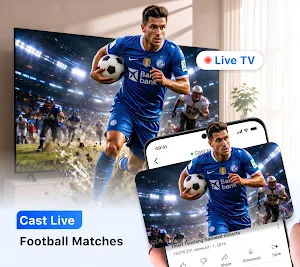
Screen Mirror everything on big screen using the latest Screen Mirroring, IPTV Player & Roku TV. Stream content wirelessly and watch Live Football matches on your smart TV using the advanced Cast to TV app. This smart TV Casting & Mirroring app lets you cast live TV, movies, games, photos & videos on your TV with a few clicks. NOW ENJOY FOOTBALL WC 2026 WITH MORE FUN.
This Cast to TV app helps you bring your mobile screen to your Smart TV with a simple setup process, whether you're watching movies, browsing photos, streaming from an IPTV player, or presenting content during meetings.
Key features of the Cast to TV: Screen Mirroring, IPTV Player & Roku TV
📺 Cast to TV
📺 IPTV Player
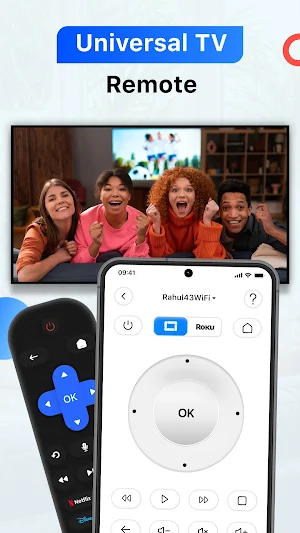
📺 Roku TV & Remote
📺 Universal TV Remote
📺 TV Casting
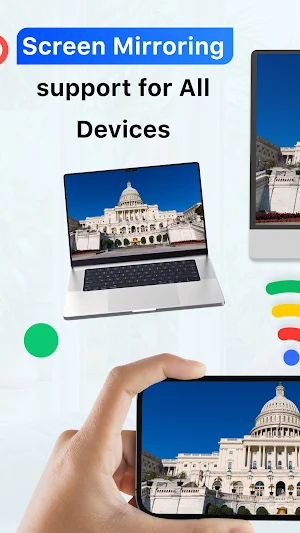
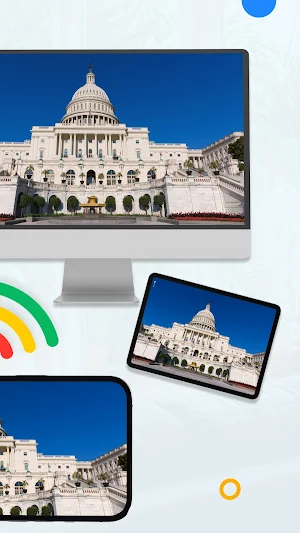
📺 Screen Mirroring
📺 Cast to TV & Screen Mirroring
Share photos, videos, presentations, and other content on a larger display for easier viewing and mirror your phone screen to supported smart TVs and streaming devices.
Features:
• Mirror your phone screen to compatible TVs
• View photos and videos on a bigger screen
• Present PPTs, documents, and other content wirelessly
• Watch movies and other OTT content
• Easy to connect
📡 IPTV Player
The cast to TV app also powered with IPTV player that lets you enjoy your IPTV playlists through an easy-to-use player interface. Access global IPTV player content and watch your favorite channels.
Features:
• Support for IPTV playlists
• Manage and organize your content
• User-friendly media player experience
• Watch live channels and on-demand content from your playlists
• Easy playlist management
📱 Roku Device Support
Connect with compatible Roku devices and enjoy content from your mobile device on a larger screen.
Features:
• Connect to supported Roku devices
• Share photos and videos from your phone
• Control playback from your mobile device
• Enjoy content on a larger display
🎵 Media Casting
Cast your favorite media - photos, videos, documents, PPT and other content directly from your device to your Smart TV.
Cast:
• Photos and videos gallery
• Stream Videos that are stored in your device
• Play Music and audio files
• Present PPTs and personal content
• Browse web or Youtube on TV Screen
Why Use Cast to TV, Screen Mirroring, IPTV & Roku?
• Larger screen viewing experience
• Convenient content streaming
• Supports all major TV brands
• Easy TV casting and screen sharing tools
• IPTV player support for your personal content
• Universal TV Remote for all TV
• Roku TV Remote
• TV Remote for all smart TV
• TV Casting for better & bigger content view
Download the Cast to TV: Screen Mirroring, IPTV & Roku app to enjoy your videos, photos, IPTV player, and media content on a bigger screen.
Disclaimer:
IPTV content is not provided by this application. Users must supply their own legally authorized IPTV playlists and content sources. Availability of features may vary depending on device compatibility and network conditions.
Please send us an email at [email protected] for any queries.
Privacy Policy: https://m24apps.com/web/screenmirror/privacy-policy
Terms & Conditions: https://m24apps.com/web/screenmirror/tandc
EULA: https://m24apps.com/web/screenmirror/eula
Similar Apps
Universal Remote for Smart TV
Enhance viewing experience with Universal TV Remote Control for All Smart TVs.
ScreenStream
Secure one‑tap screen & audio share via WebRTC/MJPEG/RTSP to browsers/players.
iLink
It's a smart lamp with speaker,which is remote control by App.
Smart Connect
Bring your devices together

TAP Kiln Control Mobile
Remote Kiln Control: edit schedules, modify settings, review logs, and more.
Nest
Your home in your hand


