Job Site Safety Checklist
Run daily site safety checks, inspect tools, flag hazards, and track logs!
About Job Site Safety Checklist
Maintain a secure, organized, and compliant work environment with Job Site Safety Checklist. Designed as a practical daily operational utility, this application allows supervisors, team leads, and site inspectors to run structured evaluations of tools, protective gear, and workspace conditions to build consistent workplace routines.
Core Features & Mechanics:
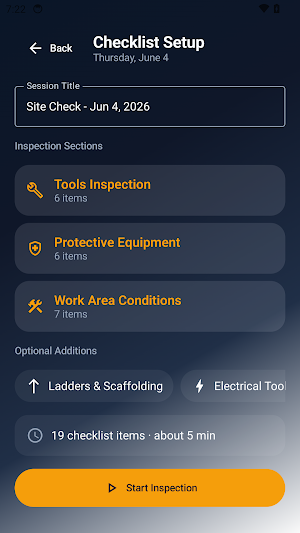
Custom Checklist Configuration: Set up daily inspections efficiently by defining a unique Session Title. Select standard inspection modules including Tools Inspection, Protective Equipment, and Work Area Conditions, or include optional additions like Ladders & Scaffolding or Electrical parameters.
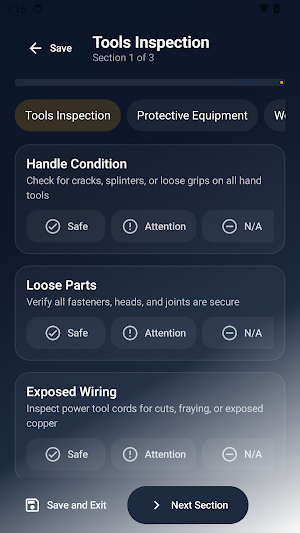
Granular Condition Toggles: Evaluate individual site criteria instantly. Mark specific items using multi-state assessment chips:
Safe: Element meets all necessary operational standards.
Attention: Element requires adjustment or immediate review.
N/A: Criteria is not applicable to the current project layout.
Contextual Issue Notes: Document operational anomalies with precision. If an item requires attention, open the dedicated Issue note field to describe the specific situation, track debris, structural lighting limitations, or weather exposures.
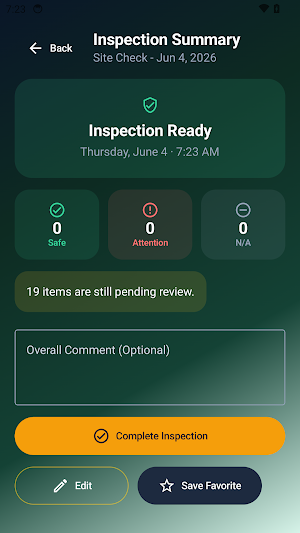
Comprehensive Inspection Summary: Review a full statistical breakdown of your session before finalizing. Track real-time counters for Safe, Attention, and N/A categories, see outstanding pending reviews, view a list of Flagged Issues, and write an Overall Comment.
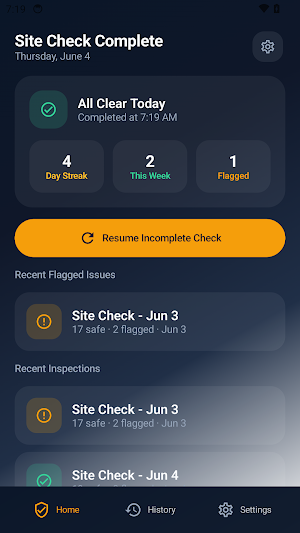
Centralized History Ledger: Track long-term compliance trends over time. Use the History tab to search past sessions, filter reports by All, Completed, or Flagged parameters, and quickly review previous data logs.
Reminders & Workspace Customization: Fine-tune app configurations to fit your shift structure. Access the settings panel to enable a Daily Reminder with specific alert times, toggle home screen visibility for your active Day Streak, or toggle a Confirm Before Completing validation screen.
Secure Device-Level Storage: Keep all documentation independent and local. All registered inspection logs, milestone streaks, notes, and checklist configurations are stored securely on your personal device.
Similar Apps

2Do - To do List & Reminders
"2Do adapts to my needs, not the other way around. 2Do gets me."- Macstories

Houzz Pro
AI-Powered Estimates, Invoices, 3D Plans · Business

JobNimbus: All-In-One Roof App
Lead capture, estimating, photos, production boards, and payments all in one app
