HorizonPathDriver ELD
FMCSA certified electronic logbook: HOS clocks, DVIR and inspection mode
About HorizonPathDriver ELD
FMCSA CERTIFIED ELECTRONIC LOGGING DEVICE
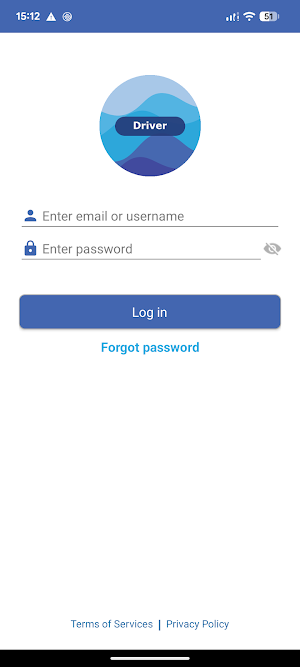
HorizonPath Driver ELD is an FMCSA certified ELD, built to the Electronic Logging Device rule in 49 CFR Part 395. It is registered on the FMCSA ELD list, so the logs you show at a roadside inspection are the logs an officer expects to see — no printouts, no paper grid, no argument.
Pair the app with your HorizonPath ELD hardware and your hours of service record themselves. Duty status, engine hours, miles and location come straight off the vehicle, so your logbook is ready before the officer asks for it.
WHY FMCSA CERTIFICATION MATTERS
• Your electronic records are accepted at roadside inspections and DOT audits
• The required data transfer methods are built in — email and web services
• Malfunction and data diagnostic events are detected and displayed exactly as the rule requires
• Unidentified driving is captured and offered to the driver for review
• Your carrier stays compliant with the ELD mandate; you stay out of form-and-manner violations
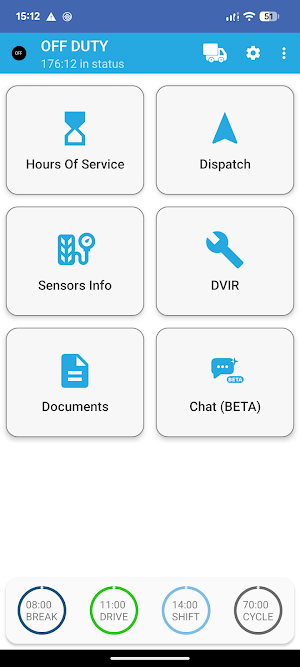
HOURS OF SERVICE
• Automatic driving detection from the connected ELD — no more forgotten status changes
• Live countdown clocks for the 11-hour drive, 14-hour shift, 30-minute break and 60/70-hour cycle
• Graph-grid daily logs with a full 8-day history
• Certify your logs day by day, add annotations and request edits
• HOS recap so you always know how much time you get back tomorrow
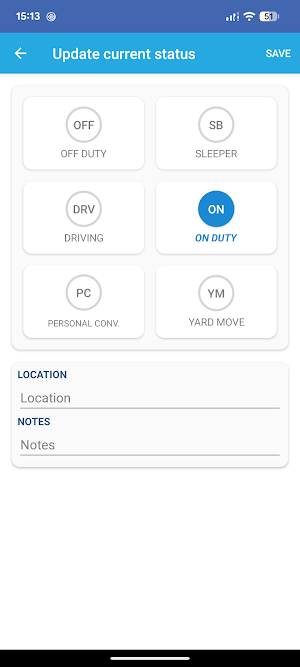
• Personal Conveyance and Yard Move support
• Team driving with co-driver login on the same device
INSPECTIONS AND DOT
• Roadside Inspection mode — hand the device to the officer and show a clean, read-only log view
• Send the certified ELD output file by email or web services, straight from the app
• Unidentified driving records surfaced for review, claim or rejection
• Malfunction and data diagnostic events tracked and displayed as required by 49 CFR Part 395
DVIR
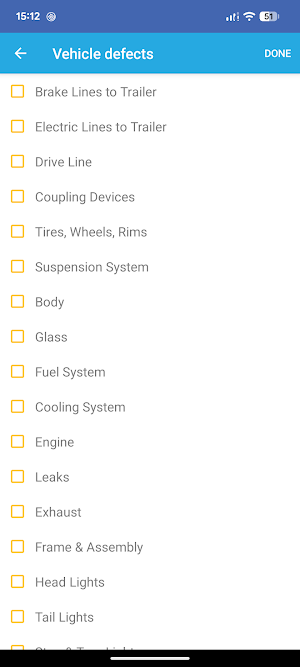
• Create pre-trip and post-trip inspection reports for tractors and trailers
• Record defects, add photos and mark the vehicle safe or unsafe to operate
• Review the previous DVIR and certify that defects were corrected
• Report vehicle issues to maintenance with pictures attached
TIRE PRESSURE
• Live tire pressure and temperature from paired TPMS sensors
• Alerts for low pressure, high pressure and temperature — on tractor and trailer
PAPERWORK AND FUEL
• Upload bills of lading, receipts and other documents with your phone camera
• Log fuel purchases and fuel costs for IFTA reporting
• Messages and notifications from your dispatch office
WORKS WHERE YOU DRIVE
• Full offline operation — logs keep recording with no signal and sync automatically once you are back in coverage
• Bluetooth Low Energy connection to the ELD, with automatic reconnection
• Light and dark themes for day and night driving
WHAT YOU NEED
HorizonPath Driver ELD is a fleet application, not a standalone consumer app. To use it you need:
• An active HorizonPath account issued by your fleet or carrier
• HorizonPath ELD hardware installed in the vehicle
No account yet? Contact your fleet manager or write to [email protected].
PERMISSIONS WE ASK FOR AND WHY
• Location — an FMCSA certified ELD must record vehicle position at every duty status change, at engine on and off, and at 60-minute intervals while driving. The app collects location in the background so your log stays complete when the screen is off or another app is in front.
• Nearby devices / Bluetooth — to find and stay connected to your ELD hardware and TPMS sensors.
• Camera and storage — to attach photos to DVIRs, documents and maintenance issues.
Similar Apps

Tyfoom | Engagement Platform
Engagement Platform for Employee Communication and Training

ISO Today
Monitor real-time power grid conditions, get alerts and track calendar events

HotSchedules
Better Together

Coast: Native Work Order CMMS
Work orders, PM scheduling, assets & team chat — one simple maintenance app
