AI Cleaner - Phone Cleanup
Clean up media, contacts, calendar events, and compress large files.
About AI Cleaner - Phone Cleanup
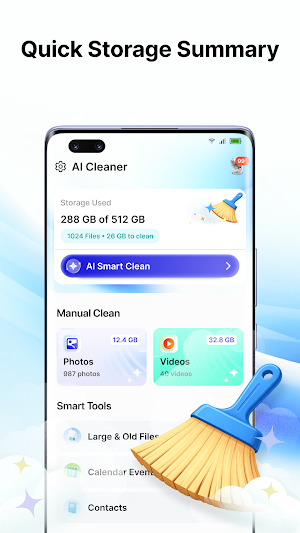
Instead of managing photos, videos, contacts, and calendar events separately, you can check them from one app. Browse duplicate media, review older or larger files, organize contacts, check calendar events, compress supported media, and decide what you want to keep or remove.
🔍 Review Media That Needs Attention
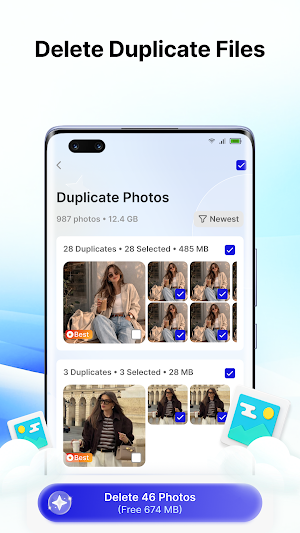
• Check duplicate photos and videos
• Browse visually similar photos
• Review blurry photos
• Find screenshots and similar screenshots
• Decide which items you want to keep or remove
🗂 Browse Files by Size & Date
• Filter photos, videos, and other supported file types
• Sort files by large, medium, or small size
• Browse files from selected time periods
• Preview individual files before taking action
👆 Swipe to Clean
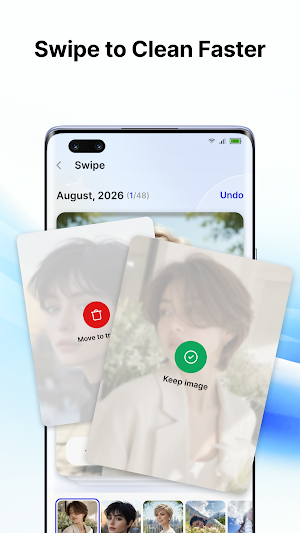
• Swipe left to remove unnecessary files
• Swipe right to keep it or return to it later
• Review your choices before deleting selected items
🗜 Compress Photo & Video File Size
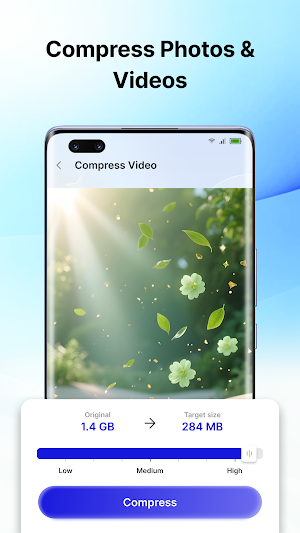
Compress supported media when you prefer a smaller file size.
• Compress supported photos and videos
• Choose from the compression options available in the app
• Keep the resulting media on your device
👤 Check & Manage Contacts
• Browse contacts stored on your device
• Find contacts sharing the same phone number or email address
• Review contacts with missing names or phone numbers
• Select duplicate or incomplete entries for removal
• Create contact backups on your device
• Save a contact backup to Google Drive when you choose
• Restore supported contact backups
🗓 Manage Calendar Items
When calendar access is granted, the app can display supported events available on your device.
• Browse events from compatible connected calendars
• Review past and current events
• Select events you no longer need
• Remove only the events you choose
Calendar permission is used only when you open and use the calendar management feature.
✅ Review Before Making Changes
Detected items are not automatically removed. You remain in control of which photos, videos, files, contacts, or calendar events you want to keep, delete, back up, restore, or compress.
🔒 Privacy & Data Handling
• Media review, cleanup, and compression are handled on your device
• Photos and videos are not uploaded to external servers for media cleanup or compression
• Contact backups are uploaded to Google Drive only when you choose that backup option
• Deletion and compression actions are performed after your selection
Similar Apps

Watch IPTV Player & Smarter
Search playlist media, manage entries and use supported playback tools.

AI Cleaner - Phone Cleanup
Clean up media, contacts, calendar events, and compress large files.

BeautyPix: AI Photo Editor
AI photo editor for face retouch, filters, avatars, collages & photo enhancer.
