Fileduel - Compare files
Compare files instantly — Txt, code, Excel & PDF. Every change, highlighted
About Fileduel - Compare files
FileDuel puts two files side by side and shows you exactly what changed — every added line, every deleted word, every modified cell. No guesswork, no scrolling back and forth manually.
Whether you're reviewing a contract redline, reconciling two Excel reports, tracking changes in a code file, or comparing scanned documents — FileDuel handles it in seconds.
──────────────────────────
WHAT YOU CAN COMPARE
──────────────────────────
📄 Text & Documents — .txt, .docx, .md, XML, code files, EDI, and more
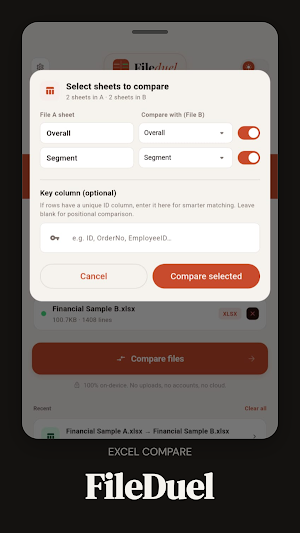
📊 Excel Spreadsheets — compare cells, formulas, and sheet structure across .xlsx files
📑 PDF Files — extract and compare text content across pages (Beta)
📷 Photos & Scans — photograph a printed document and compare against another
──────────────────────────
HOW IT WORKS
──────────────────────────
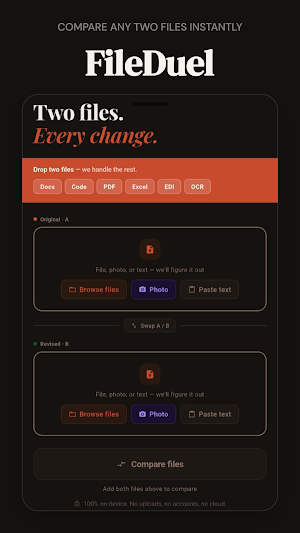
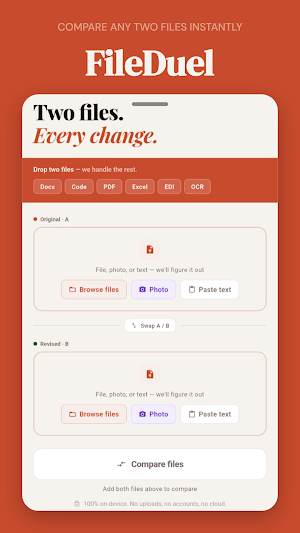
1. Pick File A and File B — from your device or paste text directly
2. Tap Compare
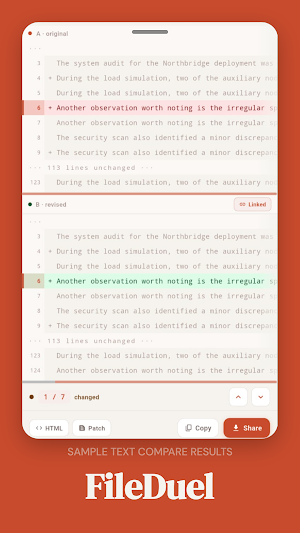
3. See every change highlighted — added lines in green, removed in red, modified in amber
──────────────────────────
KEY FEATURES
──────────────────────────
✦ Word-level and character-level diff — see exactly which words changed, not just which lines
✦ Split view and unified view — choose the layout that works for you
✦ Portrait and landscape support — full screen real estate in any orientation
✦ Excel sheet mapping — match sheets across two files, column-by-column comparison
✦ Formula diff — see what Excel formulas changed, not just cell values
✦ PDF page navigation — jump to changed pages instantly
✦ Find in diff — search within your comparison results
✦ Export results — share as HTML, CSV, or JSON
✦ Scroll sync — both panes move together for easy line-by-line review
✦ Dark mode — full dark theme that's easy on the eyes
──────────────────────────
100% ON-DEVICE PRIVACY
──────────────────────────
Your files never leave your phone. FileDuel runs entirely on-device — no uploads, no cloud processing, no accounts required. What you compare stays on your device, period.
──────────────────────────
BUILT FOR
──────────────────────────
→ Legal & compliance teams reviewing contract versions
→ Finance teams reconciling Excel reports
→ Developers comparing config files and code
→ Writers tracking document revisions
→ Anyone who needs to know exactly what changed between two versions of anything
FileDuel. Two files. Every change.
Fileduel - Compare files details
Fileduel - Compare files is a free Productivity app for Android with 100+ installs on Google Play and a 5.0/5 average rating from 1 rating. It was released on May 11, 2026 and last updated on July 20, 2026. It requires Android 7.0 or later. The app offers in-app purchases.
- Category
- Productivity
- Rating
- 5.0 / 5 (1 rating)
- Installs
- 100+
- Price
- Free
- In-app purchases
- Yes
- Ads
- No ads
- Current version
- 1.1.0
- Requires Android
- 7.0
- Content rating
- Everyone
- Released
- May 11, 2026
- Last updated
- July 20, 2026
What’s new in Fileduel - Compare files
This update focuses on making FileDuel faster, more reliable, and easier to use. We’ve improved comparison performance, refined the interface, updated core components, and resolved issues to deliver a smoother experience.
Version 1.1.0 · Updated July 20, 2026
Similar Apps

Fytvio: AI Fitness Coach
Turn your goals, workouts, recovery and health data into personalized guidance
Fileduel - Compare files
Compare files instantly — Txt, code, Excel & PDF. Every change, highlighted

Kundali AI & Astrology
Personalized AI Vedic Kundali report + Ask your chart anything