Hide Call Num
Hide incoming calls, protect incoming calls by password and fake background.
About Hide Call Num
Protect your incoming calls using your own password & fake background.
Simple & Free
Nobody can answer/reject your incoming calls anymore.
Nobody supposed to know who is calling you anymore.
How to use Hide Call Num:
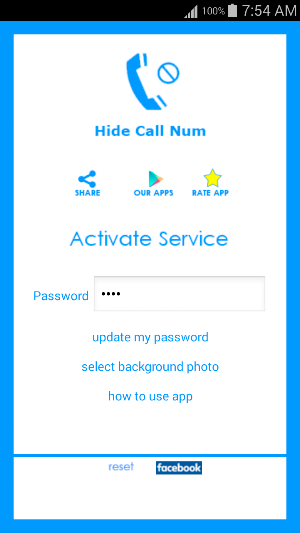
- To enable App, click on Activate service.
- To disable App, click on De-Activate service.
- To Edit your password, click on Update my password to update it.
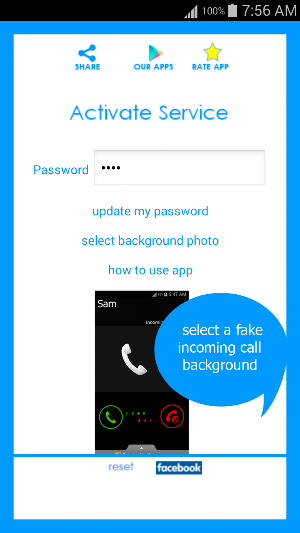
- To choose a fake background, click on Select Background.
Important Notes:
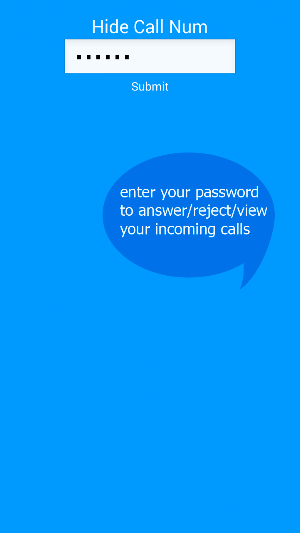
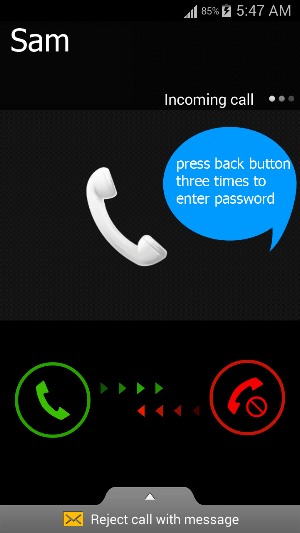
- If you use a fake background, then you have to press back button three times in order to show password box.
- If you click on reset button, then password will return to default 0000
- If you restart your mobile, then you will have to activate service again.
- If you forget your password, then simply restart your mobile and open the app and update your password.
We make it simple & we provide it for free.
Similar Apps

Hide Call Num
Hide your incoming calls using your own password & fake background.Simple &...

Egypt Engineers Health - Free
Engineers Health Free App includes all details about doctors and hospitals neededAll...

Restaurant Menu Demo
By having restaurant menu app you will:- view restaurant menu screen shots-...

Find Center - 4 Players
Find your way to the centertap the screen to FLY or JUMP...

word it
word it - find the missing letters to solve itfun & interestingfive...

Flash ON Shake
Flash ON is a free, simple and easy Flash light management appAllow...