About Skins Editor for Minecraft PE (3D)
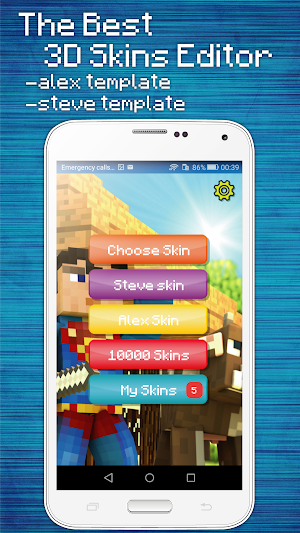
Create the most beautiful skins and play with them in Minecraft!
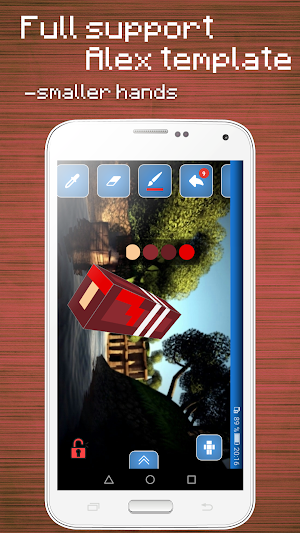
Create a skin is much easier with this free application. For the ultimate in easy editing, you can scale and rotate any part as you want.
If you have incorrectly drawn the skin, it is always possible to cancel your actions.
Choose the part of the skin that you want to edit. In addition, the editor supports two layers of skins version 1.8 of Minecraft, which allows you to add the details of the relief of your skin.
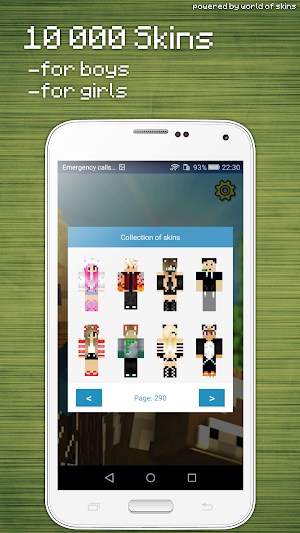
You can select any skin from the gallery and edit or simply change the eyes :)
Do not forget that you can add any skin to your collection if you're tired or edit you need to leave, you just save the skin and continue later.
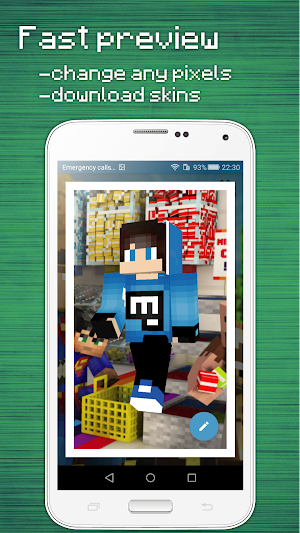
When editing open the shutter on the right to see the full skin and see what changes have you done!
Features:
- 3D Editor
- All the parts can be edited individually
- Paint bucket for quick Bay
- Tool "Cancel"
- Ability to take the skins from the gallery
- Private collection of skins (skins Keep in applications to simply save or edit later)
- 3D view when editing
This is an unofficial application for Minecraft Pocket Edition. This application is not affiliated in any way with Mojang AB. The Minecraft Name, the Minecraft Brand and the Minecraft Assets are all property of Mojang AB or their respectful owner. All rights reserved. In accordance with http://account.mojang.com/documents/brand_guidelines
Similar Apps
Skins Editor for Minecraft
Create quality skins with our application. Here you will find a huge...

World of Skins
Million Skins for Minecraft + Skins Editor!We present our new application from...

Girls Skins for Minecraft PE
Works for both Minecraft Pocket Edition & PC Edition- 5000 Skins for...

HD Skins for Minecraft 128x128
100000+ HD skins for minecraft pe with skins editor. This mods for...

HD Skins Editor for Minecraft
HD Skin Editor (128x128) for Minecraft PE is a easiest tool to...
Skins for Minecraft PE
12000 skins for you + Skins EditorHello dear lovers Minecraft, we have...
Frequently Asked Questions (FAQ)
What is the purpose of the Skins Editor for Minecraft PE (3D)?
How easy is it to create a skin with this application?
Can I undo any mistakes while drawing the skin?
What parts of the skin can I edit?
Can I select a skin from the gallery and edit it?
Can I save my edited skin and continue editing later?
How can I view the full skin and see the changes I have made while editing?
What features does the Skins Editor for Minecraft PE (3D) have?
Is the Skins Editor for Minecraft PE (3D) an official application?
Who owns the rights to Minecraft and its assets?