Weighing Scale Serial Terminal
Connect Android to Weighing Scale through serial port and autolog data
About Weighing Scale Serial Terminal
This app allows android device users to connect their android device to a weighing scale with serial port (Through USB port and OTG)
Requirement:
Weighing Scale with serial port should be available.
Serial port to USB converter and OTG should be used to connect weighing scale to android device
Features:
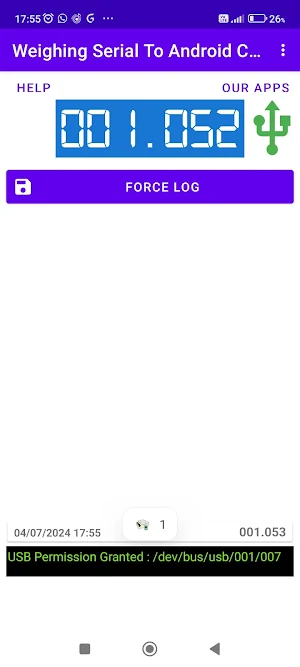
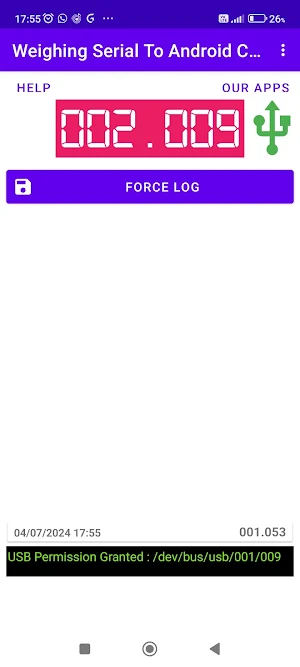
Users of this app can view the weight displayed on screen in their app in real time. Once weight on the weighing scale is stable the color of textbox changes to Blue and when unstable color of textbox changes to Red
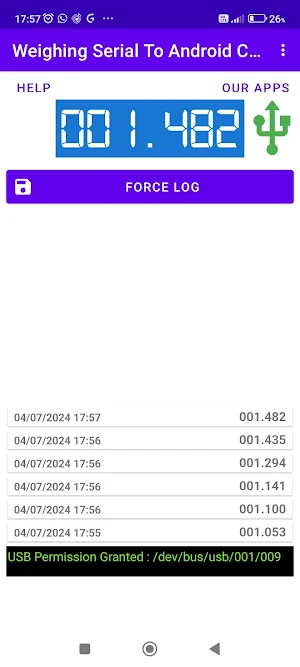
Settings can be used to change how the weight values are logged. Automatic logging of weight values can be easily enabled inside the app. If there is any weight value user wants to log just by pressing the force log button the use can easily log the weight value
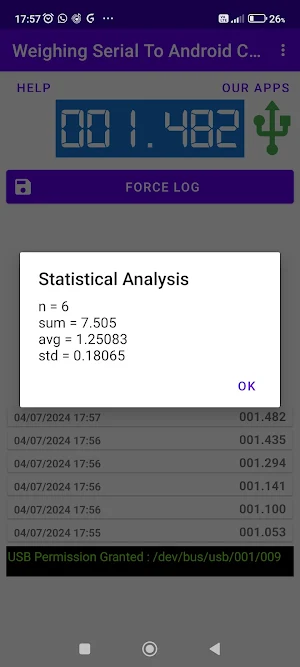
A log of all stable values can easily be shared by Google, WhatsApp or any other app which enables data sharing capabilities.
This weighing scale connectivity app is useful in various applications where weighing scale data needs to be reliably recorded like applications in assembly line of manufacturing industry, quality assurance, packaging and in laboratories.
Similar Apps
BT Weighing Scale Terminal 2.0
This app allows android device users to connect their android device to...
Weighing Scale Serial Terminal
This app allows android device users to connect their android device to...

Sudoku Solver with Explainer
This app is a free sudoku solver app which uses sudoku solving...
Weighing Scale Barcoding app
This android app is a useful app to generate barcode labels...
Super Sudoku Logic Puzzle Game
Classic sudoku puzzles are very popular among people who want to exercise...

Photo - Black and White Sketch
This app simply creates a Black and White Sketch of any photo...

