Baby AI Photo and Video Editor
Create adorable AI baby photos — editor, maker, creator & generator in one.
About Baby AI Photo and Video Editor
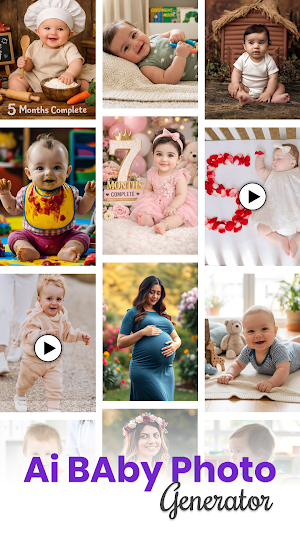
Meet Baby AI: Baby AI Photo Generator — the most powerful AI Baby Photo Editor, Creator, Maker & Generator that transforms your photos into adorable, realistic baby portraits!
Simply upload your photo, choose a style, and let our advanced AI instantly create a beautiful baby version of you — perfect for fun, memory-making, or creative sharing.
Explore our beautiful photoshoot categories:
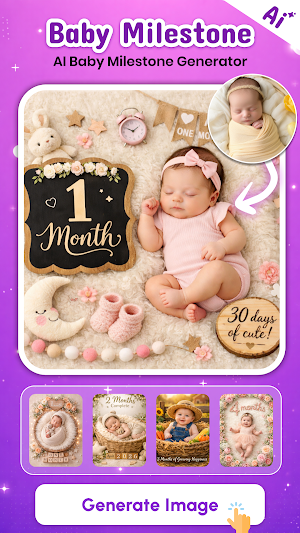
Baby Month Milestone Photoshoot – Track your baby’s growth month-by-month with adorable AI portraits.
Newborn & First Milestone Shoots – Create soft, dreamy, and heartwarming newborn photos.
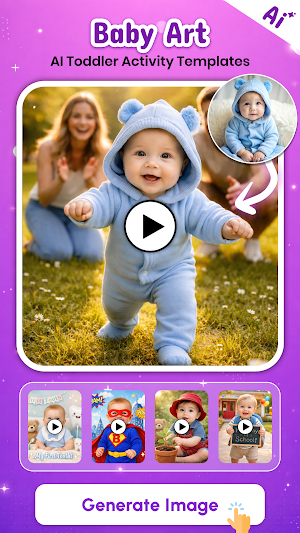
Toddler Daily & Creative Photoshoots – Fun AI scenes of playtime, laughter & everyday joy.
Indian & International Festival Themes – Celebrate with Diwali, Christmas, Halloween & more.
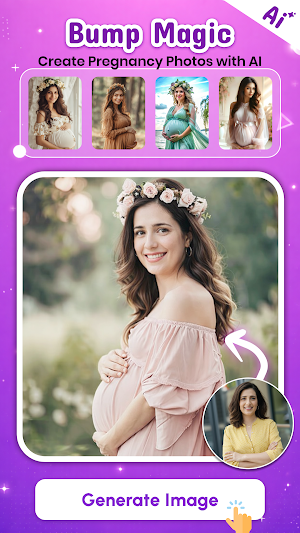
Pregnancy Milestones & Maternity Photos – Relive your motherhood glow with elegant AI transformations.
Birthday & Invitation Templates – Generate AI birthday and baby shower cards instantly.
Key Features:
AI Baby Photo Generator: Turn your photos into cute, realistic AI baby portraits.
AI Baby Editor: Edit and customize your AI baby images with multiple styles.
AI Baby Maker & Creator: Generate creative baby photo variations instantly.
Multiple Styles & Themes: Choose from newborn, toddler, cartoon, 3D, or realistic styles.
One-Tap Generation: Simple upload → AI magic → instant result.
Save & Share: Download your AI baby photos to share on Instagram, WhatsApp, or TikTok.
Why Choose Baby AI?
All-in-one app — AI Baby Photo Editor, Creator, Maker, and Generator combined.
Super-fast AI engine for realistic baby results.
Secure & private — your photos are deleted automatically after generation.
Easy-to-use UI with daily free AI image generation.
Perfect For:
Curious parents imagining their baby
Couples wanting baby look previews
Fun baby transformations for social media
Creative photo edits & baby avatars
What is AI tool for baby photo?
Baby AI Photo Generator is the ultimate Baby AI Photo Editor that lets you create adorable baby portraits with ease.
Whether you’re looking for a fun Baby AI Creator, a quick Baby AI Maker, or a powerful Baby AI Generator, this app does it all! With smart AI technology, you can turn your pictures into cute baby faces using the AI Baby Face Maker feature — perfect for social sharing and memories. The AI Baby Creator App offers multiple styles and filters to make each image unique, while the AI Baby Photo App ensures high-quality, realistic results every time. Experience the fun of the Baby AI Image Maker and bring your imagination to life with just one tap.
Similar Apps
Cartoonify AI Caricature Maker
Caricature maker app, toonify cartoon photo editor, fun AI cartoon picture app!

Lift: AI Photo Editor
Edit photos, videos and stories with hundreds of templates.

Mimic - AI Photo Face Animator
Make your pictures dance. Create funny meme videos with lip sync feature
Photo Collage Maker & Editor
Picture collage editor photo grid maker, fun pic collage maker with photo frame!
Animal Facts
Fun animal facts with real voiceover for kids. Over 40 animals to explore.
Collage Maker - Grid & Frames
Get side by side photos, Create photo collage in photo editor & picture collage


