About LutraShift: Pro Photo Editor
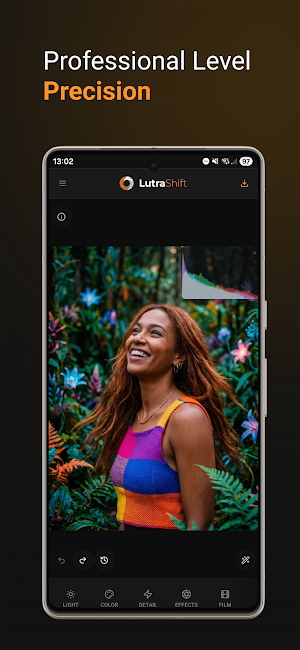
LutraShift is the high-fidelity photo editor designed for photographers who refuse to compromise on quality.
From advanced color grading with professional LUT support to precision optical effects, LutraShift brings desktop-class power to your mobile device and Windows PC. Whether you’re a professional looking for a portable workstation or a hobbyist seeking the perfect aesthetic, LutraShift provides the tools to transform your vision into reality.
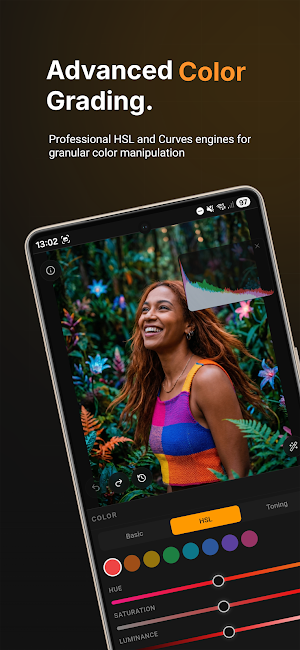
PRECISION COLOR GRADING: Take total control over your palette. Use our advanced HSL engine and professional Curves editor to fine-tune every tone.
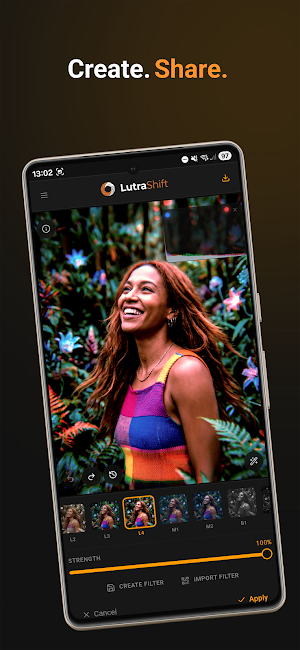
• Import & Create LUTs: Load your favorite .cube files or create your own custom filters to maintain a consistent look across your portfolio.
• Advanced Curves: Master-level control over RGB channels with a tactile, high-precision interface.
LOSSLESS WORKFLOW: Your hard work deserves to stay sharp.
• TIFF Export: Export in lossless 8-bit or 16-bit TIFF format to preserve every pixel for professional printing or further archival.
• Metadata Integrity: Full EXIF support ensures your camera data, copyright, and location stay with your image from import to export.
ADVANCED OPTICAL EFFECTS: Go beyond standard filters with physics-based lens simulations.
• Chromatic Aberration: Add or correct fringing for a vintage lens feel.
• Motion & Zoom Blur: Create dynamic energy with adjustable focal points.
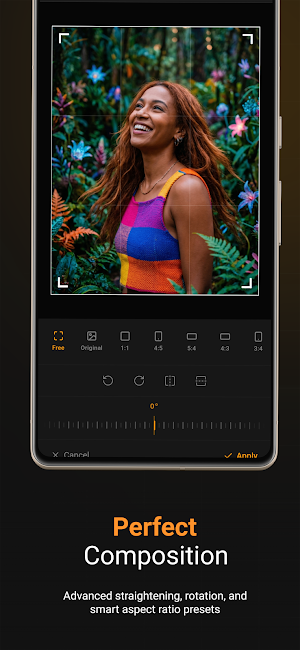
• Non-Destructive Crop: Perfect your composition with smart aspect ratio presets and precision straightening.
BUILT FOR PERFORMANCE
• Native Speed: Optimized for Windows PWA and Android, ensuring smooth panning and zooming even on high-resolution RAW files.
• Live Histogram: Monitor your exposure in real-time with our responsive RGB histogram overlay.
• Project Management: Save your progress as .lsh files to return to your edits anytime without losing your history.
LutraShift: Shift your perspective. Elevate your edits.
Similar Apps

LutraShift: Pro Photo Editor
LutraShift
AI Headshot: Pro Portrait
get Professional Business Studio taken - AI Headshots Portrait

Gallery - Photo & Video App
Organize photos, videos, albums, favorites, and manage your media with ease.

Cartoonify AI+: Cartoon Maker
Photo to cartoon picture app, anime and caricature maker with trendy ai filters!
Miuci AI: AI Photo & Video Gen
Create AI photos & videos, text to image, image to video, edit & enhance photos
Trendy AI Lab: Photo Editor
Turn selfies into trendy AI art: chibi stickers, travel posters & more.
