Yaps: AI Voice Typing Keyboard
Speech to text that writes what you meant. AI dictation keyboard for every app.
About Yaps: AI Voice Typing Keyboard
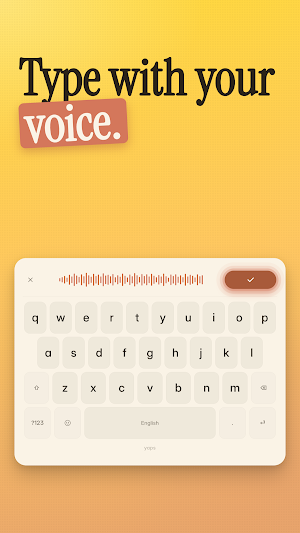
Talk. Don't type.
Yaps is the AI voice keyboard that turns your speech into clean, ready-to-send text — in any app on your phone. Hold the mic, say what you mean, let go. Yaps writes it for you: punctuated, polished, and sounding like you actually meant it.
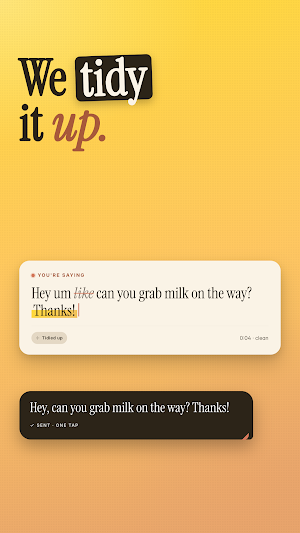
Most voice typing keyboards just transcribe your "um like so basically" onto the screen. Yaps uses AI to write what you would have typed.
🎤 VOICE TYPING THAT READS YOUR MIND
✓ Automatic punctuation and capitalization
✓ Natural paragraphs instead of run-on text
✓ Ums, likes, and restarts quietly removed
✓ Typos and misheard words fixed before you see them
✓ Emails, lists, and replies formatted correctly
✓ Names, places, and technical jargon understood
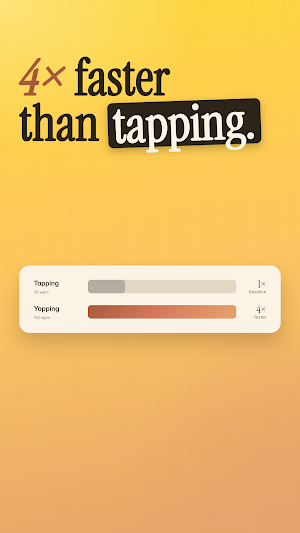
⚡ DICTATE 3× FASTER THAN YOU TYPE
You type 40 words per minute. You speak 150. Yaps closes the gap.
Long WhatsApp replies, Gmail drafts, Notion pages, Slack messages, tweets, captions, notes, reminders — if you'd normally thumb-type it, Yaps dictation does it in a third of the time.
⌨️ A REAL KEYBOARD, NOT ANOTHER APP
Yaps is a proper Android keyboard. That means it works exactly where you already type — no copy-paste, no switching apps, no breaking your flow.
Tested and tuned for:
• Gmail, Outlook, Spark, Proton Mail
• WhatsApp, Messages, Telegram, Signal
• Slack, Discord, Microsoft Teams
• Notion, Google Docs, Obsidian, Evernote
• Instagram, X, TikTok, Reddit, LinkedIn, Threads
• Chrome, Firefox, Samsung Internet, Brave
• Google Search, Maps, Calendar, Translate
• Any app with a text field
🧠 AI DICTATION THAT WRITES WHAT YOU MEANT
Real speech is messy. You trail off. You restart sentences. You think out loud.
Other speech to text apps capture all of it verbatim and leave you to clean up. Yaps uses AI to write what you would have typed.
You say: "um so can you like send me the doc by thursday"
Yaps writes: "Can you send me the doc by Thursday?"
You say: "new email to sarah subject project update hey sarah"
Yaps writes: A formatted email with a subject line and greeting.
You say: "bullet list eggs milk butter"
Yaps writes: A clean bulleted shopping list.
You say: "my number is two zero seven five five five one two one two"
Yaps writes: "207-555-1212"
🔒 PRIVATE BY DEFAULT
Your voice is yours. No data sold. No ads. No keystroke logging. Secure processing, and you control what gets saved.
💼 A VOICE TYPING APP FOR PEOPLE WITH THINGS TO SAY
• Writers and students who draft faster by voice
• Professionals sending long emails and Slack messages
• Commuters, parents, and anyone typing one-handed
• Accessibility users who type by speaking
• Everyone tired of thumb-typing
📲 INSTALL IN 60 SECONDS
1. Open Yaps after installing
2. Enable Yaps as a keyboard in Android Settings
3. Tap the globe icon on any keyboard to switch
4. Hold the mic. Speak. Done.
🌍 LANGUAGES
English at launch. More languages rolling out soon.
💎 FREE TO TRY
7-day free trial. No credit card required. Cancel anytime.
—
Yaps replaces your current keyboard with something smarter: an AI voice keyboard that handles voice typing, speech to text, and dictation — all in one app, working everywhere you already type.
Welcome to the end of thumb-typing.
Support: [email protected]
Privacy: yaps.ai/privacy
Terms: yaps.ai/terms
Similar Apps
GitMind: AI Mind Mapping App
Summarize Video, Text, Article, Audio to Mind Map by AI

Immortal Craft Barber Lounge
Make your next appointment with Immortal Craft Barber Lounge today!

Chaos Audio: Effects & Amp AI
Stratus and Nimbus: AI effects builder, 300k+ neural amp models, IRs, looper
HiNotes by HiDock
HiNotes: The AI note-taking app built for your HiDock device.

Letterly: Write by Voice & AI
Take voicenotes. Transcribe audio to text. Rewrite with AI writing assistant

Growlink
Take control of your grow from anywhere with the Growlink Mobile App.