Fake Notifications
Create notifications to prank friends, relatives. Escape any unwanted situation!
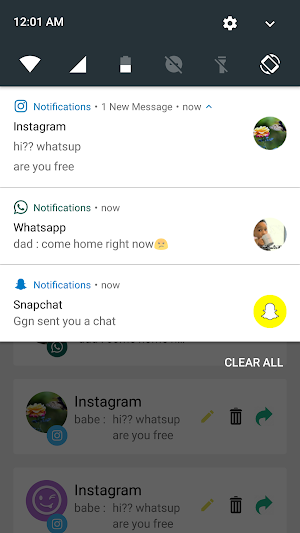
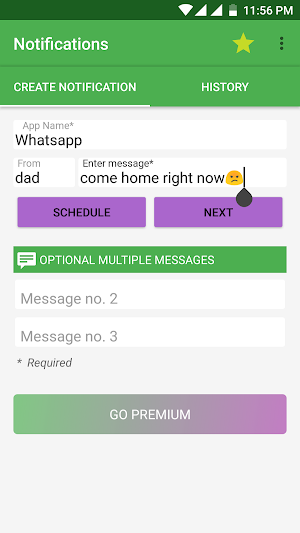
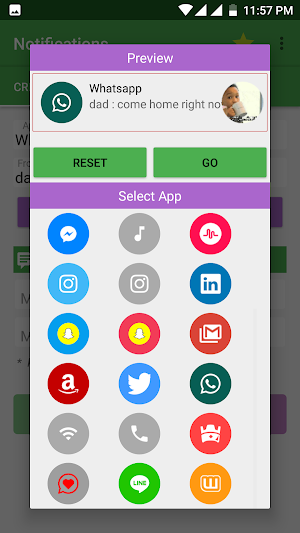
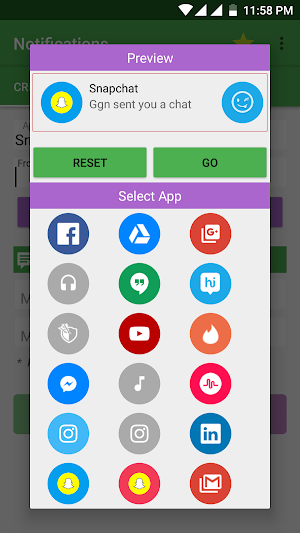
About Fake Notifications
Create fake notification in just 3 steps . You just have to Input app name, message & then select icon. There are seamless ways to use this app one important use is to " Get out from extreme unwanted situations by faking important notifications from relatives".
🎉Features
1. Create notification on the spot.
2. Schedule Multiple notification
3. History of Notifications
4. Re-send old notification
5. Edit old notification
6. Set user icon - That is who sent the message
Create notifications for apps listed below:
1. Instagram
2. Whatsapp
3. Facebook
4. Snapchat
5. Musical.ly
6. Hike
7. Clash of clan
8. Tinder
9. Phone
10. linkedin
11. Gmail
12. Messenger
13. Google+
14. Amazon
15. Headphones
16. Music
17. Gdrive
18. Youtube
19. Hangouts
20. Twitter
21. Line
22. Jaumo
23. Wattpad
Premium Package includes unlimited editing of old notifications and set user icons.
We use storage permissions to access and store user icons for notification having user icons.
Note: We don't send/store any personal data. The app is completely free from such things. We just show ads and you can get rid of them too by buying premium.
Similar Apps

SpamHound SMS Spam Filter
Make your messaging comfortable with the new functional and intuitive SpamHound app!...

Send SMS/MMS Messages from PC
SMS Text Messaging done easier, faster, and better!Send SMS & MMS text...

Glimpse Notifications
Tired of having to press the power button to see new notifications?...

CoverMe - Second Phone Number
CoverMe is a second phone number app for private text messages &...
Frequently Asked Questions (FAQ)
What is Fake Notifications app?
What are the features of Fake Notifications?
What apps can you create fake notifications for with Fake Notifications?
Is there a premium package for Fake Notifications?
Does Fake Notifications access or store any personal data?