Panovo Virtual Tour Maker
Create 360° tours right on your phone and share them as a ready-made website.
About Panovo Virtual Tour Maker
With Panovo, you create interactive 360° tours right on your Android phone or tablet – from the first shot to the finished tour. No desktop, no subscription, no cloud.
HOW IT WORKS
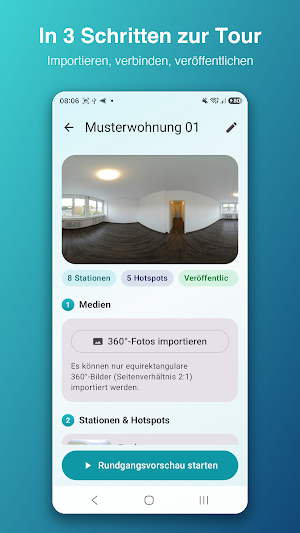
1. Create a project and import your 360° photos
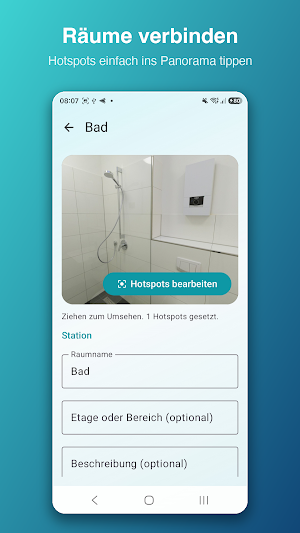
2. Name your rooms and connect them with hotspots
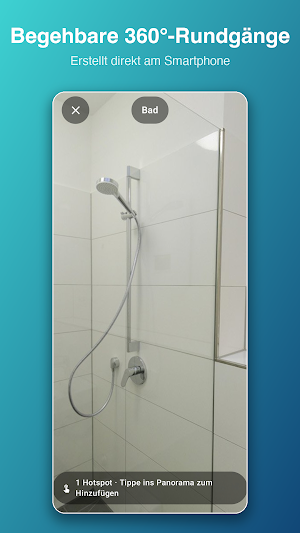
3. Walk through the tour in the preview – with touch or motion controls
4. Publish it as a ready-made website – via ZIP export or straight to your own web space
WHO IS PANOVO FOR?
• Real estate agents who want to present properties as walk-through tours
• Holiday rental hosts
• Museums, showrooms and retail stores
• Photographers and content creators working with 360° material
THE HOTSPOT EDITOR
Simply tap the panorama to place markers: navigation to the next room, info points with your own text, or external links. For every transition, you visually define the direction the viewer faces when entering the room – so the tour feels completely natural.
THE 360° VIEWER
Smooth panorama rendering with gesture and gyroscope controls. A single tap on the image hides all controls – perfect for immersive client presentations.
PUBLISH YOUR WAY
Panovo generates a complete, self-contained HTML package: index.html, tour.json and all panoramas. Share it as a ZIP or upload the tour straight from the app to your own web space – via FTP, FTPS or SFTP. No server logic, no dependencies, no tracking in the exported tour.
YOUR DATA BELONGS TO YOU
Panovo works fully offline. All projects, panoramas and hotspots stay exclusively on your device. No accounts, no cloud, no analytics tools. Photo selection uses the system picker – the app only sees the images you explicitly choose. Credentials for your web server are stored encrypted on your device.
FEATURES AT A GLANCE
• Unlimited projects with cover, address and notes
• Import multiple 360° photos at once (equirectangular, 2:1)
• Automatic validation and resolution hints
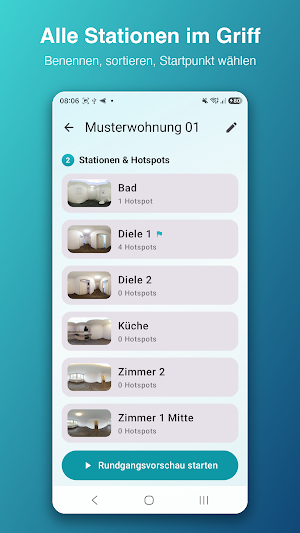
• Name and sort stations, set the starting point
• Hotspots: navigation, info and link – with colors, icons and labels
• Visually set the entry viewing direction for each hotspot
• Preview with gyroscope mode
• HTML/ZIP export and direct upload via FTP, FTPS or SFTP
• Duplicate and archive projects
• Fully available in English and German
Panovo is built for modern Android devices – with Material Design, dark mode and full accessibility support.
