About One touch Login
Log in to your PC or applications with a single tap on your phone screen — including automatic one-time password entry.
Tired of typing passwords manually, only to mistype them? Need to enter one-time codes every time you log in? The oneTouchLogin hardware device and app make authentication fast, effortless, and secure.
HOW IT WORKS
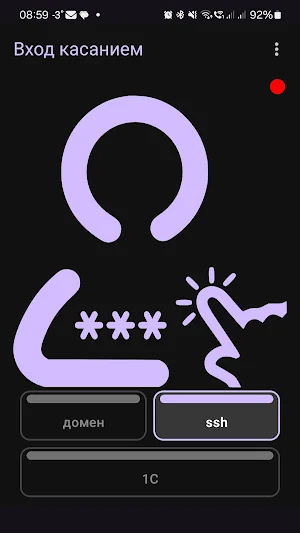
oneTouchLogin is a compact BLE security token that connects to your PC via USB and acts as a wireless keyboard. Just tap a button in the app — and your login, password, and one-time code are entered on the PC automatically, as if typed by hand. No clipboard, no copy-paste, no risk of interception.
KEY FEATURES
One-touch login — tap once and your credentials are entered instantly
One-time password (OTP) support — TOTP and HOTP, compatible with Google Authenticator secrets
QR code scanning — add OTP secrets by scanning a QR code from any 2FA setup page
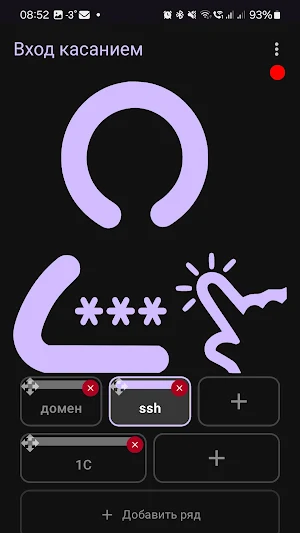
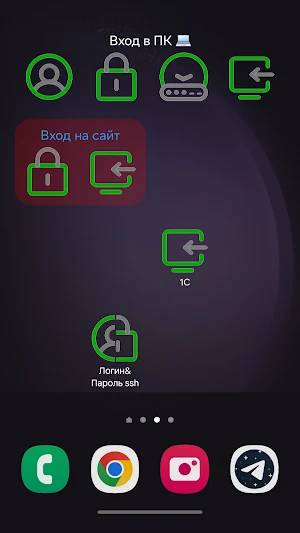
Multiple profiles — store credentials for different accounts, PCs, or applications and switch between them in seconds
Encrypted storage — passwords and OTP secrets are stored securely on your device
Background connection — the app maintains the BLE connection in the background so the token is always ready
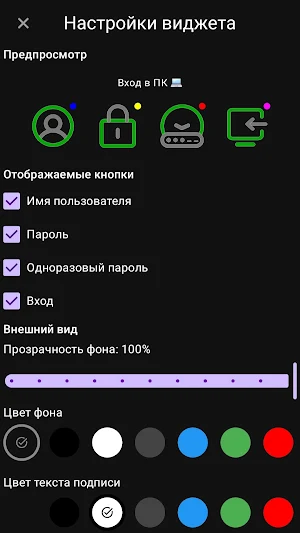
Flexible actions — configure what each profile sends: login only, password only, OTP only, or any combination
WEAR OS SUPPORT
oneTouchLogin includes Wear OS tiles and watch face complications so you can log in directly from your smartwatch without taking out your phone:
List tile — displays up to 4 profiles as a vertical list of buttons, ideal for a small number of accounts
Grid tile — displays profiles as a 2×2 grid of square buttons, great for quick visual selection
Watch face complications — add a complication bound to a specific profile and trigger login with a single tap, right from the watch face. You can add separate complications for different profiles.
Tiles show the current time and highlight the last used profile. Add a tile from the Wear OS tile settings, or add a complication through your watch face editor and choose the profile during setup.
WHO IS IT FOR
Anyone who logs in to a PC multiple times a day and wants to save time
Users who work with 2FA and are tired of manually retyping codes from their phone
IT professionals managing multiple accounts or environments
Anyone who values security and convenience at the same time
REQUIREMENTS
oneTouchLogin hardware token (ESP32-S3 based, connects via USB)
Android 9 (API 28) or higher
Bluetooth Low Energy (BLE) support on your phone
Wear OS 2.0 or higher for smartwatch tile and complication functionality
oneTouchLogin — because logging in should take one touch, not ten.
Similar Apps

Daypad - Simple Time Tracker
Simple time tracking for projects. Track, analyze, and improve productivity.

Time Clock: Easy Tracker
Clock in with work hours tracker or simply add your time cards. Nice & easy
Smart Calculator: Photo Math
AI photo math solver + scientific, loan, BMI, fraction, salary, statistics
Champ Scientific Calculator
High-performance and arbitrary precision scientific calculator
LiveIt Journal, Planner, Notes
Life organizer & productivity: journal, planner, notes, to do, & bullet journal.
Habit Check Calendar
An app to record habits by checking off the weekly calendar. Never forget.
