PDF Reader, PDF Editor, Viewer
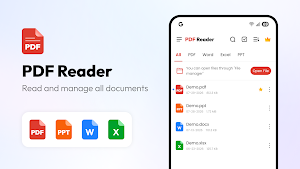
Read, edit, scan & convert PDF with a powerful PDF viewer and document reader.
About PDF Reader, PDF Editor, Viewer
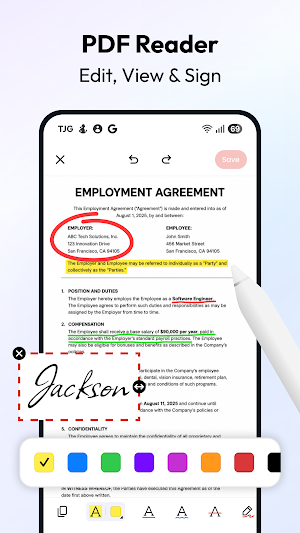
Use the PDF editor & PDF reader to edit or sign documents on the move from your phone. Import PDF files, then read, comment on, edit, and share them.
This PDF reader lets you edit text, annotate pages, convert PDF files, and highlight important content. As an ebook reader and document reader, it also makes it easy to read digital books, PDFs, and everyday files.
Fast PDF reader & office viewer
Open documents quickly and move through pages smoothly with this PDF viewer. Whether you are reviewing study materials, checking business files, or accessing important documents, this PDF reader keeps reading simple and convenient.
Edit, mark up and sign PDF
This PDF editor provides tools to edit PDF text and images, add notes, highlight content, annotate files, and create signatures. As a complete PDF editor app, it supports PDF annotation, PDF forms, e-signatures, and document customization. Also, this PDF editor helps you insert images, add pages, compress PDF files, and sign contracts on the go.
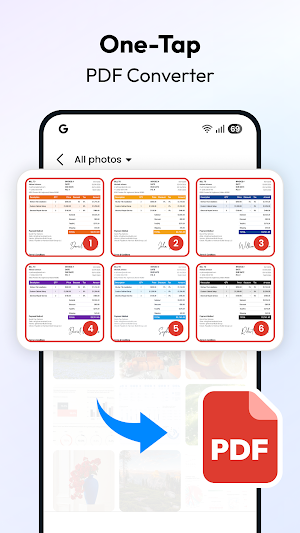
Quick PDF converter & PDF scanner
Convert Word to PDF, PDF to Word, Image to PDF, and PDF to Image in seconds. The built-in PDF scanner and document scanner, you can scan documents, receipts, notes, and images, create PDF files from text via fast text to PDF conversion, and organize scanned files easily.
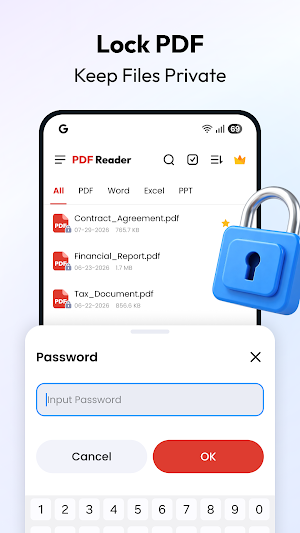
Organize, merge, split, and protect PDFs
- Keep your PDF files organized with this practical PDF manager and file organizer. Easily merge PDF files, split PDF pages, compress documents, rename files, and share documents in seconds.
- When handling sensitive information, keep your data safe with password protected PDF and encrypted PDF support.
- The file manager feature also lets you create folders, quickly access recent documents, and manage PDF and office files together in one clean workspace.
PDF viewer & CSV reader
More than a standard PDF reader, it supports popular formats including PDF, Word, Excel, PowerPoint, TXT, and CSV. Open office files easily with the Word viewer, Excel viewer, and PPT viewer. Use the CSV reader to view spreadsheet data, while this handy office app keeps work and personal documents organized effortlessly.
All-in-one PDF editor for work & study
- Read PDF files anytime with this fast PDF reader and PDF viewer.
- Edit, sign, scan, and convert documents easily with this PDF editor.
- Manage work files, study materials, and personal documents in the PDF reader app.
- Keep important files organized and accessible wherever you go.
PDF Reader, PDF Editor, Viewer details
PDF Reader, PDF Editor, Viewer is a free Productivity app for Android with 5,000+ installs on Google Play and a 5.0/5 average rating from 1 rating. It was released on August 9, 2026 and last updated on September 22, 2026. It's developed by 8 square. It requires Android 10 or later. The app offers in-app purchases.
- Category
- Productivity
- Rating
- 5.0 / 5 (1 rating)
- Installs
- 5,000+
- Price
- Free
- In-app purchases
- Yes
- Ads
- No ads
- Current version
- 1.0.6
- Requires Android
- 10
- Content rating
- Rated for 3+
- Released
- August 9, 2026
- Last updated
- September 22, 2026
- Developer
- 8 square
Similar Apps
PDF Reader Zone
Your Document Companion
Mobi PDF・Editor・Scanner・Reader
Read, scan, edit & sign PDFs, OCR, convert PDF to Word, annotate & merge PDFs
PDF Reader(KDAN PDF): Edit PDF
The all-in-one document expert for reading, editing & signing PDFs on any device
Tiny Scanner - PDF Scanner App
Scan, sign, and send documents on the go with high-quality mobile scanning.