WiFi FTP Server Pro
Transfer files wirelessly over WiFi — FTP & browser access, no cables needed.
About WiFi FTP Server Pro
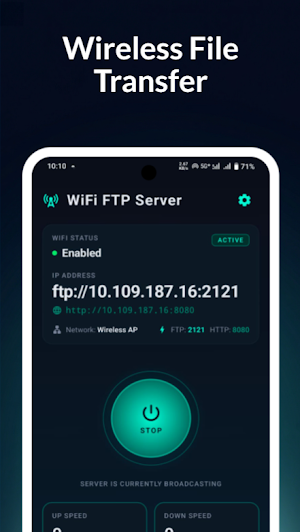
Turn your Android device into a powerful wireless file server in just one tap. WiFi FTP Server lets you transfer files between your phone and any computer, laptop, or tablet on the same WiFi network. No cables. No cloud. No sign-ups.
Start the server instantly and access your files using any FTP client or web browser. It’s one of the fastest and easiest ways to move files wirelessly.
⚡ Dual Access: FTP + Web Browser
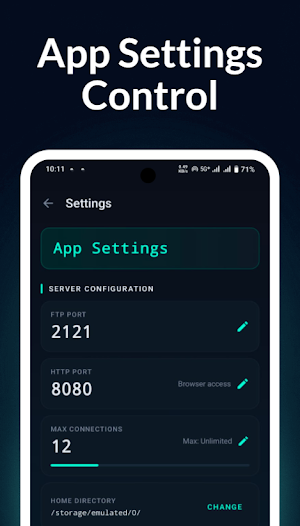
Full FTP server with customizable port (default 2121)
Built-in web access for managing files directly in your browser
Upload, download, delete, and organize files easily
No extra software needed on your computer
🔒 Secure and Private
Anonymous mode for quick transfers
Optional login with username and password
HTTPS support with auto-generated SSL certificate
Only devices on your WiFi network can connect
Instant alerts when a device connects
📁 Built-in File Manager
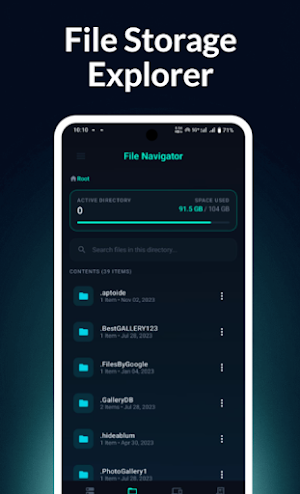
Browse all files on your device
Rename, delete, and share files easily
Fast file search within folders
Storage usage overview with clear visuals
Smooth folder navigation
📊 Live Server Dashboard
Real-time upload and download speed
Server uptime tracking
IP address and port display
WiFi network status detection
One-tap start and stop
👥 Connected Devices
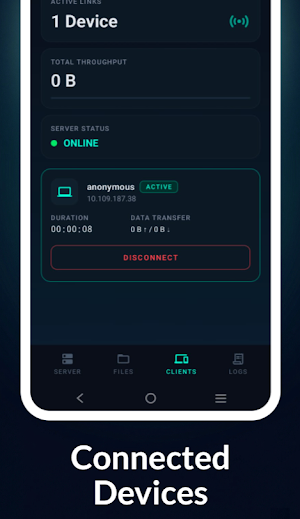
See all connected users in real time
View IP, username, protocol, and data usage
Disconnect any device instantly
Search connected clients easily
📋 Activity Logs
Track all activity: connections, transfers, errors
Color-coded logs for easy understanding
Search and filter events
Monitor active sessions
🎨 Modern Dark Themes
6 premium themes: Digital Darkness, Crimson Night, Aurora Green, Royal Purple, Solar Amber, Ocean Blue
Clean glass-style UI
Smooth and responsive animations
🔋 Stable Background Performance
Runs smoothly in the background
Keeps transfers active even when screen is off
Stops automatically if WiFi disconnects
Persistent notification with quick controls
🚀 Perfect For
Transferring photos, videos, and documents
Wireless backup without USB
Sharing files on the same network
Accessing phone files from any browser
Quick transfers without installing apps on your PC
Similar Apps

Go my body
Welcome to Go my body

VASA Fitness
Everything you need for your VASA gym experience in one app!
National Park Service
The official app for all 420+ parks

Summons Partner+
Police Overtime Calculator, RDO Calendar, NYC Precinct Map, Penal Law

EcoNet
For Consumers - Smart Control of your HVAC and water heaters from Rheem brands